Setting up TiVo Stream on your mobile device
12 TiVo Stream Operator’s Guide v1.1 • TiVo
®
Proprietary and Confidential
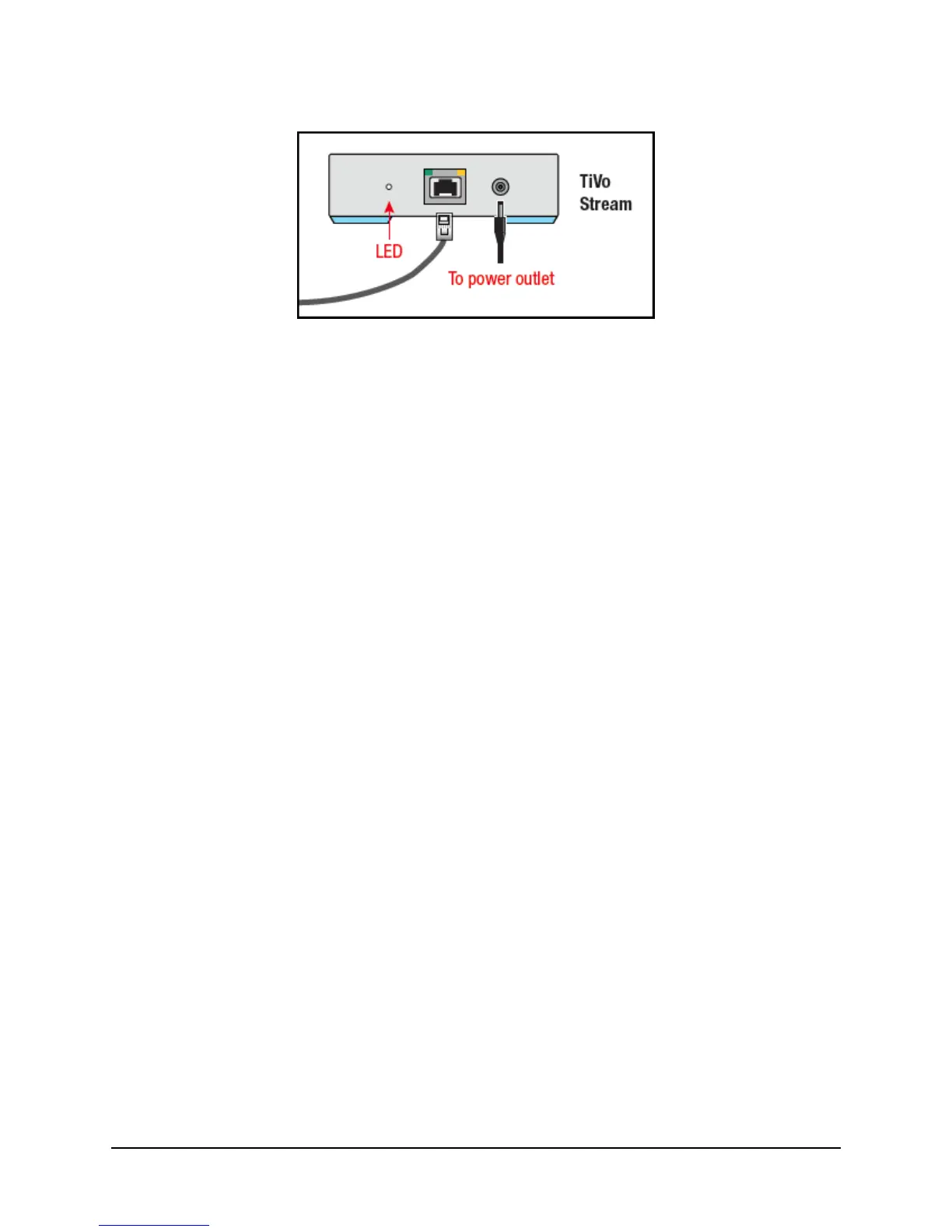
Figure 2–1: Location of the TiVo Stream status LED and power outlet
For instructions on downloading the TiVo App to the mobile device and how to connect to a host
DVR and complete TiVo Stream setup, see the next section, Setting up TiVo Stream on your mobile
device.
Setting up TiVo Stream on your mobile device
To set up TiVo Stream on your mobile device, follow these steps:
Note: This process should be completed on the customer’s mobile device. It will have to be
repeated on each mobile device the customer wishes to use with the TiVo Stream.
1. Ensure you have access to the customer’s mobile device.
This will require the customer to be present to enter in any passwords (such as the
passwords for WiFi, iPad®, App Store, and so on).
If the customer’s mobile device is not available, the installer can use his or her own
mobile device. This will allow the installer to verify the TiVo Stream functionality only. In
this case, the customer will need to complete the setup on his or her own mobile device at
a later time.
2. On your iPad or other mobile device, download or update the TiVo App.
Note: The TiVo App is compatible with iPad, iPhone®, and iPod touch® devices
running Apple iOS® 5.1 or later. For additional device compatibility information, visit
tivo.com/stream.
To stream or download shows from your TiVo DVR, you’ll need the latest version of the
TiVo App.
If you don’t already have the TiVo App, download it from the App Store and install
it on your device now.
If you already have the TiVo App, make sure it’s up to date (with no updates
pending).
Note: Not all programs may be transferred due to copy protection mechanisms used by
copyright owners under the FCC’s encoding rules (47 C.F.R. 76.1904).



 To Next Page