TiVo Stream System Information
36 TiVo Stream Operator’s Guide v1.1 • TiVo
®
Proprietary and Confidential
TiVo Stream System Information
This section describes the TiVo Stream system information that is available via the TiVo App and
from the TiVo Stream System Information web page.
System Information available from the TiVo App
To access the TiVo Stream System Information menus:
1. If you have not already done so, tap the TiVo App icon on your mobile device.
The Info screen appears.
2. Launch the TiVo App and connect to your DVR.
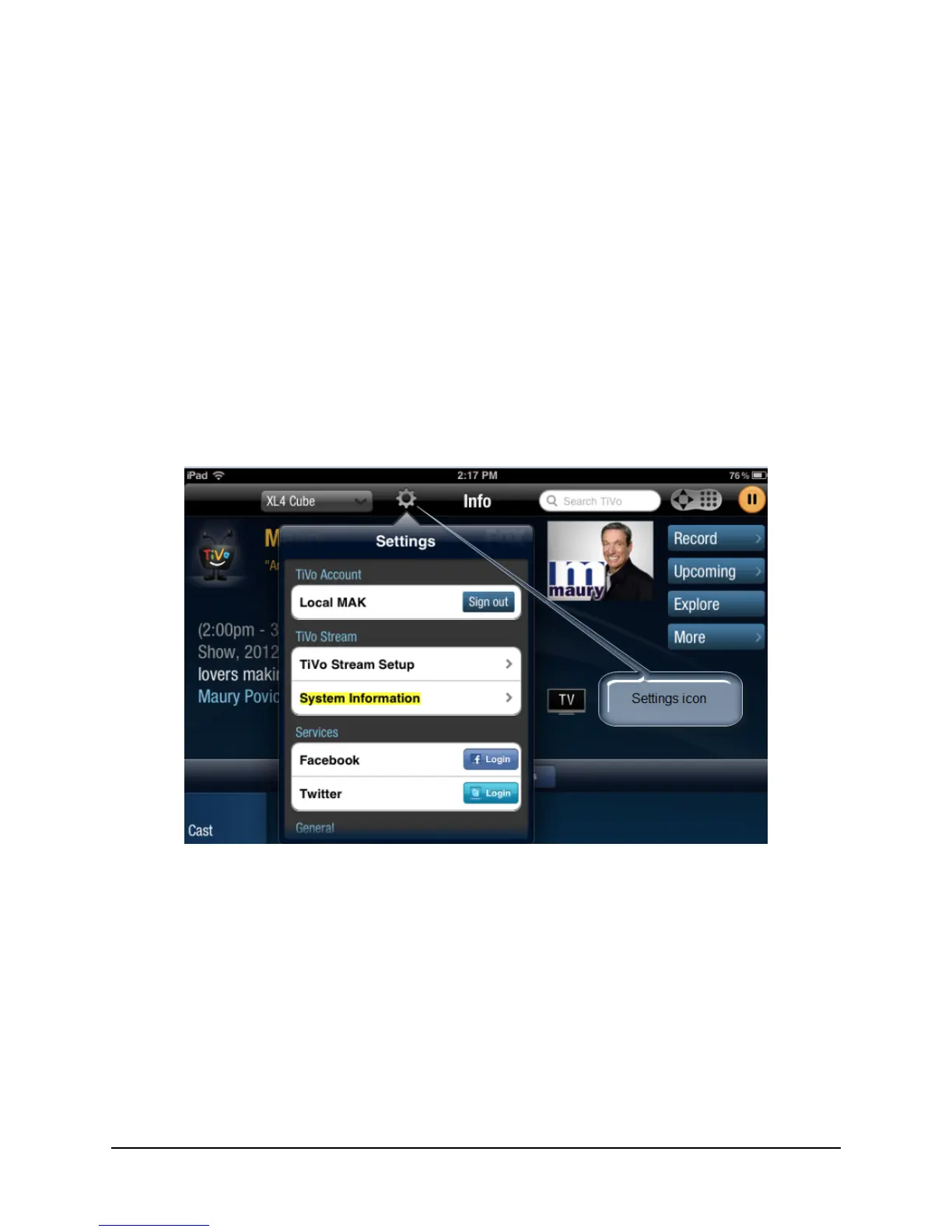
3. Tap the Settings icon (see Figure 3–23).
The Settings menu appears.
Figure 3–23: Bringing up the Settings menu
4. Tap System Information.
The Stream Info screen appears (see Figure 3–24).



 To Next Page