Controlling the video player
26 TiVo Stream Operator’s Guide v1.1 • TiVo
®
Proprietary and Confidential
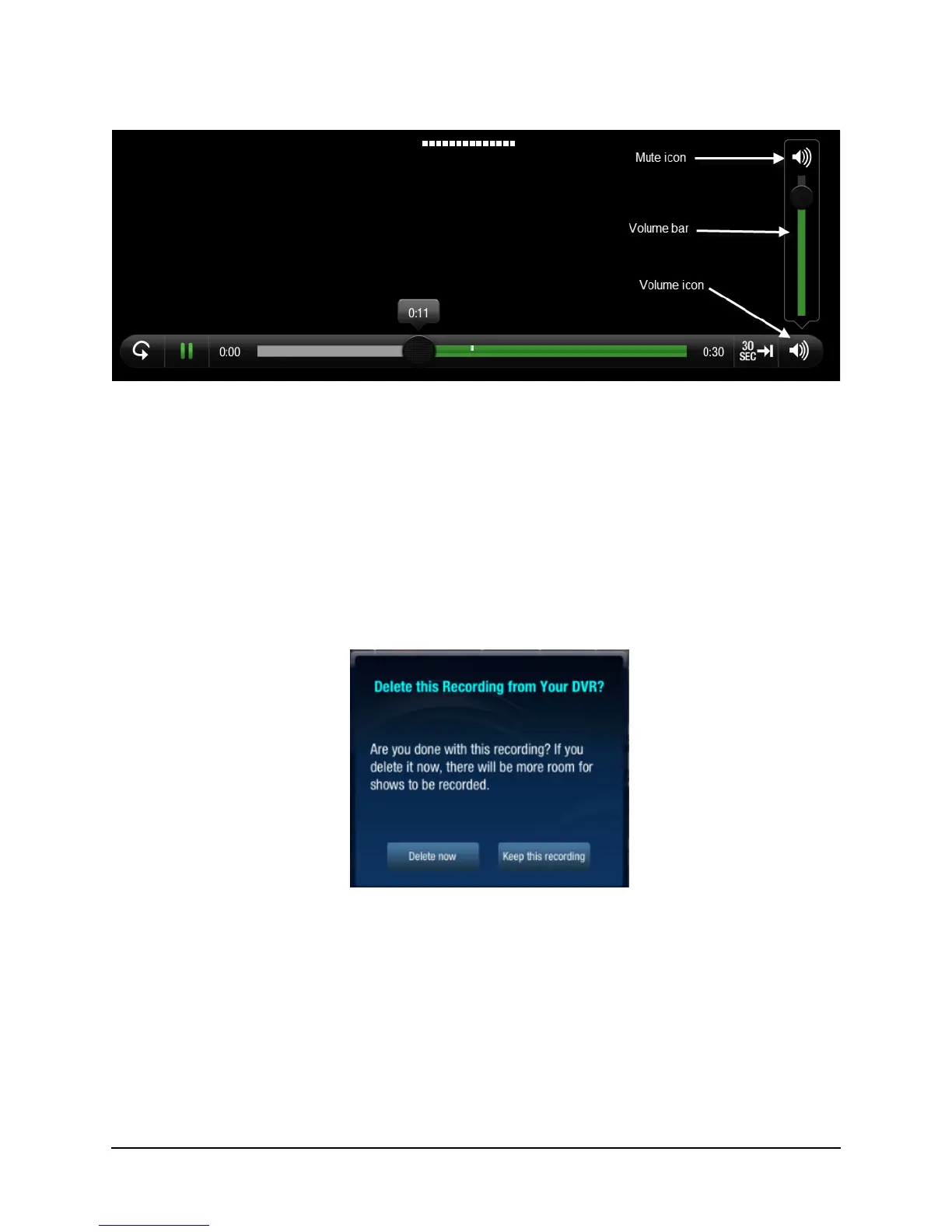
Figure 3–10: Playback volume control
2. Use the Volume bar to drag the volume level up or down as desired.
3. To mute the volume, tap the Mute icon (at the top of the Volume bar).
Alternatively, you can use the volume controls on the iPad.
Deleting or keeping a program when streaming completes
Once you’ve finished watching a streamed program on your iPad, you can either delete the recording
from your DVR or choose to keep it on your DVR (see Figure 3–11).
Figure 3–11: Choose to delete or keep a streamed program
When the Delete this recording from your DVR? message is displayed, click Delete Now to delete the
program from your DVR or click Keep this recording to keep it on your DVR.



 To Next Page