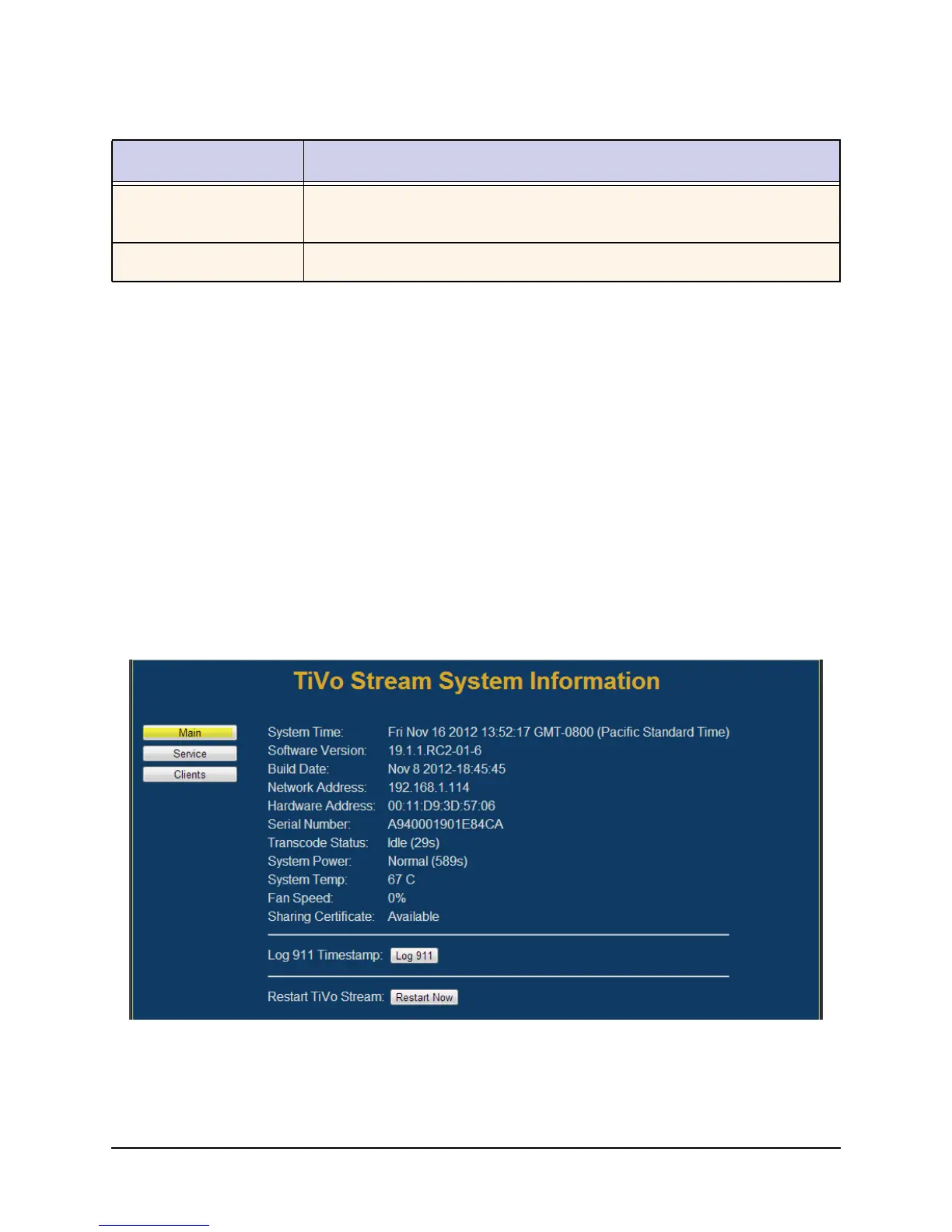
TiVo Stream System Information
38 TiVo Stream Operator’s Guide v1.1 • TiVo
®
Proprietary and Confidential
System Information available from the TiVo Stream System
Information web page
This section describes the system information available from the TiVo Stream System Information
web page. There are two ways to access this web page:
In your browser, enter the following: [TiVo Stream IP address]:49152/sysinfo
For example: 192.168.1.100:49152/sysinfo
In the TiVo App, go to Settings > System Information > Full System Information.
Main tab
The Main tab for the TiVo Stream System Information web page appears (see Figure 3–25).
Figure 3–25: TiVo Stream System Information web page (Main tab)
Restart TiVo Stream
(button)
When you tap this button, you initiate a soft restart on the TiVo Stream.
Make Service Call (button) Tapping this button forces a Service Connection to the TiVo service.
Table 3–2: TiVo App System Information (continued)
Field Description



 To Next Page