Streaming an in-progress program
TiVo Stream Operator’s Guide v1.1 • TiVo
®
Proprietary and Confidential 21
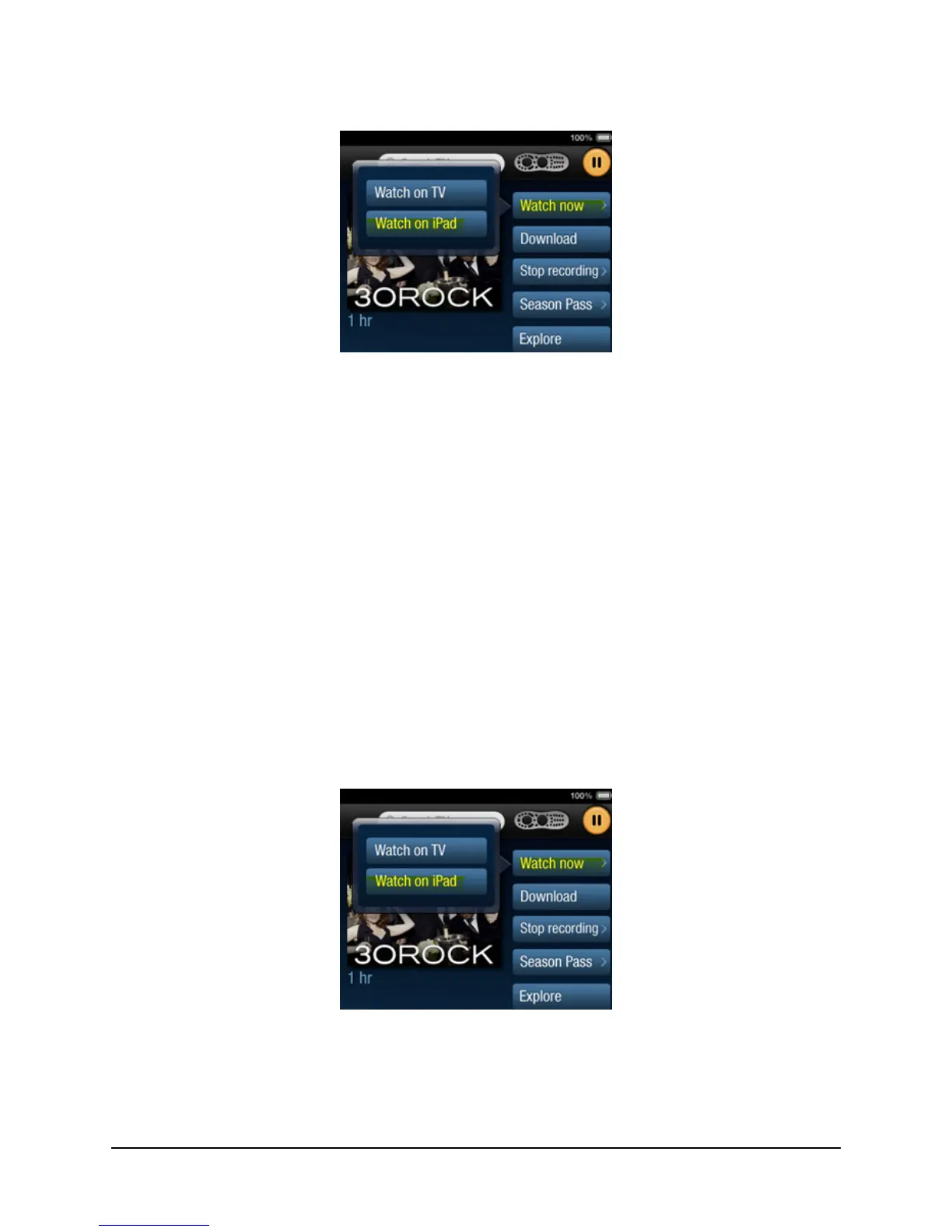
Figure 3–3: Streaming a recorded program to your mobile device
6. To stream a recorded program, tap Watch on iPad.
You’ll see the message: “Connecting to TiVo Stream...”
A connection to your TiVo Stream is established. The video you selected is loaded and
starts playing on your mobile device.
Streaming an in-progress program
You can stream a program currently playing on your TV via a TiVo App feature called Record and
Watch. With this feature you can start recording a show and immediately stream the recording to a
mobile device by pressing a single button, allowing you to watch nearly live TV.
To stream a program currently playing on your TV:
1. To find the program that’s currently playing, select the Guide tab and select the program
that you wish to watch.
2. Tap Watch Now > Watch on iPad (see Figure 3–4).
Figure 3–4: Streaming a recorded program to your iPad
Once you tap Watch on iPad, the DVR starts recording the program and simultaneously the iPad
starts to stream the program. The screen in Figure 3–5 confirms that the program is being recorded.



 To Next Page