Downloading programs to your mobile device
TiVo Stream Operator’s Guide v1.1 • TiVo
®
Proprietary and Confidential 33
Deleting downloaded programs from your mobile device
You can delete programs you’ve downloaded to your mobile device.
To delete downloaded programs from your iPad:
1. Tap the My Shows tab (at the bottom of the iPad screen).
2. If not already selected, tap the On iPad button.
3. Select the program you want to delete from the list in My Shows.
4. Delete the selected program.
You can delete downloaded programs in any one of three ways:
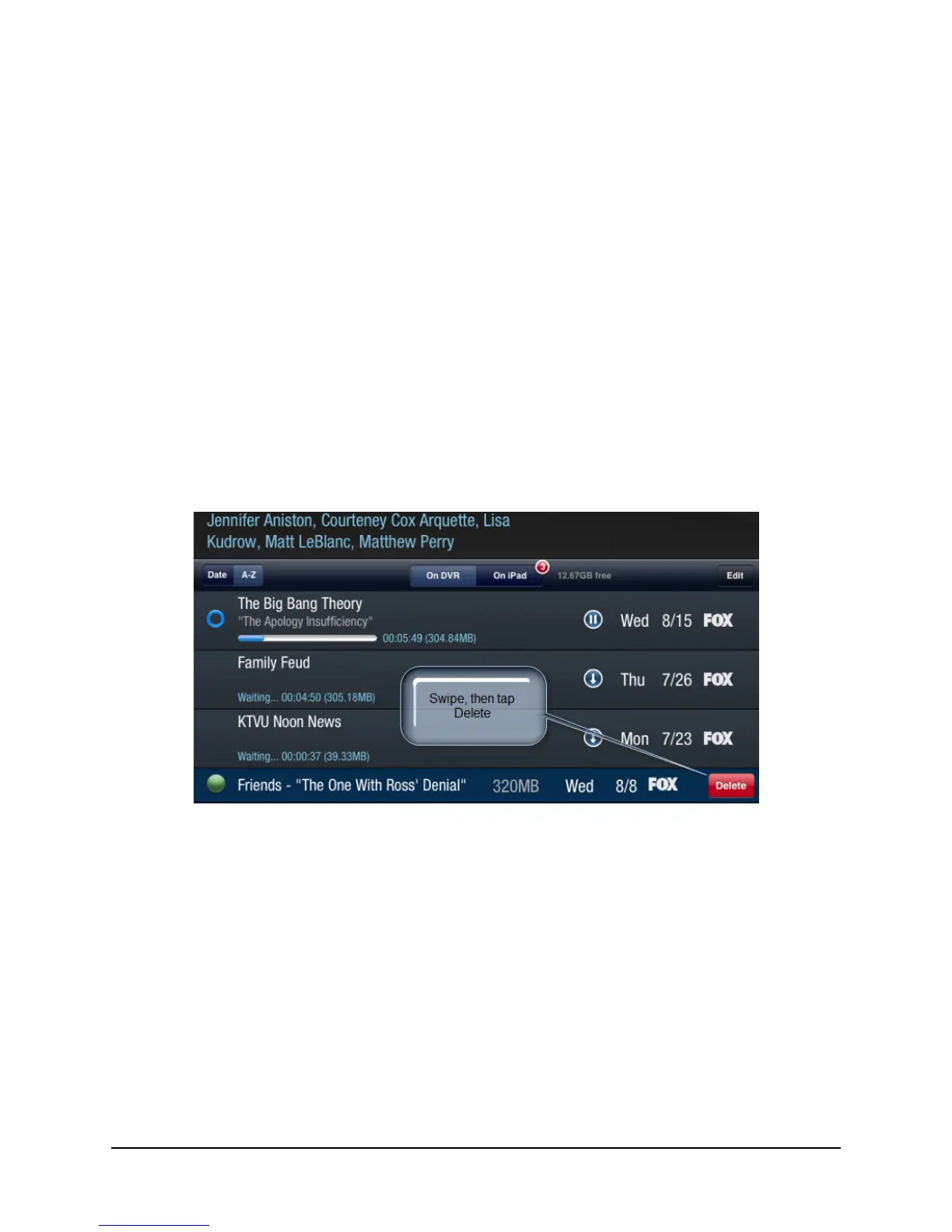
Delete by swiping
To delete by swiping:
a. Swipe the selected program to the right or left.
The Delete button appears on the same line as the selected program (see Figure 3–20).
Figure 3–20: Deleting program by swiping
b. Tap Delete.
The program is deleted from your iPad or other mobile device.



 To Next Page