Downloading programs to your mobile device
34 TiVo Stream Operator’s Guide v1.1 • TiVo
®
Proprietary and Confidential
Delete by using Delete button in Preview Pane
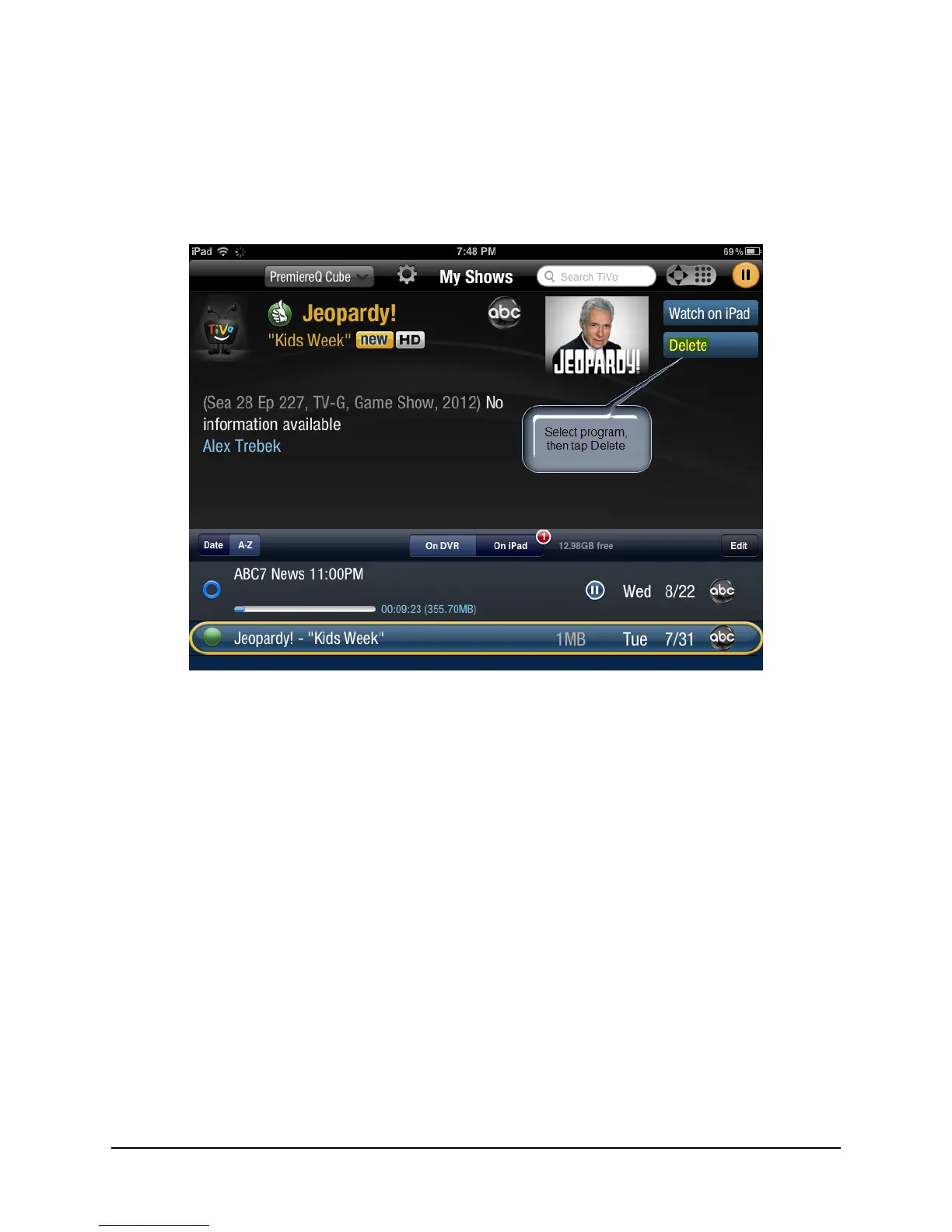
To delete a program using the Delete button in the Preview Pane:
a. From the list in My Shows, select the program to be deleted.
b. Tap the Delete button in the Preview Pane (see Figure 3–21).
Figure 3–21: Deleting program with Delete button
c. Click OK to confirm the deletion.
The program is deleted from your iPad or other mobile device.



 To Next Page