Downloading programs to your mobile device
TiVo Stream Operator’s Guide v1.1 • TiVo
®
Proprietary and Confidential 29
5. To change the quality of your download, click the Down Arrow in the Quality field drop-
down menu, and select the download quality you desire.
6. To continue with downloading the program, tap Download with these options.
The TiVo App must remain open for a download to complete. If the TiVo App is closed
(for example, to check email or make a phone call), the download pauses until you reopen
the TiVo App. You can go to other tabs within the TiVo App, such as Browse or Guide,
without affecting downloading.
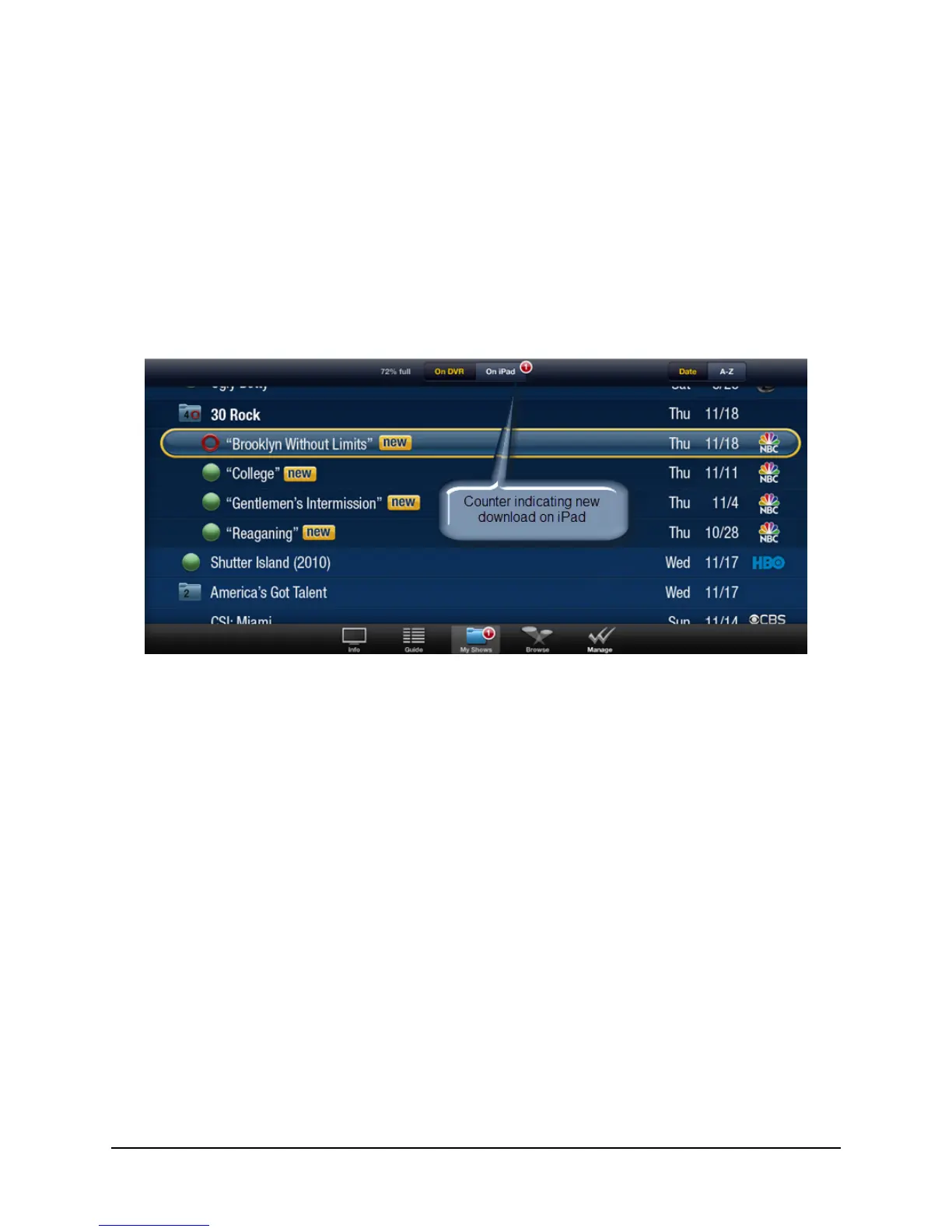
A counter notification appears in the segmented control bar on the On iPad tab, as well as
on the My Shows tab at the bottom of the screen (see Figure 3–14).
Figure 3–14: Recorded programs counter notifications
7. To download another program, tap the desired program in the My Shows list, then tap
Download.
8. After confirming the download options again, add the program to the download queue by
tapping Download with these options (as shown on Figure 3–13 on page 28).
The counter updates to 2 to reflect that two programs are in your download queue (see
Figure 3–15).



 To Next Page