Setup and installation issues
46 TiVo Stream Operator’s Guide v1.1 • TiVo
®
Proprietary and Confidential
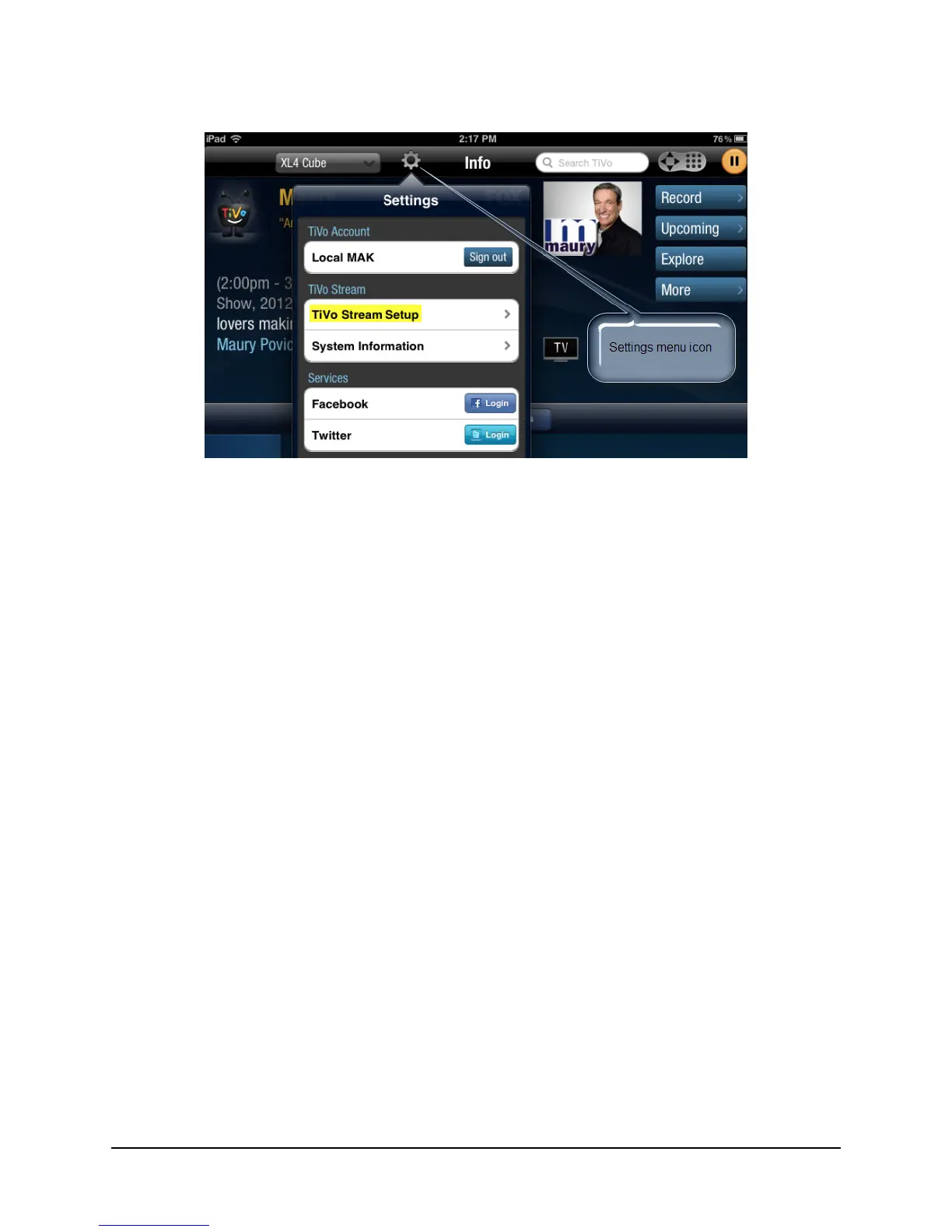
Figure 4–1: Reinitiating the guided setup process
Issue 5: You are unable to get past “Step 2: Checking activation status” of the guided setup process
and you have already activated the TiVo Stream. The progress bar reached the end and the TiVo App
displays a “TiVo Stream Activation Status” error message.
Resolution: First ensure that you have activated the TiVo Stream. If selecting Try again does not
resolve your issue, manually re-initiate the TiVo Stream guided setup process by tapping the Settings
icon and then tapping TiVo Stream Setup (as shown in Figure 4–1).
Issue 6: You receive the following error message on your TiVo App:
Title: Not able to set up TiVo Stream
Text: The TiVo Stream was not able to contact the TiVo service. Please try again.
Resolution: If you receive this error message, TiVo Stream is having difficulty reaching the TiVo
Service through the Internet. Do the following:
1. First tap Try again.
2. If selecting Try again does not resolve the issue, double check your Ethernet cable and
reboot your network router and TiVo Stream. You can perform the reboots for both
simultaneously.



 To Next Page