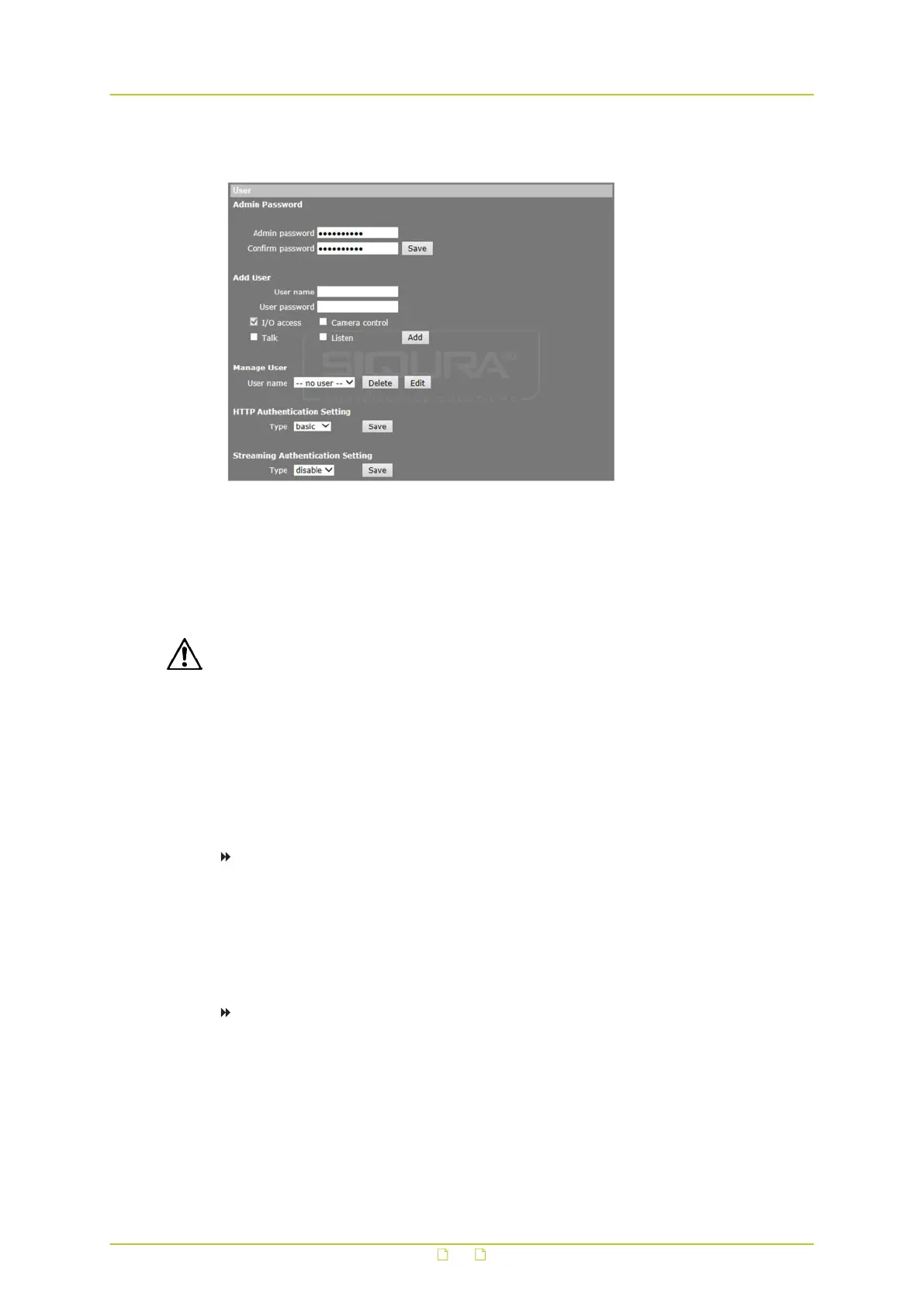
6.2.1 User
System > Security > User
6.2.1.1 Admin password
The default user name is Admin. The default password is 1234. User name and password are
case sensitive.
CAUTION: MAKE SURE YOU CHANGE THE DEFAULT PASSWORD WHEN YOU OPEN THE WEB
INTERFACE FOR THE FIRST TIME. TO KEEP THE ACCOUNT SAFE, SET A STRONG, COMPLEX
PASSWORD. THIS HELPS TO PREVENT UNAUTHORISED ACCESS FROM PEOPLE WHO TRY TO
USE THE DEFAULT ACCOUNT.
Strong password
For your privacy and to better protect your system against security risks, we strongly advise
the use of strong passwords for all functions and network devices. Proper configuration of all
passwords and other security settings is the responsibility of the installer and/or end user of
the camera.
To create a strong password
● Use at least eight characters
● Do not include your real name, user name, company name, or other personal information
● Do not use complete words that can be found in a dictionary
● Use a random combination of at least two of the following categories: upper case letters,
lower case letters, numbers and special characters
To change the administrator password
1 On the System tab, click Security in the menu on the left.
2 In the Security submenu, click User.
3 Type the new password in the Admin password and Confirm password text boxes.
Maximum password length is 14 characters. For security purposes, this input is
displayed as dots.
System settings
28



 To Next Page