The sequence is continuously repeated.
To stop running a sequence
● Drag the (red) mouse pointer across the live view pane in any direction.
The current sequence stops and is no longer repeated.
Dwell time
The dwell time is the duration time the dome remains at a sequence point. The dome will go
to the next sequence point when the dwell time expires.
8.5 Home
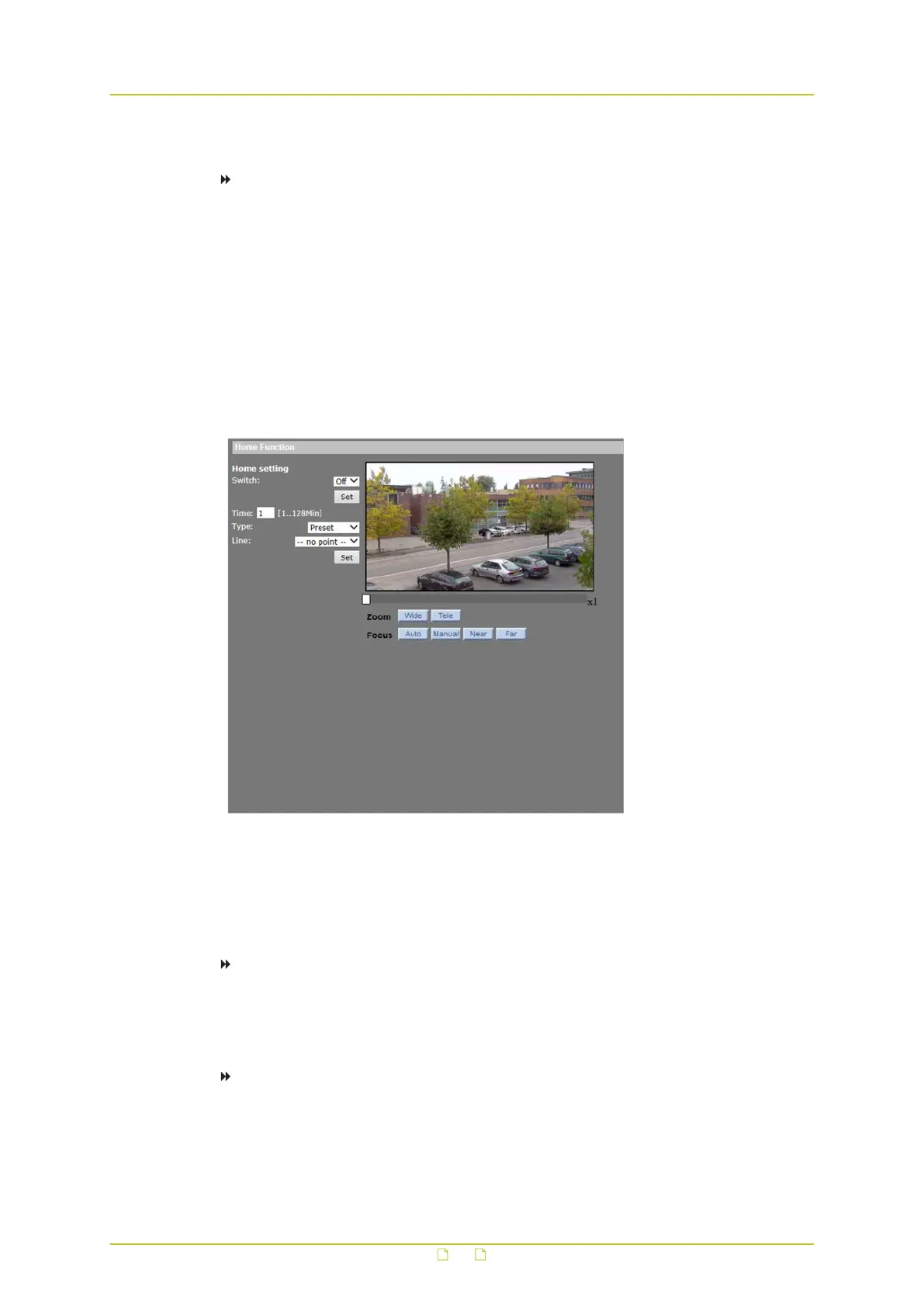
PTZ&IMAGE> Home
Users are able to set an operation mode to ensure constant monitoring; if the dome idles for a
period of time, the predefined action is executed automatically; this is the HOME function. The
HOME function allows constant and accurate monitoring to avoid the dome stopping or
missing events.
To activate/deactivate the Home function
1 On the PTZ&IMAGE tab, click Home in the menu on the left.
2 Under Home setting, click to open the Switch list, and then select On or Off to activate/
deactivate the HOME function, respectively.
To configure the Home function
1 On the PTZ&IMAGE tab, click Home in the menu on the left.
2 In the Time box, enter the camera idle time (see below); range [1-128] minutes.
PTZ&IMAGE
86



 To Next Page