The file is deleted from the card.
To sort the files by name and date
● Click Sort.
To save or view a recording file
1 In the Recording list, select a file.
2 Click Download.
A window appears with a link to the file.
3 Click on the link to save the file locally or to play it in your default viewing software.
6.9.2 Network Share
System > Storage management > Network Share
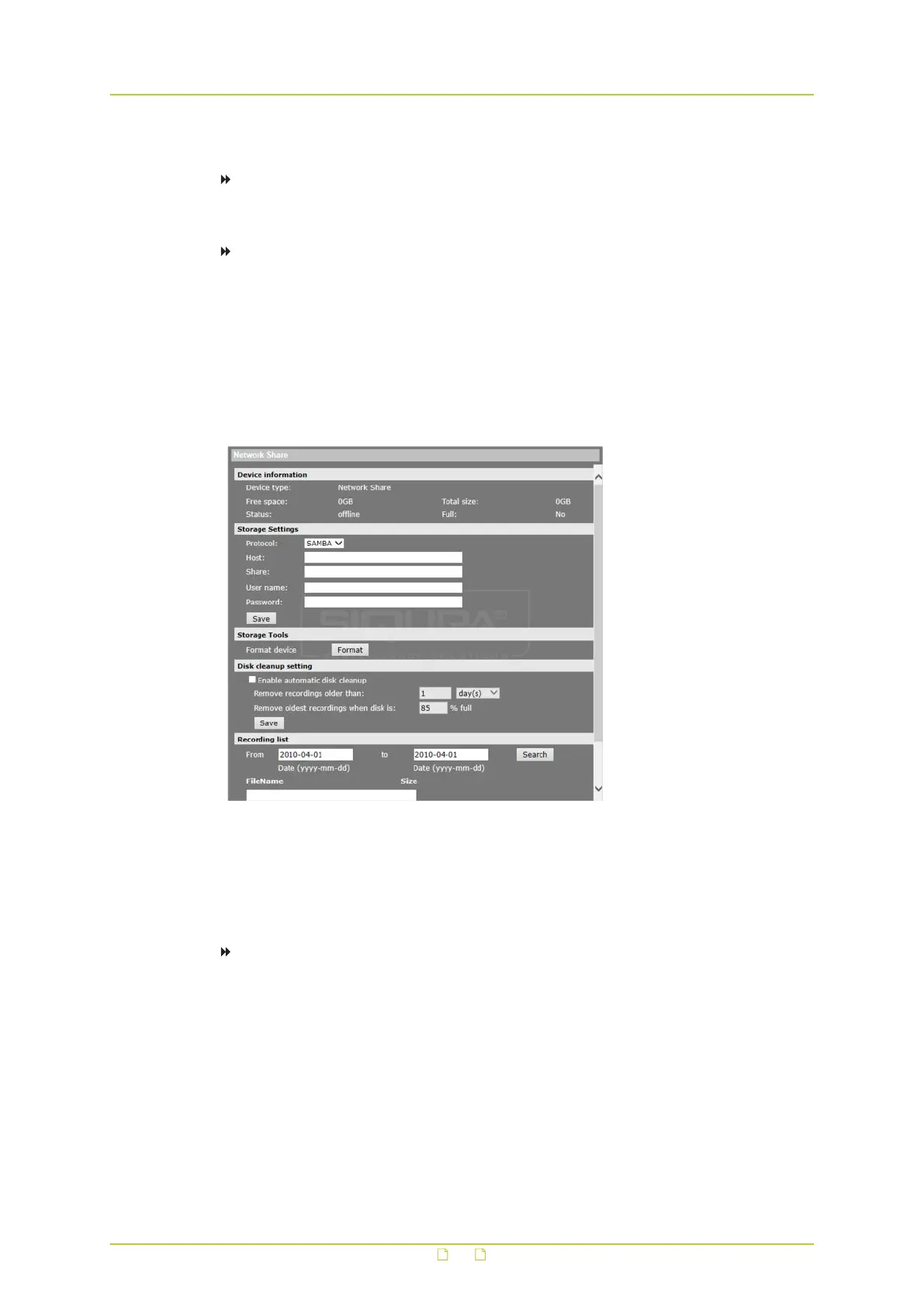
The HSD820v2H3-E supports recording video to a network share. On the Network Share page,
administrators can view capacity information of the network share and a recording list with all
the recording files that are saved on the network share. Administrators can also format the
network share and implement automatic recording cleanup.
To implement and activate recording to the network share
1 On the Network Share page, use the Host and Share boxes in the Storage Settings
section to specify the path to the network share.
2 In the User name and Password boxes, provide the credentials required to access the
network share.
3 Click Save.
The network share status information appears in the Device information section.
4 Format the network share, if necessary, and configure disk cleanup settings.
System settings
59



 To Next Page