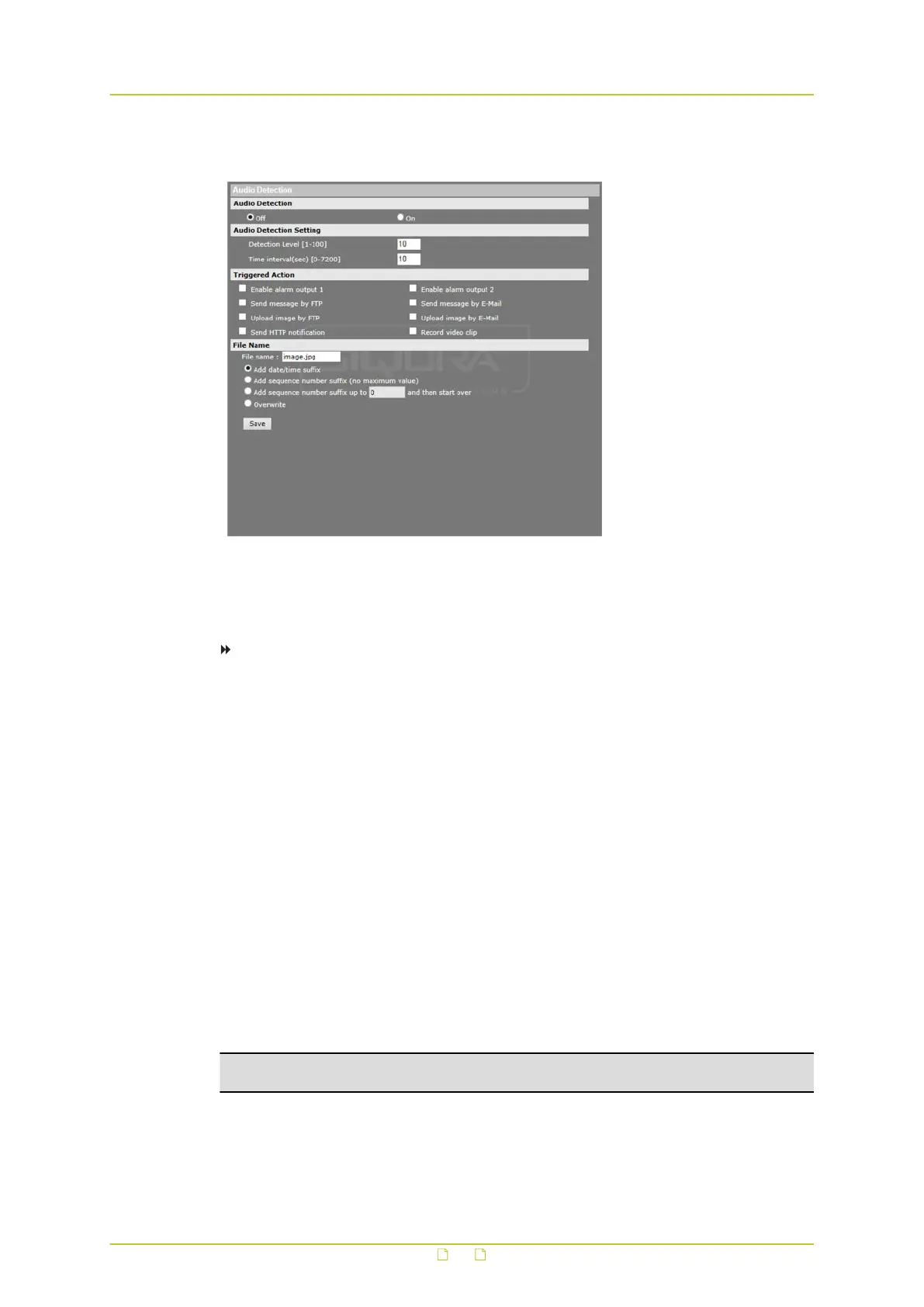
6.8.6 Audio detection
System > Events > Manual trigger
The Audio detection function allows the camera to detect audio and trigger alarms when the
audio volume in the detected area reaches/exceeds the defined sensitivity threshold value.
To enable Audio detection
1 On the System tab, click Events in the menu on the left.
2 Click Audio detection.
3 Under Audio Detection, select On.
The default setting is Off.
4 Under Audio Detection Setting, type a Detection Level value.
This value sets the detection level for each sampling volume; the smaller the value, the
more sensitive it is. The default level is 10.
5 Under Audio Detection Setting, type a Time interval value.
The value is the interval between each detected audio event. The default interval is 10.
6 Under Triggered Action, select the actions to be performed when audio is detected. For
more information, see Triggered Action in section Application.
7 If applicable, under File name, specify a file name for a file to be sent when audio is
detected, and then select an option to add a suffix to the file name or overwrite the
previous file. For more information, see Specifying file name conventions in section
Application.
8 Click Save.
SMTP, FTP, and/or HTTP configuration must be completed prior to using these protocols
in alarm actions.
Important: Uploading images by FTP or e-mail is only possible if MJPEG output is
configured. If only H.264 streaming is enabled, no images will be sent.
System settings
56



 To Next Page