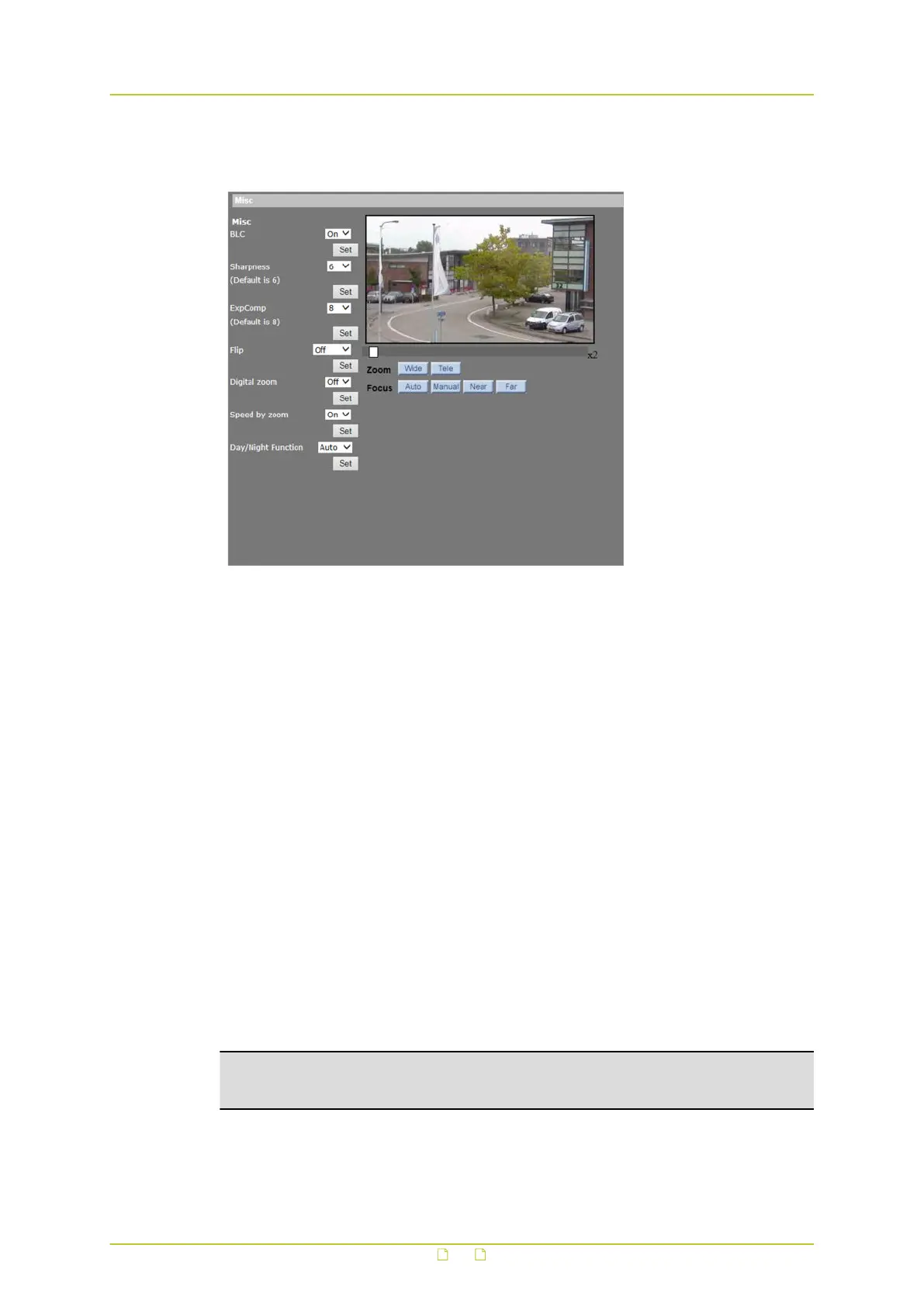
8.10 Camera - Misc1
PTZ&IMAGE > Cam - Misc1
On the Camera - Miscellaneous Setups Menu 1 (Misc1) page, users can set various camera
parameters including Backlight Compensation, Sharpness, Exposure Compensation, Image
Flip, Digital Zoom, Speed by Zoom, and Day/Night.
BLC
Backlight Compensation (BLC) enhances the visibility of objects in the foreground of an image
when there is a bright light in the background.
Sharpness
The sharpness value controls the clarity of detail perceived in an image. A higher sharpness
value may enhance the edges of objects and produce a clearer image. A lower sharpness
value can result in a more obscure image. The sharpness value is adjustable from 1 to 15.
ExpComp
Exposure Compensation (ExpComp) allows the user to adjust the exposure to compensate for
unusual or problematic lighting conditions that could result in less-than-optimal images. The
function can also be used to create intentional underexposure or overexposure. ExpComp
values range from 1 to 15.
Flip
Users can track an object continuously as it passes under the dome camera by setting Flip to
Mechanical (M.E.) mode or Image mode.
Note: Flip setting is controlled manually only. If a Preset Position or a point for an other
function such as Sequence, is set to a position that can only be reached through FLIP
motion, that position cannot be reached anymore when the Flip function is turned off.
M.E. mode is a standard mechanical operation. As the dome camera tilts to the maximum
angle, it will pan 180°, and then continue tilting to keep tracking objects.
PTZ&IMAGE
92



 To Next Page