Appendix: Enable UPnP
With UPnP enabled in Windows, it is possible to see TKH Security devices in Windows
Explorer. You can double-click a device to open its webpages.
To enable UPnP
1 In Control Panel, click Network and Sharing Center.
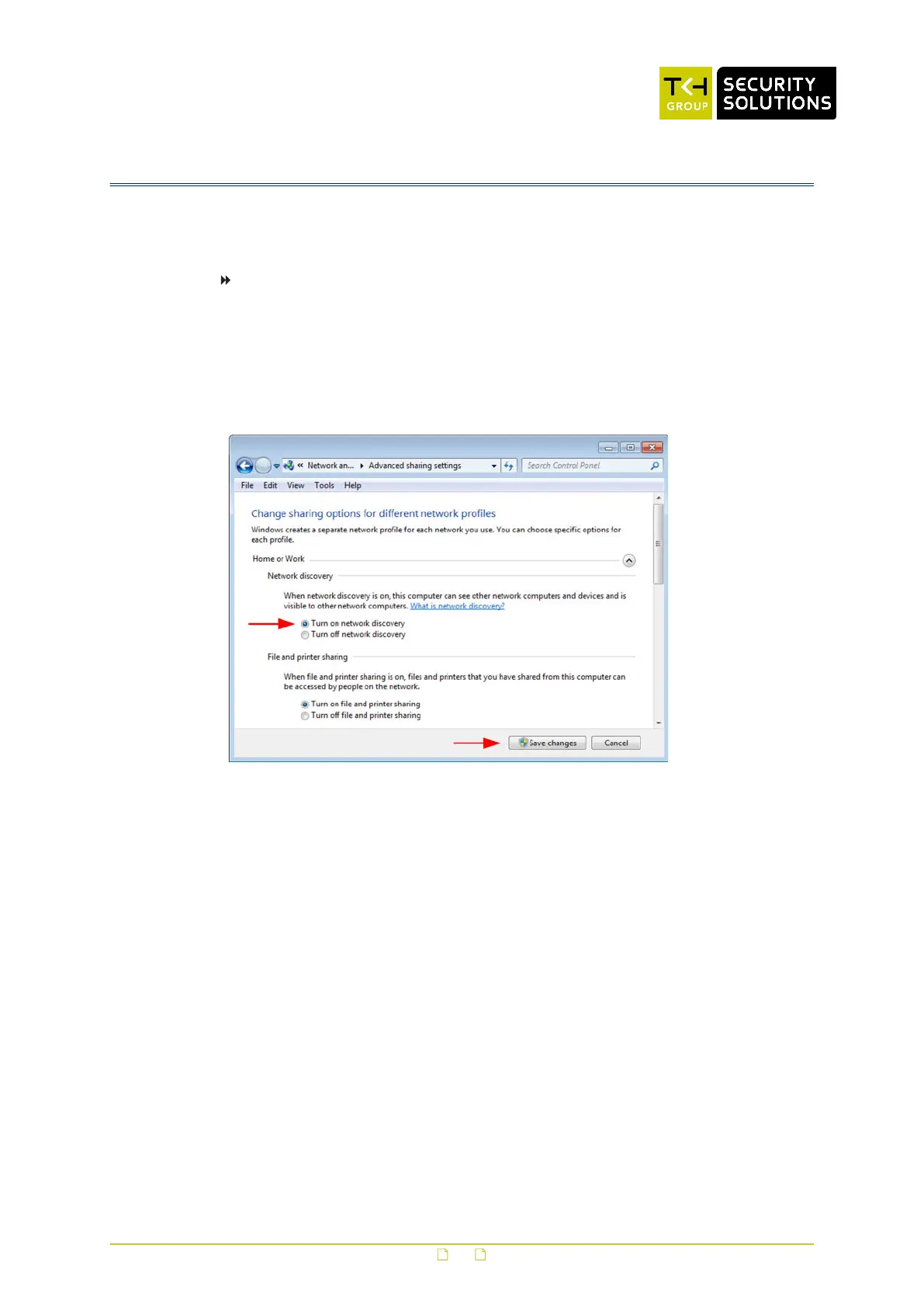
2 In the left pane, click Change advanced sharing settings.
3 Under the relevant network profile, click Turn on network discovery.
4 Click Save changes
UPnP will automatically start when you turn on your computer.
Enable network discovery
98



 To Next Page