Alarm type
The input type drives the alarm output. Normal close indicates that the connectors are
normally closed and a disconnection will trigger a digital output signal. Normal open indicates
that the connectors are normally open and a connection will trigger a digital output signal. See
the relevant installation manual for more information.
6.8.1.1 Alarm trigger actions
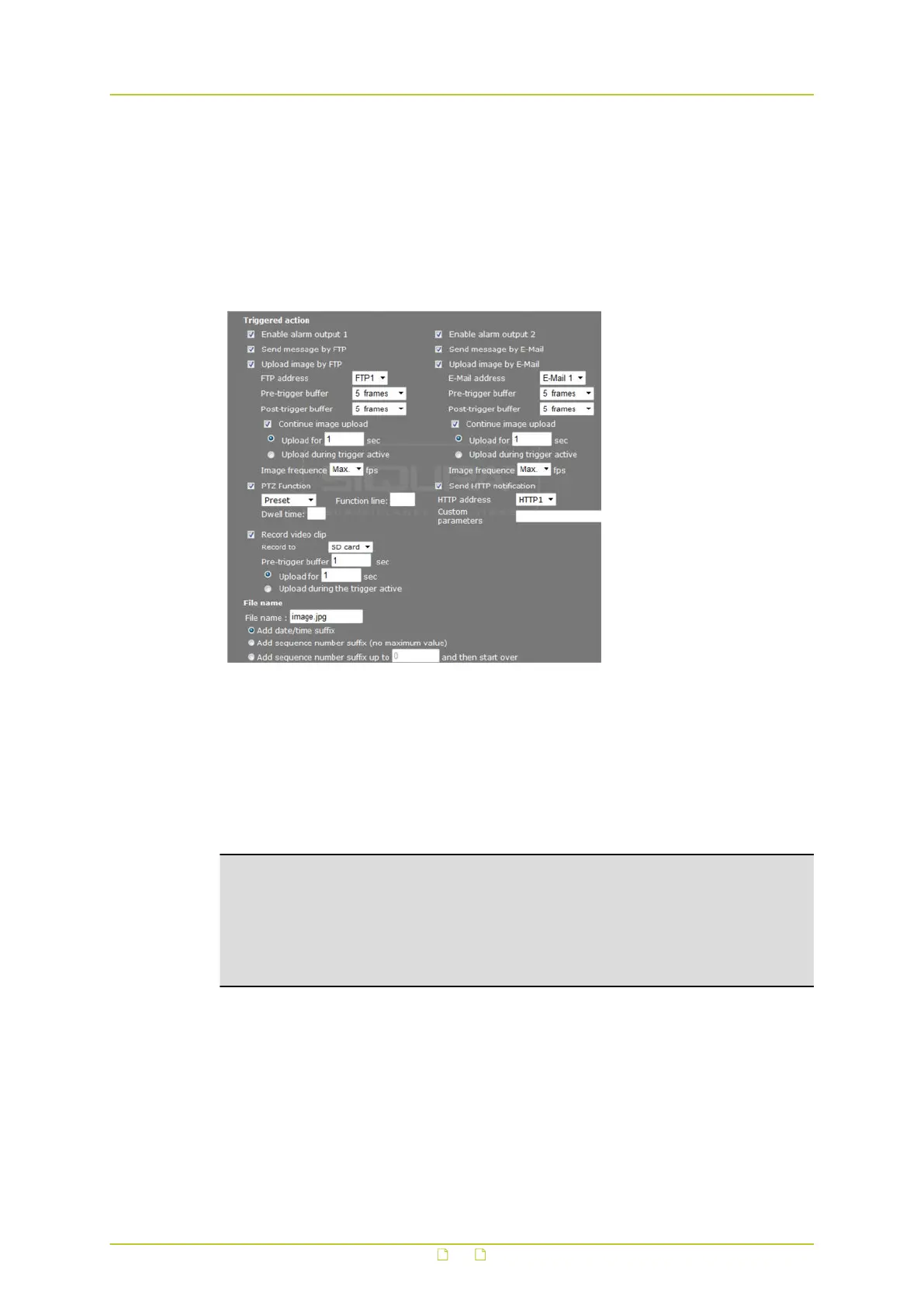
System > Events > Application > Triggered action
The actions detailed in this section can be set to be triggered when an alarm occurs. Make
sure that the SMTP, FTP, and/or HTTP configuration is complete before you configure the
triggered actions for an alarm. For more information, see sections Mail, FTP, and/or HTTP.
Enable alarm output
The HSD820v2H3-E provides two alarm outputs. They can be enabled by selecting Enable
alarm output 1 and Enable alarm output 2.
Note: The output state is determined by any combination of the alarm inputs (digital input
and motion detection). The alarm inputs can be individually enabled to drive the output,
provided the alarms themselves are already enabled. The enabled alarms are combined by a
logical OR to activate the output. The output type is therefore the same for all enabled
alarms. An API command (from a VMS, for example) can override the current output state to
inactive until the next enabled alarm is triggered, or it can also set the output state to
active.
Send message by FTP
A message is sent to the FTP site, as configured on the FTP page, when an alarm is triggered.
For information on how to configure messages to be sent to an FTP site, see section FTP.
Upload image by FTP
When an alarm is triggered, a specified number of pre- and post-trigger buffer frames are
sent to the configured FTP server. The Pre-trigger buffer function allows users to check what
happened to cause the trigger.
System settings
47



 To Next Page