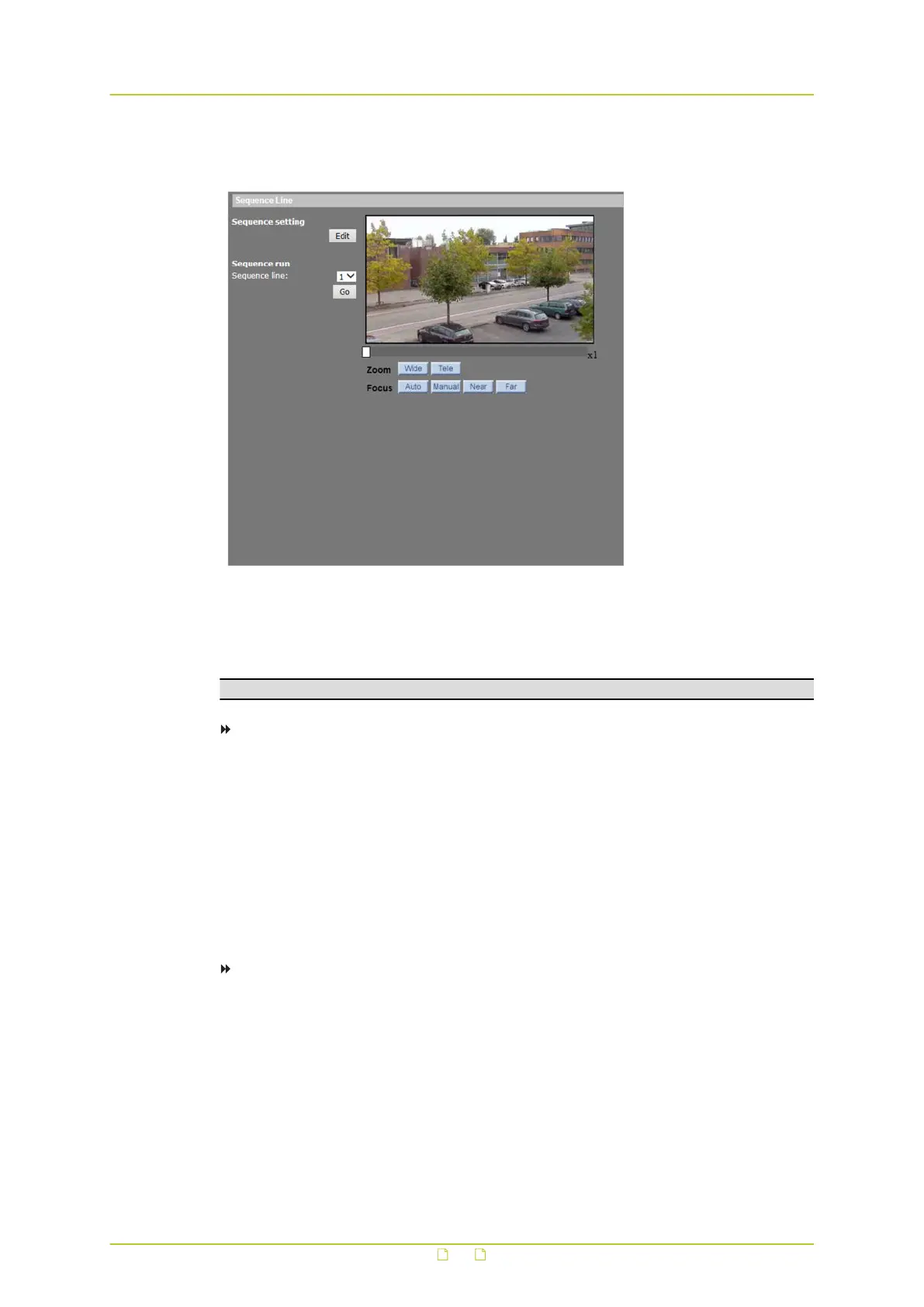
8.4 Sequence
PTZ&IMAGE> Sequence
The sequence function executes prepositioning of the pan, tilt, zoom, and focus features in a
certain sequence for a camera. The HSD820v2H3-E supports up to eight sequence lines. Up to
64 points can be specified for each sequence line.
Note: Before setting this function, users must set at least two preset points.
To program a sequence line
1 On the PTZ&IMAGE tab, click Sequence in the menu on the left.
2 Under Sequence setting, click Edit.
3 Click to open the Sequence line list on the Sequence Set page, and then select the
number of the line (1-8) you wish to program.
4 Set up each sequence point in the desired order by assigning a preset from the Name
list, and specifying a dwell time and speed in the corresponding text boxes.
For more information on dwell times, see below.
Sequence points 1-64 can be accessed through the Pre page and Next page buttons.
5 Click Save.
To execute a defined sequence
1 On the PTZ&IMAGE tab, click Sequence in the menu on the left.
2 Under Sequence run, select the number of the sequence line to be run from the
Sequence line list.
3 Press Go.
The camera starts moving from preset to preset sequentially as programmed.
To view the cruise in full-screen mode, right-click the live view pane, and then select
fullscreen.
PTZ&IMAGE
85



 To Next Page