32
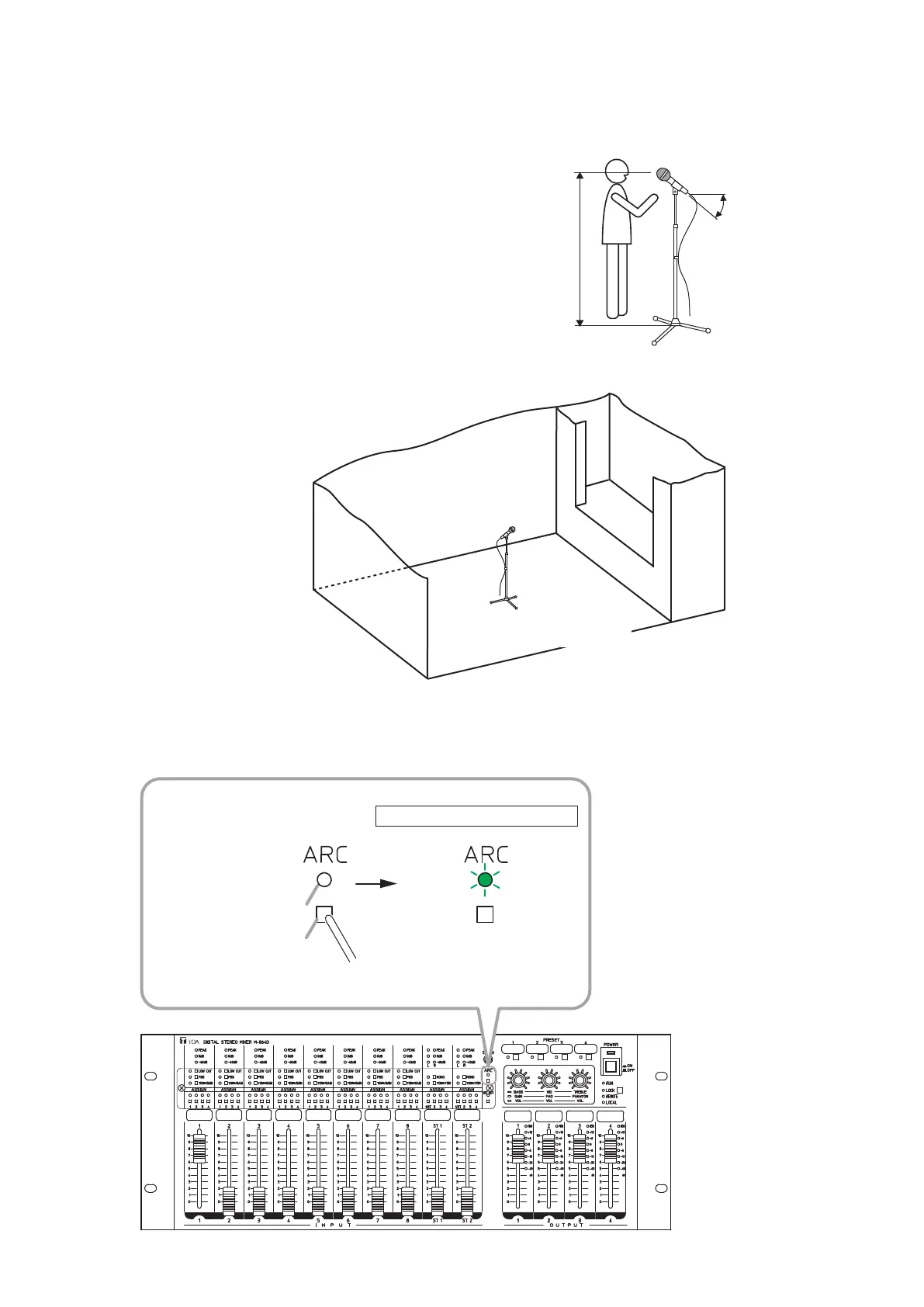
Step 6. Install the measuring microphone.
It is recommended to install the microphone as shown below as a guide.
45°
[Microphone setting example]
• Height of the microphone:
• Angle of the microphone:
• Location of the microphone:
• Direction of the microphone:
At the listening position
45° up
About the center of the room
(See the figure below.)
Point to the speaker.
(See the figure below.)
[Microphone setting location example]
School room:
Gymnasium and multipurpose auditorium:
Conference room:
Point to a platform.
Point to the center of the stage.
Point to the chairperson.
Location of the microphone:
About the center of the room
Step 7. Conduct the ARC measurement.
HolddowntheARCswitchfor3secondsormore,thenreleaseitwhentheARCoperationindicator
beginstoash.
ARC operation indicator
ARC switch
Hold down for 3 seconds or more.
M-864D
Unlit
Flashing
ARC measurement in progress
Note
Useane-tippedobjecttopress
in the ARC switch.



 To Next Page