46
24.1.3. ZM-9013 Remote Control Panel
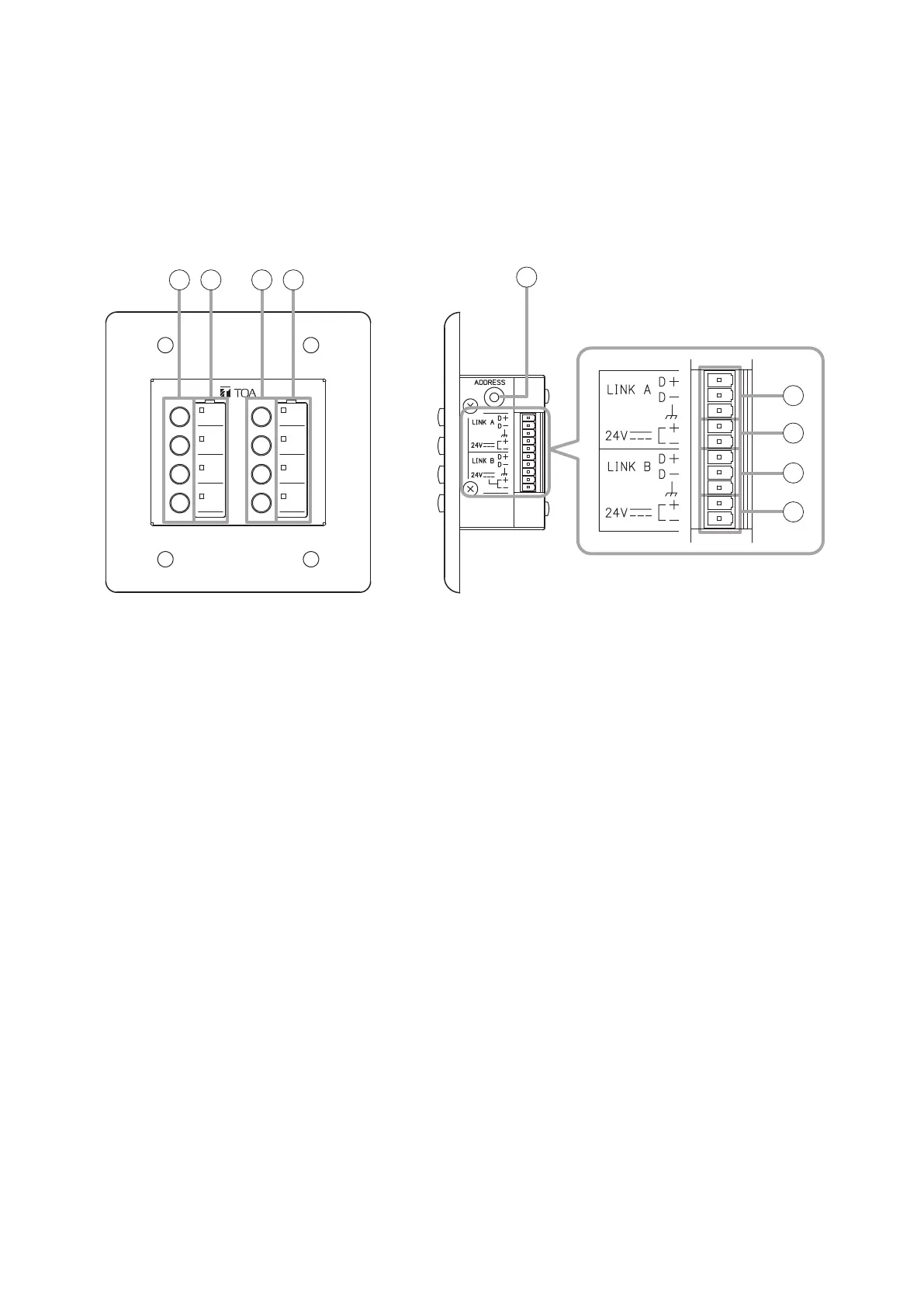
The ZM-9013 performs various controls with the 8 buttons in connection to the M-864D.
Communication is executed between the M-864D and ZM-9013, and the indicator status changes depending
on the M-864D’s operation.
It can be mounted in two-gang electrical box.
[Front] [Side]
1 2
3
1 2
4
5
4
5
1. Function buttons
Press this button to activate the function assigned
to this button.
Following functions can be assigned:
•ChannelON/OFF
•Channelselection
•EXTVOLUP/DOWN
•Stereoinputsourceselection
•MatrixassignmentON/OFF
•CrosspointgainUP/DOWN
•Presetmemoryload
•Remotecontrolcontactoutput
•Externalcontrolcommandoutput
Function assignment is performed by the PC with
the supplied M-864D PC Software installed. For
details, read the separate Software instructions.
2. Operation indicators
Light if the assigned function is enabled when the
Function button is pressed.
3. Address selector [ADDRESS]
UsedtosettheZM-9013’saddress(0–F).
Set the address value not overlapping with the
value assigned to other ZM Remote controller.
The address number ranges from 0 to 9, and A to
F in numerical and alphabetical order.
4. Data line connection terminals
[LINK A, LINK B]
Connect the communication line from the M-864D.
The communication line has polarities. Match the
polarities of data line connection terminals to those
of the D-864D’s data line connection terminals. As
2 sets of these terminals are internally connected
in parallel, either can be used to connect to other
ZM Remote controller.
5. 24 V DC terminals
Connect the power cable from the M-864D.



 To Next Page