3-12 Tolomatic User Guide: ICR Rod Style Integrated Control Actuator
3.7 ICR/ICM Plus Setup
3 : ICR/ICM SV1P PLUS - ELECTRICAL INTERFACE, SPECS & WIRING
The ICR/ICM SV1P Plus actuator can be used as a single-drive setup for optional
CANopen position control. It can also be used in a multi-drop RS-232 (RS-232
to optional CANopen) operation or in a multi-drive setup for optional CANopen/
DeviceNet operation. The following illustrations show cabling setup examples of
each configuration.
3.7.1 Single Device Setup for optional CANopen Position
Control
In a single actuator setup for optional CANopen, the actuator operates as a CAN
node. All commands are passed on the CAN bus. The CAN Master must have a CAN
address of “0.” The actuator CAN address can be any number between 1 and 127.
Before installing the actuator as a CAN node, use the CME 2
®
software for setup
and configuration. The software is furnished on the CD shipped with the Tolomatic
ICR actuator. You may also download CME 2
®
software from the Tolomatic web
site at www.tolomatic.com/resources. Make these selections from the drop down
menus; Product Line: Electric Linear Motion; Resource Type: Software.
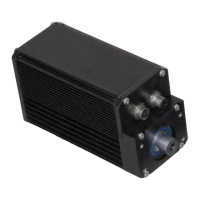
Figure 3-21: ICR/ICM SV1P Plus Single Actuator Setup for optional CANopen Position
Control
3.7.2 Multi-drop RS-232 (RS-232 to optional CANopen) Setup
The RS-232 specification does not support multi-drop (multiple device) connections
as does RS-485 or CAN. However, it is possible to address multiple CAN-enabled
ICR Plus actuators from a single RS-232 port. First, an RS-232 connection is made
between a computer and actuator #1 which must have the CAN address of “0”.
Normally this address is not allowed for CAN nodes but in this case, a ctuator #1
CAUTION!
When cabling multiple
actuators, be sure to use
the appropriate genders
of terminators and cable
connectors. The ICR
actuator has a female
and male communication
connector.
SUPPLIED
POWER SOURCE
ACTUATOR #1
CAN Node
CAN Address = 1
(required)
CAN IN
CAN OUT
Single Actuator Setup for CANopen Position Control
Power Cable (To Power Source)
Std.: 3604-1641
IP65: 3604-1649
Signal I/O Cable
24V to Power Switch
Std.: 3604-1640
IP65: 3604-1648
CAN MASTER:
PLC, HMI, or PC
CAN Address = 0
(required)
Communication Cable To CAN Master
1m: 3604-1659
5m: 3604-1660
(or purchase appropriate flying lead
CAN/DeviceNet cable)
Terminator
Male: 3604-1653
Female: 3604-1654


 To Next Page