10. CONNECTING TO EXTERNAL DEVICES
44
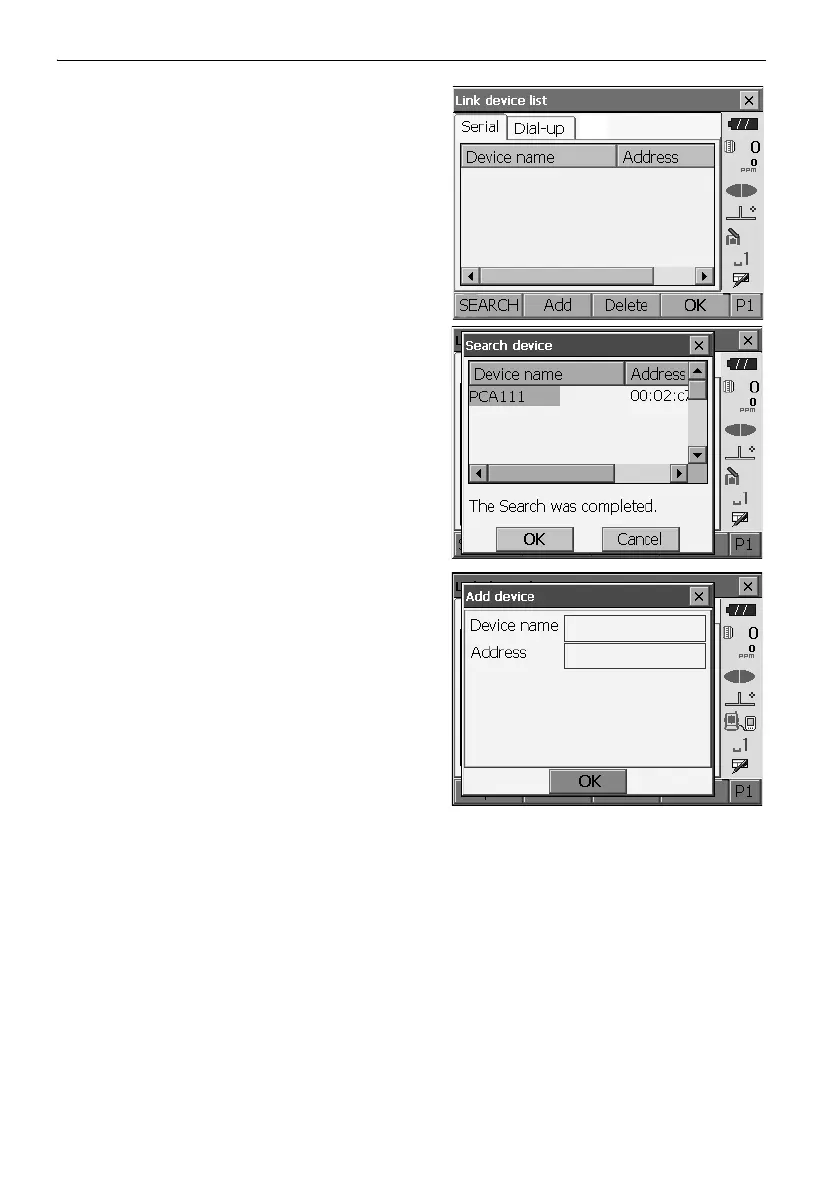
4. Press [SEARCH] in the "Serial" tab to search
about communication-ready Bluetooth devices in
the immediate vicinity of the instrument.
When the search is completed, their device name
and address are displayed in a list. Select a device
from this list and press [OK] to add to the Link
device list.
• Maximum number of devices registered: 6
When registering a device manually,
press
[Add]
to display <Add device>. Input the device name
and Bluetooth address and press [OK]
.
Address
should be 12 characters (numbers 0 to 9 and
letters from A to F) in length
.
•Press [Delete] to delete the selected device
name. Deleted device names cannot be
retrieved.
• Select a device and press [Edit] in the second
page to update the device name and/or device
address.
5. Press [OK] to complete registration.



 To Next Page