131
20. CHANGING THE SETTINGS
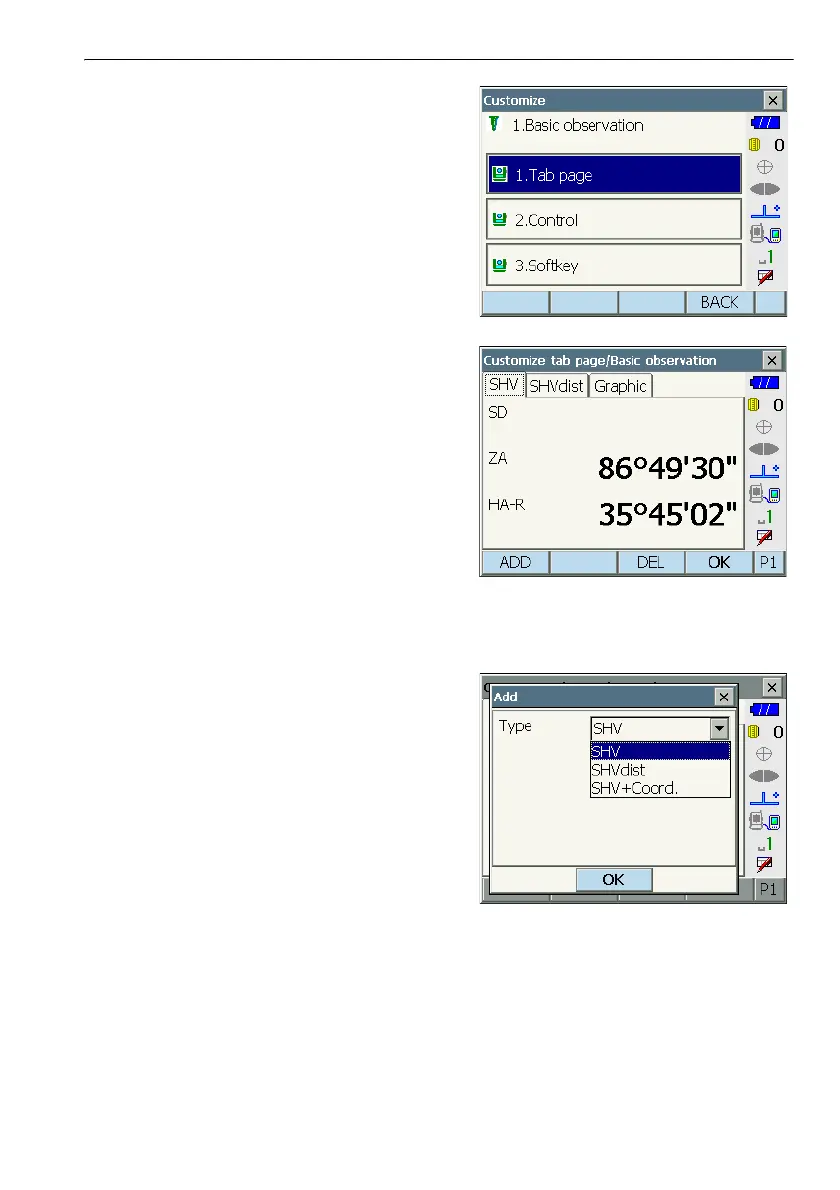
Select "Tab page".
2. Use the softkeys ([ADD], [DEL] etc.) in
<Customize tab page> to allocate the desired tab
page layout.
•Press [ADD] to add the selected tab at the right-
hand side of the screen.
•Press [INS] in the second page to insert the
selected tab in front of the current tab.
•Press [CNFG] in the second page to replace the
current tab with the selected tab.
•Press [DEL] to delete the current tab.
G
• Tabs, once deleted, cannot be retrieved.
Select a tab type from the "Type" drop-down list.
3. Repeat step 2 to perform further tab allocations.
4. Press [OK] to finish allocating tabs. The allocated
tabs are stored in memory and <Customize> is
displayed. The newly allocated tabs appear in the
relevant measurement screen.



 To Next Page