149
22. CHECKS AND ADJUSTMENTS
With this option you can measure collimation error in your instrument so that the instrument can
correct subsequent single face observations. To measure the error, make angular observations using
both faces.
PROCEDURE
1. Carefully level the instrument.
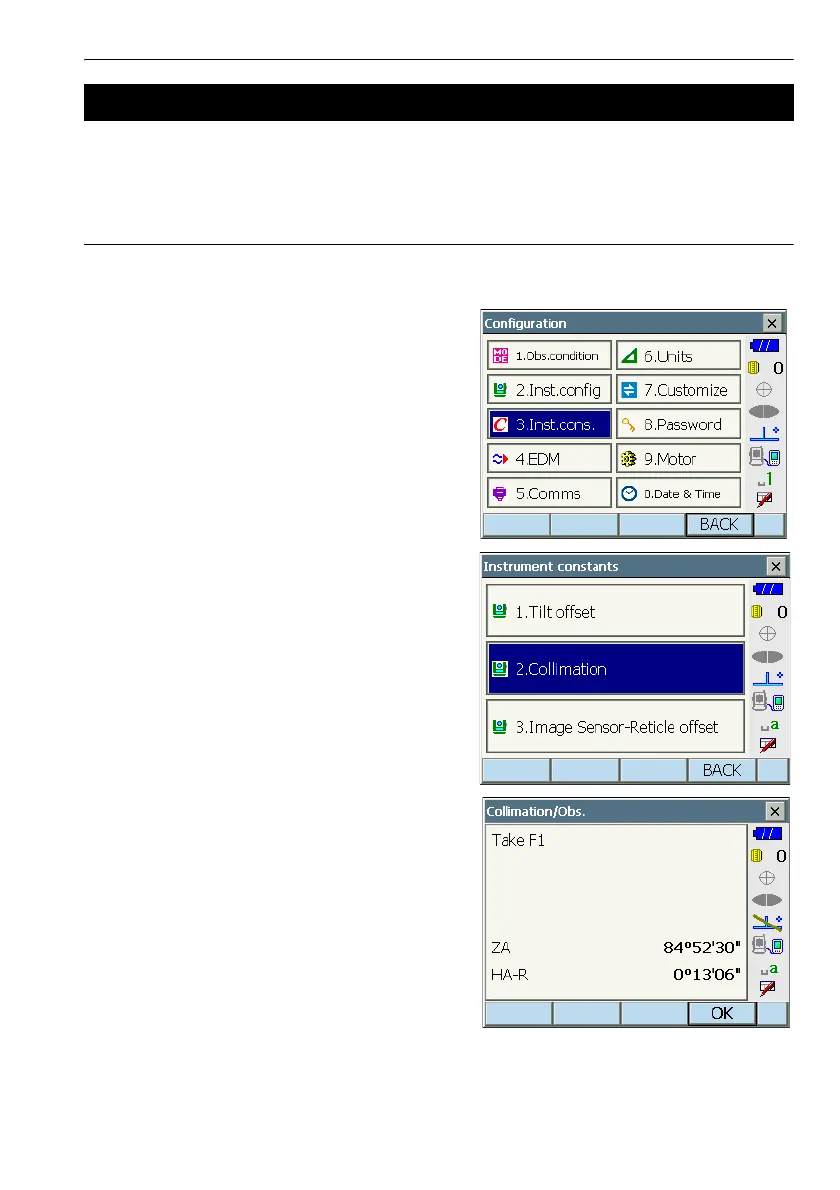
1. Select "Inst. cons." in <Configuration>.
2. Select "Collimation".
3. Sight the reference point in Face 1 and press
[OK]. Telescope rotates and vertical circle is
indexed.
G
• Do not look through the telescope eyepiece
while the motor drive is in operation. An eye
could be struck by the telescope and cause
injury.
22.3 Collimation


 To Next Page