25
PREPARATONS BEFORE USE
Operation check
You can check each operating procedure for this instrument.
When there is something wrong with the instrument, perform self-check for the following items.
If the result of self-check is NG, contact TOPCON at the address listed on the back cover of this man-
ual.
1 Fit the mouse pointer to the "CHECK" tab in the lower section and click it.
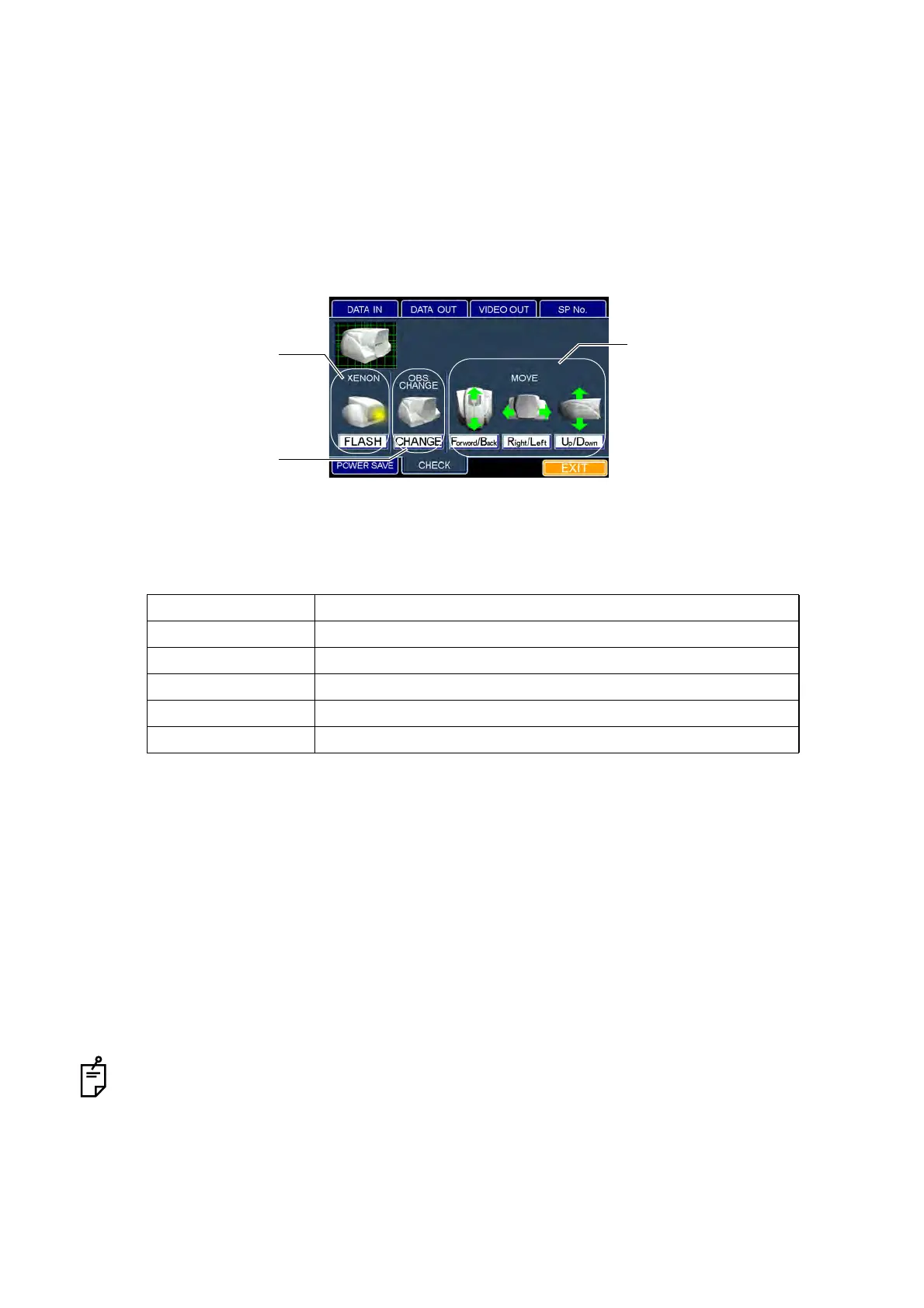
2 The "CHECK" dialog box appears.
3 Fit the mouse pointer to an item to be checked and click its icon.
Check item and checking method
4 The set icon is outlined in yellow.
5 Checking operation starts.
How to finish setting
1 Move the mouse to fit the mouse pointer the "EXIT" icon and click it.
2 The eye observation display appears.
When you want to set any other item, fit the mouse pointer to the desired tab and click it.
Check item Checking method
FLASH Visually check if the flash lamp is lit.
CHANGE Check by sound if the light path selector solenoid operates.
Forward/Back MOVE Visually check if the head operates forward and backward.
Right/Left MOVE Visually check if the head operates right and left.
Up/Down MOVE Visually check if the head operates up and down.
MOVE
XENON
OBS. CHANGE
"CHECK" dialog box



 To Next Page