28
PREPARATONS BEFORE USE
Setting the photography serial number
You can affix the desired serial number to the photography/measurement result.
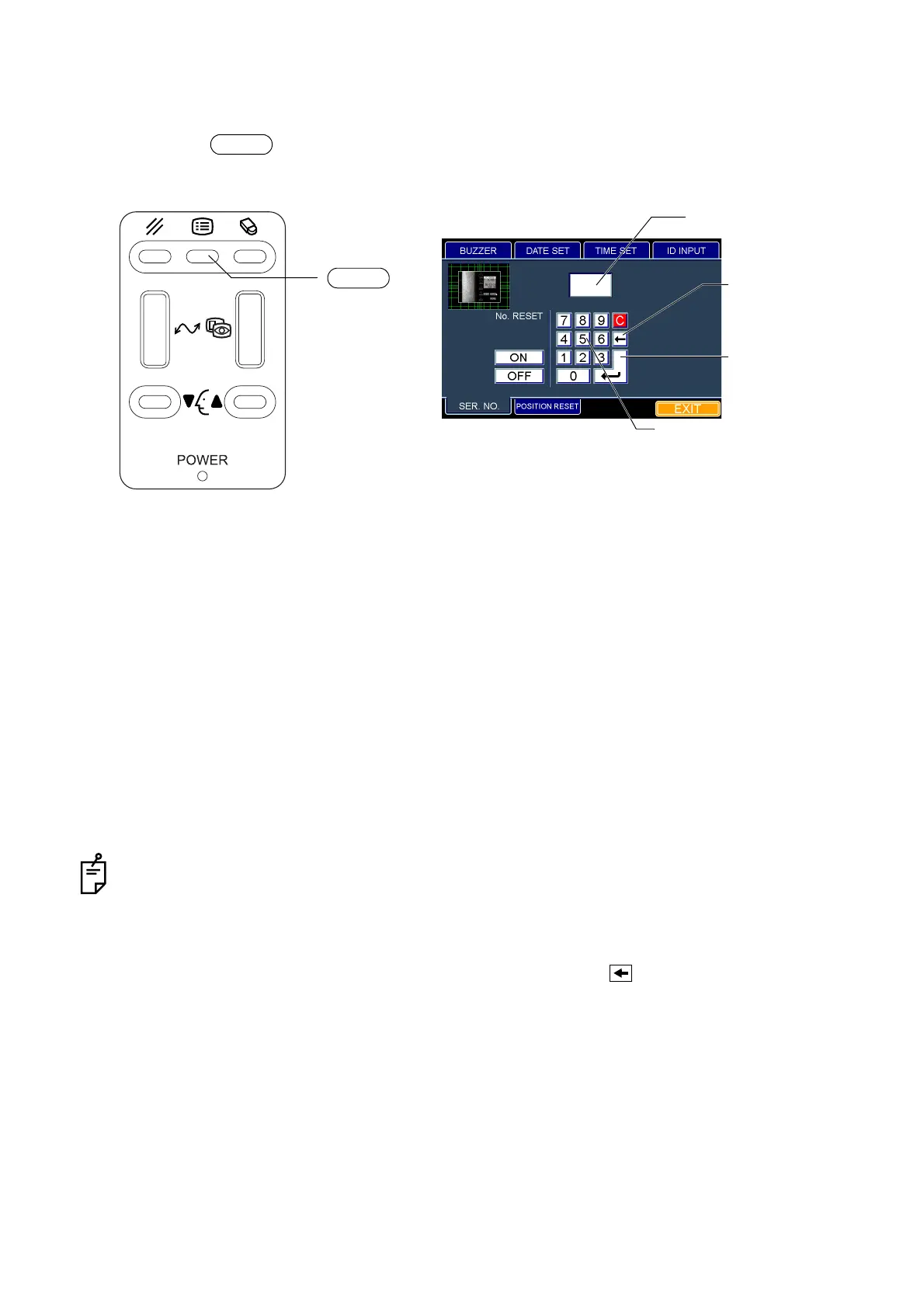
1 Press the switch on the control panel. The "ID INPUT" dialog box appears.
2 Fit the mouse pointer to the "SER. NO." tab and click it. The "SER. NO." dialog box appears.
3 Fit the mouse pointer to the desired numeral among the "Ten key" icons and click it.
4 The entered numeral is displayed on the "SER. NO." area.
5 When the desired number is displayed by entering numerals continuously, fit the mouse pointer
to the "Enter key" icon and click it. The SER. NO. can be set.
How to finish setting
1 Move the mouse to fit the mouse pointer to the "EXIT" icon and click it.
2 The eye observation display appears.
• It is possible to enter the numerals 0001 ~ 9999 in the SER. NO. area.
• When you select other tabs without clicking the "Enter key" icon after entering SER. NO., the
entered SER. No. is canceled.
• When you want to set any other item, fit the mouse pointer to the desired tab and click it.
• The numeral before the cursor can be deleted by clicking the " key" icon.
• All the entered numerals can be deleted by clicking "C" among the "Ten key" icons.
• When you want to reset SER. NO. by turning on/off the power, click the "ON" icon on the "SER.
NO." dialog box. When you do not want to reset it, click the "OFF" icon.
MENU
MENU switch
"Back space key"
"Enter key" icon
"Ten key" icon
icon
SER. NO. area
"SER. NO." dialog box



 To Next Page