31
PREPARATONS BEFORE USE
Setting the buzzer
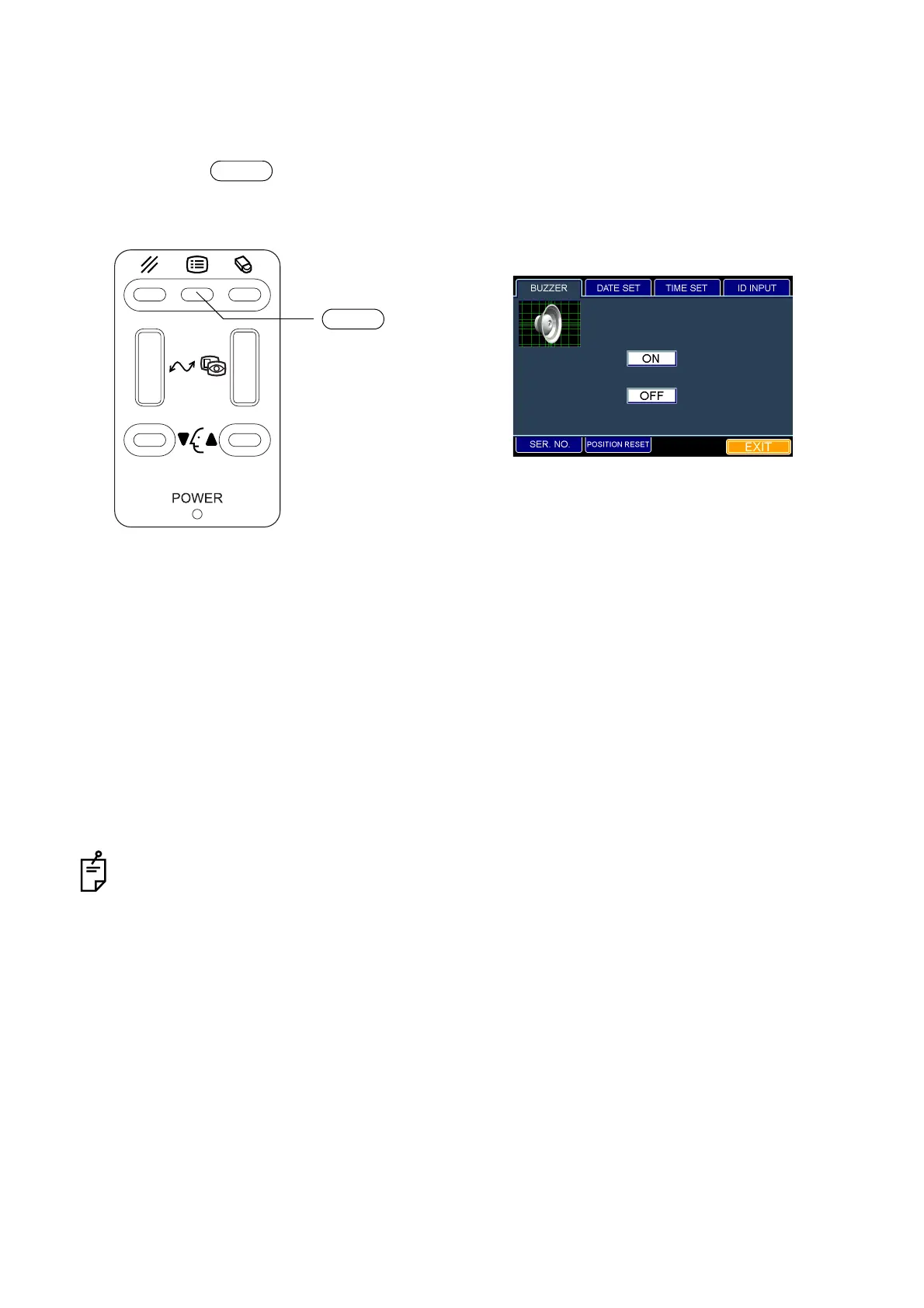
Once the buzzer is set, an alarm will sound when the instrument is too close to the patient's eye.
The set icon is outlined in yellow. "OFF" is set when shipped.
1 Press the switch on the control panel. The "ID INPUT" dialog box appears.
2 Fit the mouse pointer to the "BUZZER" tab and click it. The "BUZZER" dialog box appears.
3 When you set the buzzer, fit the mouse pointer to the "ON" or "OFF" icon and click it.
If you want to use the buzzer, click the "ON" icon.
If you do not want to use the buzzer, click the "OFF" icon.
4 The set icon is outlined in yellow.
How to finish setting
1 Move the mouse to fit the mouse pointer to the "EXIT" icon and click it.
2 The eye observation display appears.
When you want to set any other item, fit the mouse pointer to the desired tab and click it.
MENU
MENU switch
"BUZZER" dialog box



 To Next Page