32
PREPARATONS BEFORE USE
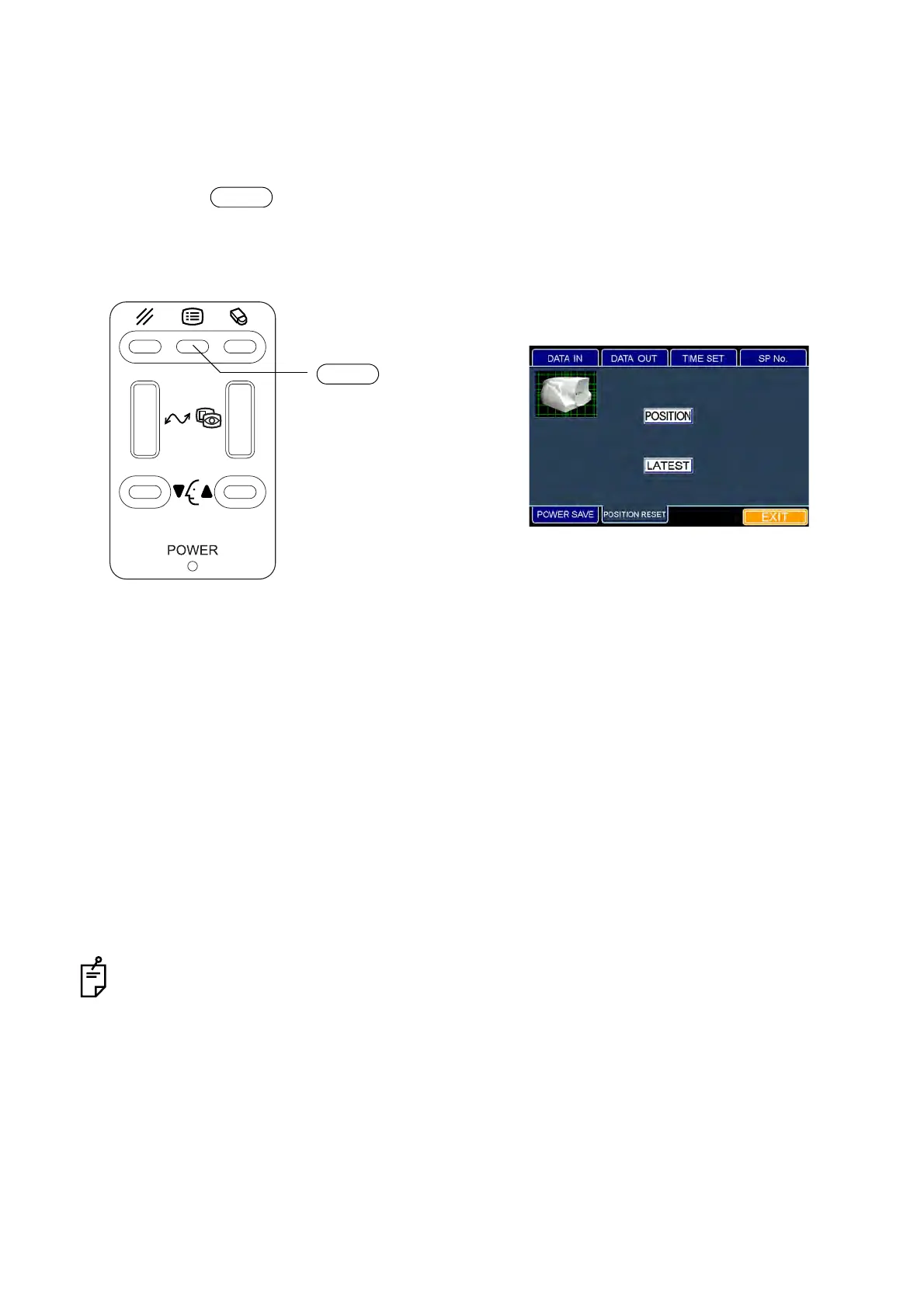
Setting the "original point resetting for each shot"
Each time a picture is taken, the instrument is reset to the original point in the longitudinal and lateral
directions.
The set icon is outlined in yellow. "ON" is set when shipped.
1 Press the switch on the control panel. The "ID INPUT" dialog box appears.
2 Fit the mouse pointer to the "POSITION RESET" tab and click it. The "POSITION RESET" dia-
log box appears.
3 When you set the "original point resetting in the longitudinal and lateral directions", fit the mouse
pointer to the "ON" or "OFF" icon and click it.
If you want to reset the instrument to the original point in the longitudinal and lateral directions,
click the "ON" icon.
If you do not want to reset the instrument as mentioned above, click the "OFF" icon.
4 The set icon is outlined in yellow.
How to finish setting
1 Move the mouse to fit the mouse pointer to the "EXIT" icon and click it.
2 The eye observation display appears.
When you want to set any other item, fit the mouse pointer to the desired tab and click it.
MENU
MENU switch
"POSITION RESET" dialog box



 To Next Page