69
DETAILS OF THE SETTING MENU
PAGE 2: Auto Operation
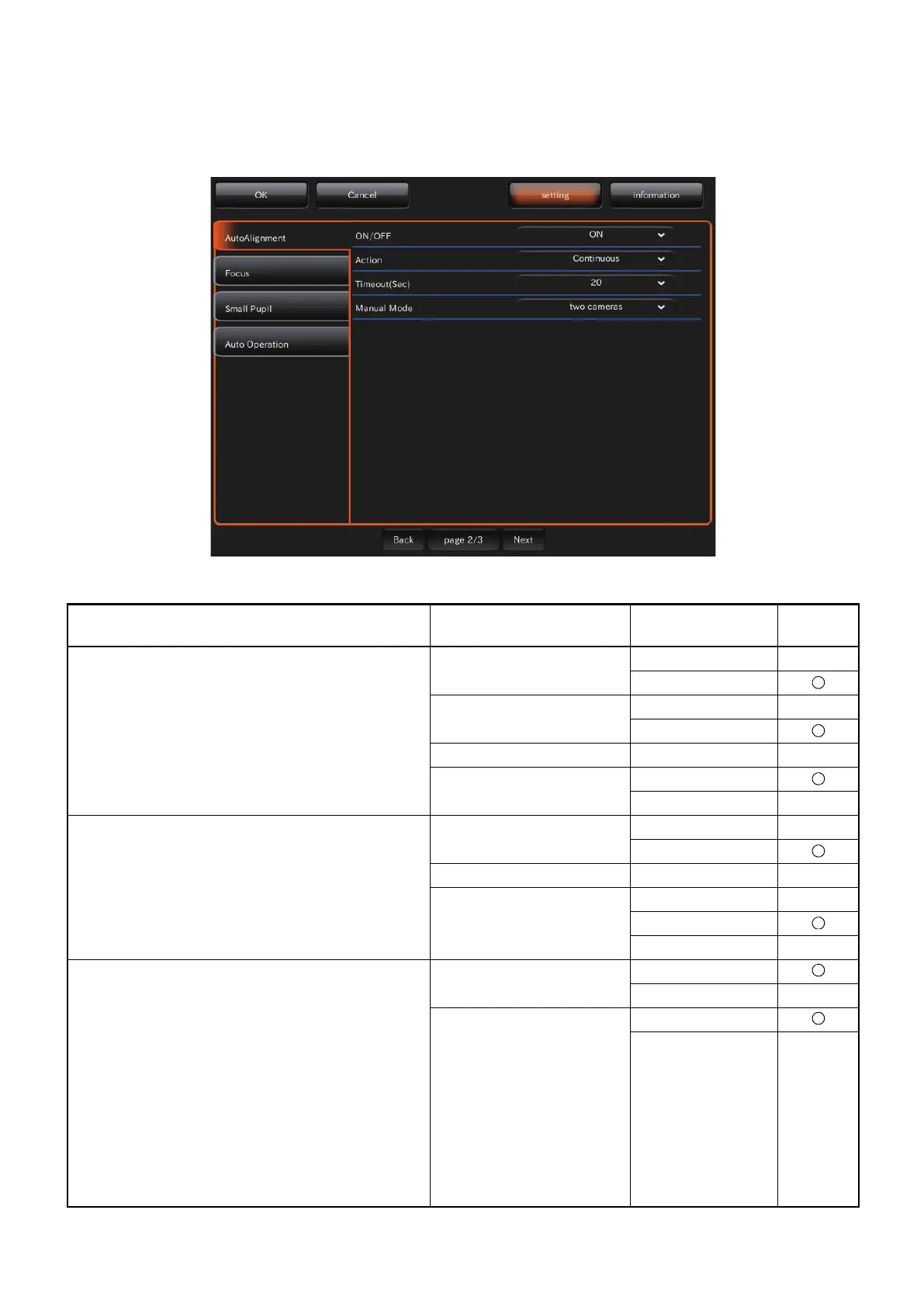
On the "PAGE 2" screen, set the Auto functions. For details on each button, refer to page 29.
x PAGE 2: Initial screen
On PAGE 2, the items shown in the following table are assigned to the buttons on each layer.
Utility button Item button Item selector
button
At
shipment
Auto Alignment ON/OFF OFF
ON
ACTION Disconinuous
Continuous
Timeout (Sec) OFF, 10, 20, 30 20
Manual Mode two cameras
one camera
Focus ON/OFF OFF
ON
Timeout (Sec) 10, 20, 30 10
One Touch Auto Focus OFF
one time
sequence
Small Pupil
•This function is usable only when the color fun-
dus capture icon is selected.
•When the pupil diameter of the patient is small
(when it is smaller than the pupil detection
mark), the small pupil diaphragm is automati-
cally set and the instrument takes a color picture
of the fundus. After taking a picture, the small
pupil diaphragm is automatically removed.
When you set the small pupil diaphragm selector
button to "ON" on Area 1 of the photography
screen (color photography), the above automatic
setting is not done.
ON/OFF OFF
ON
Magnification mode
45° mask
30° mask















 To Next Page