EasyManua.ls Logo

Topcon TRC-NW8F - User Manual

Topcon TRC-NW8F
104 pages
Print Icon
To Next Page IconTo Next Page
Loading...
INSTRUCTION MANUAL
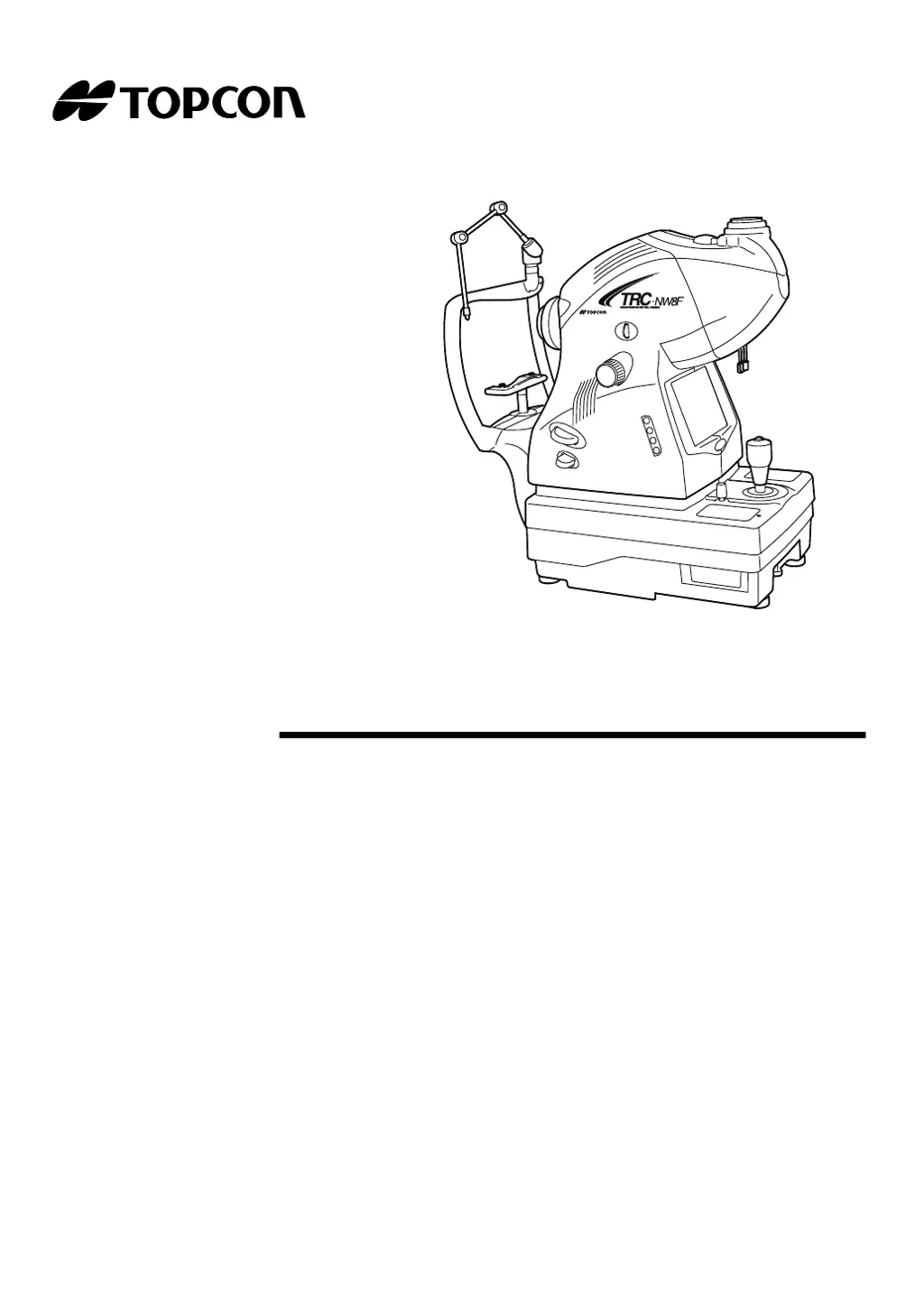
NON-MYDRIATIC RETINAL CAMERA
TRC-NW8F
TRC-NW8F plus

Table of Contents

Questions and Answers

Summary

Introduction

Precautions

Important safety warnings and patient considerations for using the device.

Cautions for Use

Environmental Conditions for Use

Specifies temperature, humidity, and air pressure requirements for operating the instrument.

Storage and Usage Period

Outlines recommended storage conditions and the instrument's expected lifespan.

Maintenance Checkpoints

Environmental Conditions for Packaging

Details environmental conditions for packaging during storage and transportation.

Display for Safe Use

Safety Displays

Explains the meaning of warning and caution displays shown on the instrument and manual.

Safety Icons

Defines the meaning of prohibition, mandatory action, and caution icons used in the manual.

Safety Cautions

General Warnings

Lists critical warnings to prevent fire, electric shock, and serious injury during operation.

Patient Cautions

Lists cautions to avoid patient discomfort, injury, or eye damage during examination.

Usage and Maintenance

User Maintenance Tasks

Outlines maintenance tasks that can be performed by the user, such as replacing lamps and fuses.

Escape Clauses

Details TOPCON's limitations of responsibility for damages and misuse.

Warning Displays and Positions

System Diagram

Component Names

Provides a detailed list and diagram of all component names within the instrument.

Parts in Patient Contact

Lists the materials of parts that come into direct contact with the patient during examination.

System Diagram

Control Panel Components

Identifies and explains the function of each switch on the instrument's control panel.

System Diagram

Color LCD Monitor Screen Components

Explains the various indicators and information displayed on the color LCD monitor screen.

System Diagram

Standard Accessories

Lists and illustrates all standard accessories included with the instrument upon unpacking.

Preparations

Instrument Body Assembly

Provides a step-by-step guide for assembling the main instrument body after unpacking.

Preparations

Digital Camera Installation

Details the procedure for installing the digital camera onto the instrument.

Cable Connection

Guides on how to connect the necessary cables for the digital camera.

Preparations

Power Cord Connection

Explains how to connect the instrument's power cord to a suitable outlet.

Preparations

External Device Connection

Provides instructions on connecting external devices like image filing systems.

Preparations

Menu Setting Procedures

Details how to navigate and set various functions through the instrument's menu system.

Preparations

Resetting from Power Save State

Explains how to exit the power save mode and resume normal operation.

Basic Operations

Flow of Operation

Outlines the typical sequence of steps for performing a standard photography procedure.

Other Photography Types

Lists and references other available photography modes besides the basic operation.

Basic Operations

Photography Preparation

Covers essential steps to prepare the instrument and patient before taking photographs.

Basic Operations

Color Photography (Center)

Detailed guide on how to perform central color photography of the eye's fundus.

Basic Operations

Setting the Flash Level

Explains how to adjust the flash intensity for optimal image capture.

Basic Operations

Changing Diopter Compensation Lens

Instructions on how to change the diopter compensation lens for refractive error correction.

Basic Operations

Centering and Photography

Guides on aligning the instrument with the patient's eye and capturing the image.

Objective Operations

Peripheral Photography

Instructions for capturing images of the peripheral retina.

Objective Operations

Centering and Photography for Peripheral Views

Details the process of centering and capturing peripheral images.

Objective Operations

Red-Free Photography

Explains how to perform red-free photography using the RF filter.

Objective Operations

Anterior Segment Photography

Guides on capturing images of the eye's anterior segment.

Objective Operations

Stereo Photography

Instructions for capturing stereo images of the eye.

Objective Operations

FA Photography (Center)

Details the procedure for performing Fluorescein Angiography (FA) photography.

Objective Operations

Visible FA Observation

Explains how to perform visible observation during FA photography.

Objective Operations

Image Playback Mode

Guides on how to review captured images on the instrument.

Before Requesting Service

Troubleshooting Guide

Provides a comprehensive list of common problems, their causes, and solutions for the instrument.

Specifications & Performance

Technical Specifications

Lists the technical specifications of the non-mydriatic retinal camera.

Specifications & Performance

Electromagnetic Compatibility

Details the instrument's compliance with electromagnetic compatibility standards.

Specifications & Performance

Patient Environment and Electric Rating

Specifies the patient's environment requirements and the instrument's electric rating.

Specifications & Performance

System Classification and Dimensions

Outlines the instrument's system classification, dimensions, and weight.

Intended Use

Defines the intended use and application of the non-mydriatic retinal camera.

Specifications & Performance

Operation Principle

Explains the fundamental principles of how the retinal camera operates.

Maintenance

Daily Checkups and Consumables

Covers daily inspection routines and information on ordering consumable parts.

Maintenance

User and Manufacturer Maintenance

Differentiates between user-maintainable items and manufacturer-recommended maintenance.

Maintenance

Replacing the Illumination Lamp

Step-by-step instructions for replacing the instrument's illumination lamp.

Maintenance

Replacing the Xenon Lamp

Step-by-step instructions for replacing the instrument's xenon lamp.

Maintenance

Changing the Fuse

Provides guidance on how to replace blown fuses in the instrument.

Maintenance

Supplying Chinrest Tissue Paper

Instructions on how to refill or replace the chinrest tissue paper.

Maintenance

Adjusting the Color LCD Monitor

Details how to adjust the color LCD monitor settings for optimal image quality.

Reference Material

Plug Shapes and Symbols

Provides information on plug shapes for different countries and common technical symbols.

Usable Automatic Instrument Table

Lists specifications for a compatible automatic instrument table.

Reference Material

Illumination and Flash Level Radiance Ratios

Shows the relationship between illumination/flash level settings and maximum radiance ratios.

Reference Material

Optical Radiation Hazard Information

Information regarding optical radiation hazards and safety guidelines for the user.

Summary

Introduction

Precautions

Important safety warnings and patient considerations for using the device.

Cautions for Use

Environmental Conditions for Use

Specifies temperature, humidity, and air pressure requirements for operating the instrument.

Storage and Usage Period

Outlines recommended storage conditions and the instrument's expected lifespan.

Maintenance Checkpoints

Environmental Conditions for Packaging

Details environmental conditions for packaging during storage and transportation.

Display for Safe Use

Safety Displays

Explains the meaning of warning and caution displays shown on the instrument and manual.

Safety Icons

Defines the meaning of prohibition, mandatory action, and caution icons used in the manual.

Safety Cautions

General Warnings

Lists critical warnings to prevent fire, electric shock, and serious injury during operation.

Patient Cautions

Lists cautions to avoid patient discomfort, injury, or eye damage during examination.

Usage and Maintenance

User Maintenance Tasks

Outlines maintenance tasks that can be performed by the user, such as replacing lamps and fuses.

Escape Clauses

Details TOPCON's limitations of responsibility for damages and misuse.

Warning Displays and Positions

System Diagram

Component Names

Provides a detailed list and diagram of all component names within the instrument.

Parts in Patient Contact

Lists the materials of parts that come into direct contact with the patient during examination.

System Diagram

Control Panel Components

Identifies and explains the function of each switch on the instrument's control panel.

System Diagram

Color LCD Monitor Screen Components

Explains the various indicators and information displayed on the color LCD monitor screen.

System Diagram

Standard Accessories

Lists and illustrates all standard accessories included with the instrument upon unpacking.

Preparations

Instrument Body Assembly

Provides a step-by-step guide for assembling the main instrument body after unpacking.

Preparations

Digital Camera Installation

Details the procedure for installing the digital camera onto the instrument.

Cable Connection

Guides on how to connect the necessary cables for the digital camera.

Preparations

Power Cord Connection

Explains how to connect the instrument's power cord to a suitable outlet.

Preparations

External Device Connection

Provides instructions on connecting external devices like image filing systems.

Preparations

Menu Setting Procedures

Details how to navigate and set various functions through the instrument's menu system.

Preparations

Resetting from Power Save State

Explains how to exit the power save mode and resume normal operation.

Basic Operations

Flow of Operation

Outlines the typical sequence of steps for performing a standard photography procedure.

Other Photography Types

Lists and references other available photography modes besides the basic operation.

Basic Operations

Photography Preparation

Covers essential steps to prepare the instrument and patient before taking photographs.

Basic Operations

Color Photography (Center)

Detailed guide on how to perform central color photography of the eye's fundus.

Basic Operations

Setting the Flash Level

Explains how to adjust the flash intensity for optimal image capture.

Basic Operations

Changing Diopter Compensation Lens

Instructions on how to change the diopter compensation lens for refractive error correction.

Basic Operations

Centering and Photography

Guides on aligning the instrument with the patient's eye and capturing the image.

Objective Operations

Peripheral Photography

Instructions for capturing images of the peripheral retina.

Objective Operations

Centering and Photography for Peripheral Views

Details the process of centering and capturing peripheral images.

Objective Operations

Red-Free Photography

Explains how to perform red-free photography using the RF filter.

Objective Operations

Anterior Segment Photography

Guides on capturing images of the eye's anterior segment.

Objective Operations

Stereo Photography

Instructions for capturing stereo images of the eye.

Objective Operations

FA Photography (Center)

Details the procedure for performing Fluorescein Angiography (FA) photography.

Objective Operations

Visible FA Observation

Explains how to perform visible observation during FA photography.

Objective Operations

Image Playback Mode

Guides on how to review captured images on the instrument.

Before Requesting Service

Troubleshooting Guide

Provides a comprehensive list of common problems, their causes, and solutions for the instrument.

Specifications & Performance

Technical Specifications

Lists the technical specifications of the non-mydriatic retinal camera.

Specifications & Performance

Electromagnetic Compatibility

Details the instrument's compliance with electromagnetic compatibility standards.

Specifications & Performance

Patient Environment and Electric Rating

Specifies the patient's environment requirements and the instrument's electric rating.

Specifications & Performance

System Classification and Dimensions

Outlines the instrument's system classification, dimensions, and weight.

Intended Use

Defines the intended use and application of the non-mydriatic retinal camera.

Specifications & Performance

Operation Principle

Explains the fundamental principles of how the retinal camera operates.

Maintenance

Daily Checkups and Consumables

Covers daily inspection routines and information on ordering consumable parts.

Maintenance

User and Manufacturer Maintenance

Differentiates between user-maintainable items and manufacturer-recommended maintenance.

Maintenance

Replacing the Illumination Lamp

Step-by-step instructions for replacing the instrument's illumination lamp.

Maintenance

Replacing the Xenon Lamp

Step-by-step instructions for replacing the instrument's xenon lamp.

Maintenance

Changing the Fuse

Provides guidance on how to replace blown fuses in the instrument.

Maintenance

Supplying Chinrest Tissue Paper

Instructions on how to refill or replace the chinrest tissue paper.

Maintenance

Adjusting the Color LCD Monitor

Details how to adjust the color LCD monitor settings for optimal image quality.

Reference Material

Plug Shapes and Symbols

Provides information on plug shapes for different countries and common technical symbols.

Usable Automatic Instrument Table

Lists specifications for a compatible automatic instrument table.

Reference Material

Illumination and Flash Level Radiance Ratios

Shows the relationship between illumination/flash level settings and maximum radiance ratios.

Reference Material

Optical Radiation Hazard Information

Information regarding optical radiation hazards and safety guidelines for the user.

Topcon TRC-NW8F Specifications

General IconGeneral
TypeNon-mydriatic retinal camera
WeightApprox. 20 kg
Power SupplyAC 100-240V, 50/60Hz
Refraction Compensation Range-15D to +15D
Image FormatJPEG
External InterfaceUSB 2.0
Field of View45°
Fundus Observation Area45° x 33°
Light SourceLED
Image CaptureAutomatic and manual
AlignmentAutomatic alignment
Fixation TargetInternal Fixation Target

Related product manuals