13
SYSTEM DIAGRAM
CONTROL PANEL COMPONENTS
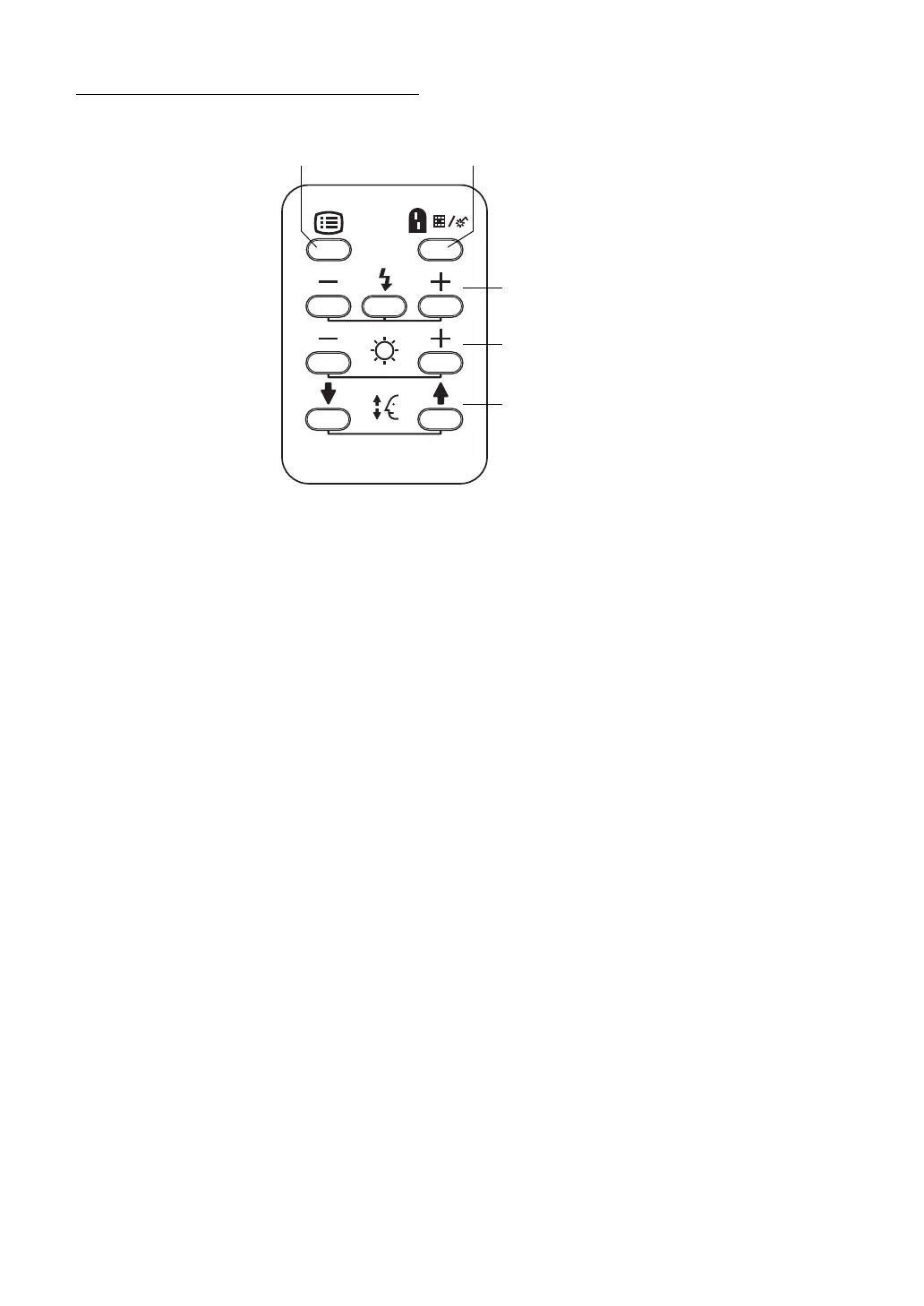
Switches common to TRC-NW8F/TRC-NW8F plus
Menu switch: P.30
Displays "MENU".
Split switch: P.52
Turns on/off the split line.
* (The function of the split switch can be changed by setting. For example, this switch can
be set in order to turn on/off the internal fixation target.)
Flash level switch: P.47
Adjusts the flash level according to the patient's eye condition.
(In FA photography, this switch adjusts the ISO sensitivity of the digital camera.)
Illumination level switch: P.46
Adjusts the illumination level according to the patient's eye condition.
* (In TRC-NW8F plus, this switch is usable only when the auto illumination level adjustment
function is OFF.)
Chinrest up/down switch: P.45
Adjusts the chinrest up/down movement.
Menu switch Split switch
Flash level switch
Illumination level
Chinrest up/down
(-, reset, +)
switch (-, +)
switch















 To Next Page