90
MAINTENANCE
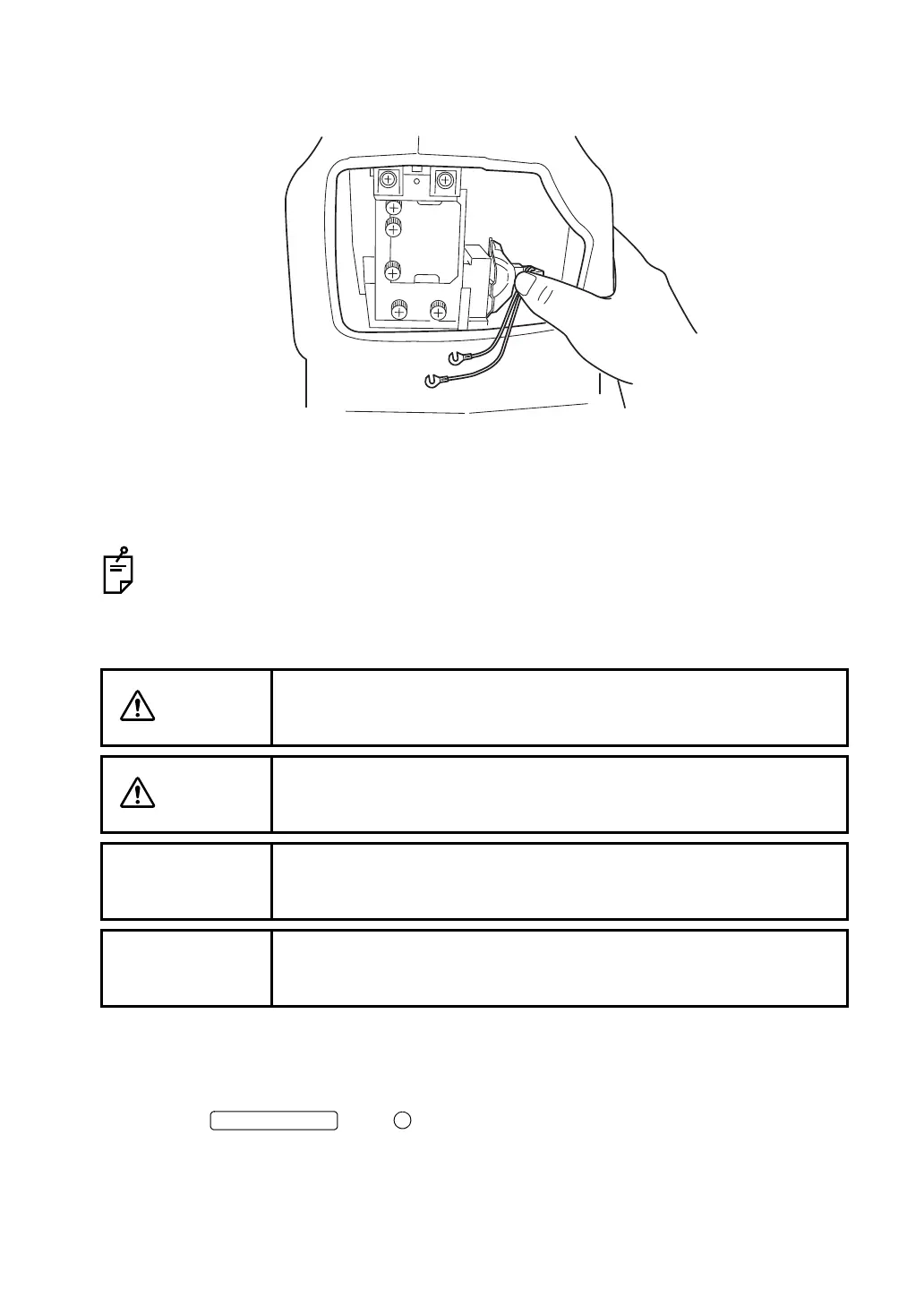
6 Hold the new lamp and slide it into the lamp holder until it stops at the end. Make sure that
the lamp is firmly fixed in the lamp holder.
7 Fasten the lamp terminal securely with the two set screws.
8 Attach the lamp house cover by matching the projection at the bottom part of the lamp
house cover with the groove of the body cover. Turn the screws with a coin, etc. and
securely fasten the lamp house cover.
To avoid electric shock, if the lamp house cover is left unfixed, an error is displayed on
the color LCD monitor and operations, including photography, cannot be done.
Replacing the xenon lamp
• The service life of the xenon lamp is approx. 10,000 cycles.
Replacing the xenon lamp if it is burned or becomes whitened:
1 Turn the OFF ( ) and wait for more than 5 minutes for the natural elec-
trical discharge. Then, unplug the power cord.
2 Unscrew the lamp house cover with a coin, etc. to remove it.
CAUTION
To avoid electric shock, be sure to turn the power switch off and
unplug the power cord before replacing the lamp.
CAUTION
To avoid electric shock, do not touch the xenon lamp immediately
after it flashes or burns out.
NOTE
To avoid whitening due to fingerprints, do not touch the lamp with bare
fingers.
NOTE
Since the lamp is not shock resistant, handle it with particular care.















 To Next Page