55
OBJECTIVE OPERATIONS
OBJECTIVE OPERATIONS
PERIPHERAL PHOTOGRAPHY
Setting the picture position
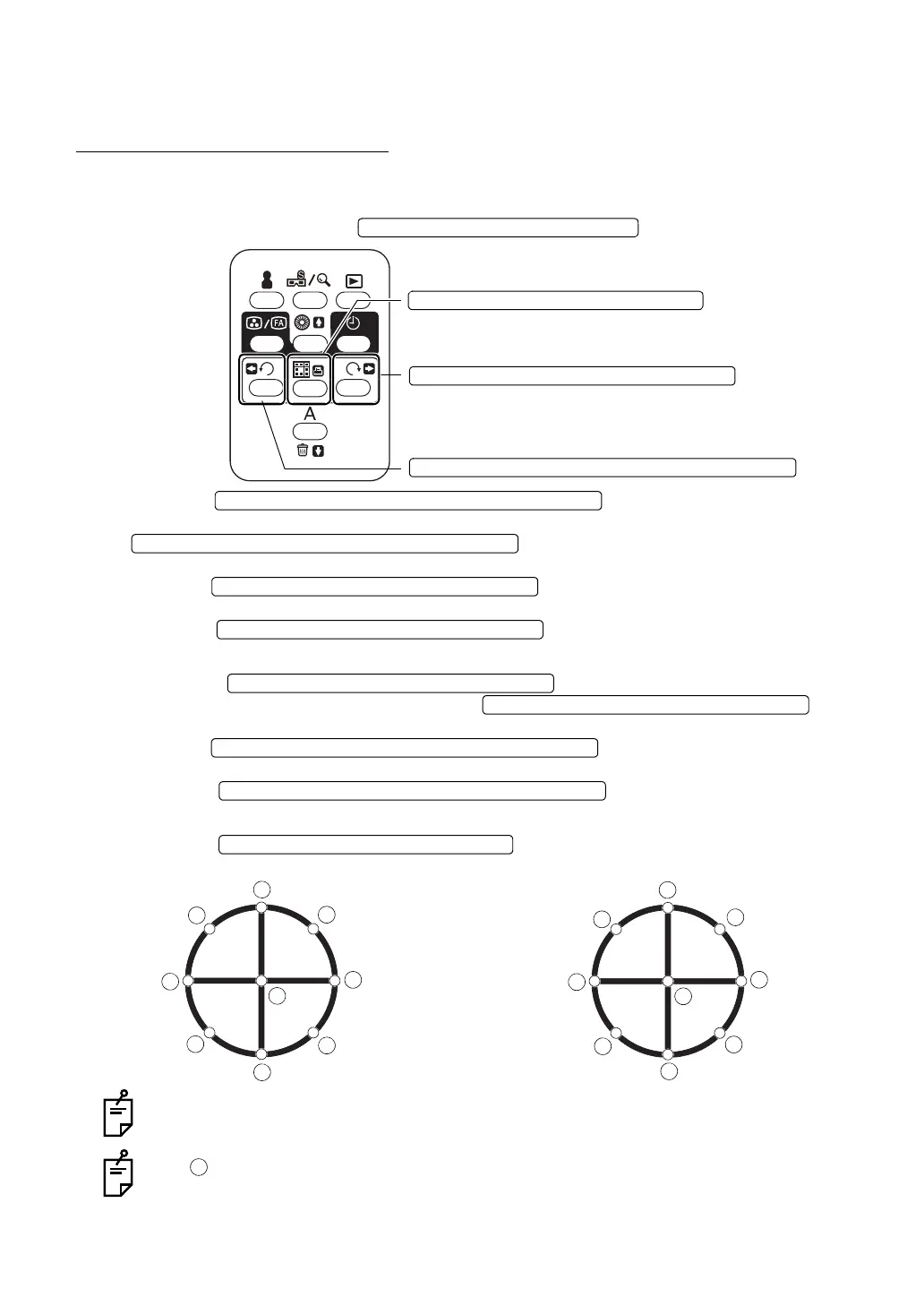
• When the fixation target mode is set at "PERIPHERAL" (Factory default is "PERIPHERAL".):
To set the periphery, use the .
Press the , and the peripheral photogra-
phy mode is accessed. Each time you press the
, the fixation position moves one by one
in the order (numerical order) of Fig. A.
Press the at any position except the center posi-
tion. The position moves in reverse (reversed order).
Press the at the center position. The position
moves in the order (numerical order) of Fig. B.
Press the , and the peripheral photography
mode is accessed. Each time you press the , the
fixation position moves one by one in the order (numerical order) of Fig. B.
Press the at any position except the cen-
ter position. The position moves reversely (reversed order).
Press the at the center position. The
position moves in the order (numerical order) of Fig. A.
Press the , and the fixation is reset at the normal
position (not the optical axis center).
Number of frame is shown in the fixation display position.
The position shown above is assigned to the optical axis center and is used for pho-
tographing around the macula segment.
FIXATION TARGET SELECTOR SWITCH
FIXATION TARGET SELECTOR SWITCH (RESET)
FIXATION TARGET SELECTOR SWITCH (CLOCKWISE)
FIXATION TARGET SELECTOR SWITCH (COUNTERCLOCKWISE)
FIXATION TARGET SELECTOR SWITCH (COUNTERCLOCKWISE)
FIXATION TARGET SELECTOR SWITCH (COUNTERCLOCKWISE)
FIXATION TARGET SELECTOR SWITCH (CLOCKWISE)
FIXATION TARGET SELECTOR SWITCH (CLOCKWISE)
FIXATION TARGET SELECTOR SWITCH (CLOCKWISE)
FIXATION TARGET SELECTOR SWITCH (CLOCKWISE)
FIXATION TARGET SELECTOR SWITCH (COUNTERCLOCKWISE)
FIXATION TARGET SELECTOR SWITCH (COUNTERCLOCKWISE)
FIXATION TARGET SELECTOR SWITCH (RESET)















 To Next Page