56
OBJECTIVE OPERATIONS
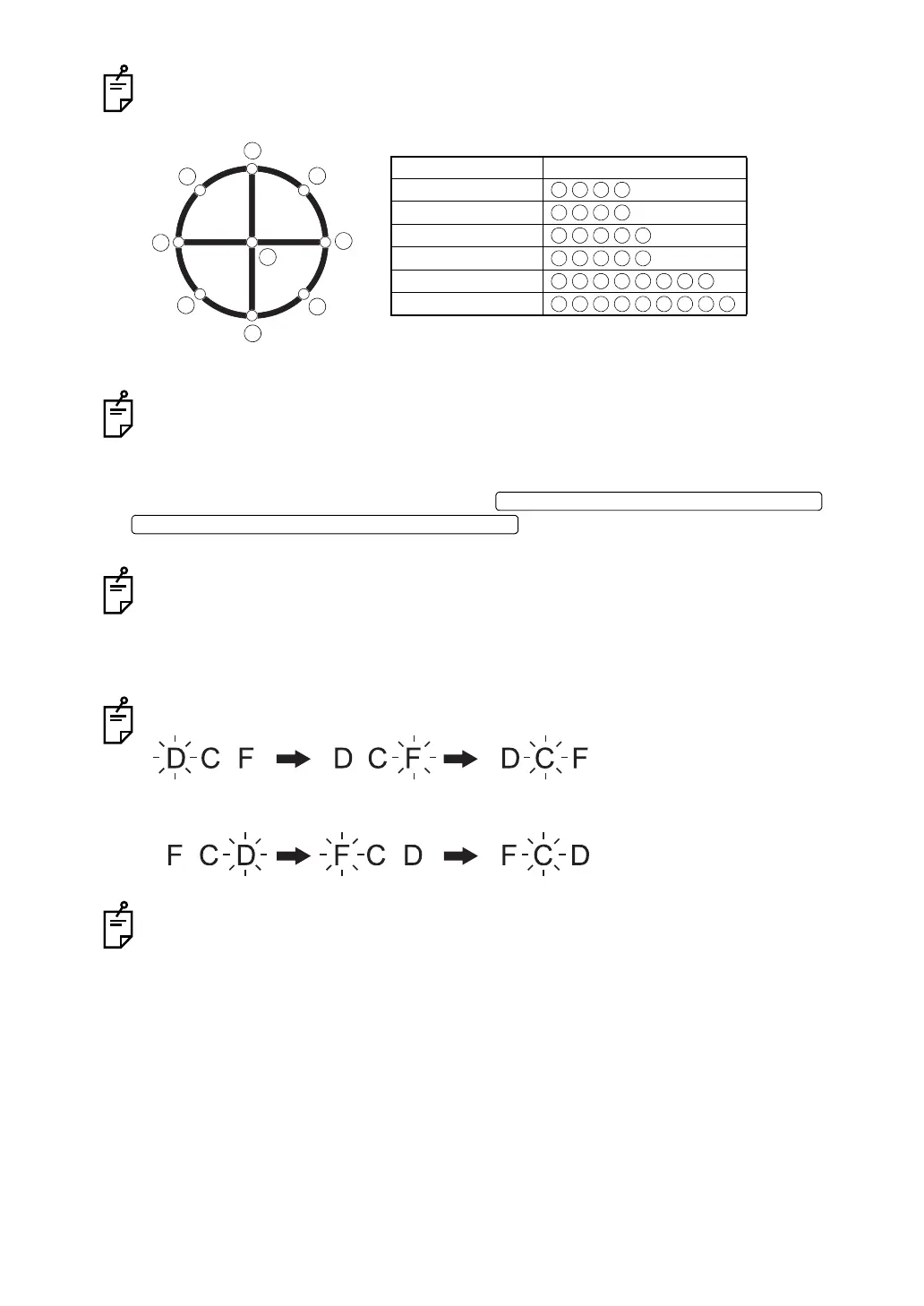
The following figure and table show the fixation target pattern and the internal fixation
lighting point corresponding to it.
For setting the fixation target pattern, refer to "Fixation target pattern" on page 36.
When you want to set the fixation target mode to "DCF", select "FIXATION" on the
"MENU" screen and next "TYPE". Then, select "DCF".
• When the fixation target mode is set at "DCF":
To set the periphery, each time you press the or
, the setting changes from "D" (center of
optic disc) to "C" (center) alternatively.
The above explains the case in which "P2" is set for "DCF". In addition to "P2", it is pos-
sible to set "P3" (D: center of optic disc, C: center, F: center of macula). To set it, select
"FIXATION" on the "MENU" screen and next "DCF". Then, select "P3".
When "P3" is set, the setting changes in the following order: "C" (center) "D" (center
of optic disc) "F" (center of macula).
Fixation position display (at right eye)
Fixation position display (at left eye)
Number of frame is shown in the fixation display position.
4
8
1
9
2
3
7
5
6
Fixation target pattern Lighting point
4A
4B
5A
5B
8POINT
9POINT
FIXATION TARGET SELECTOR SWITCH (CLOCKWISE)
FIXATION TARGET SELECTOR SWITCH (COUNTERCLOCKWISE)















 To Next Page