36
PREPARATIONS
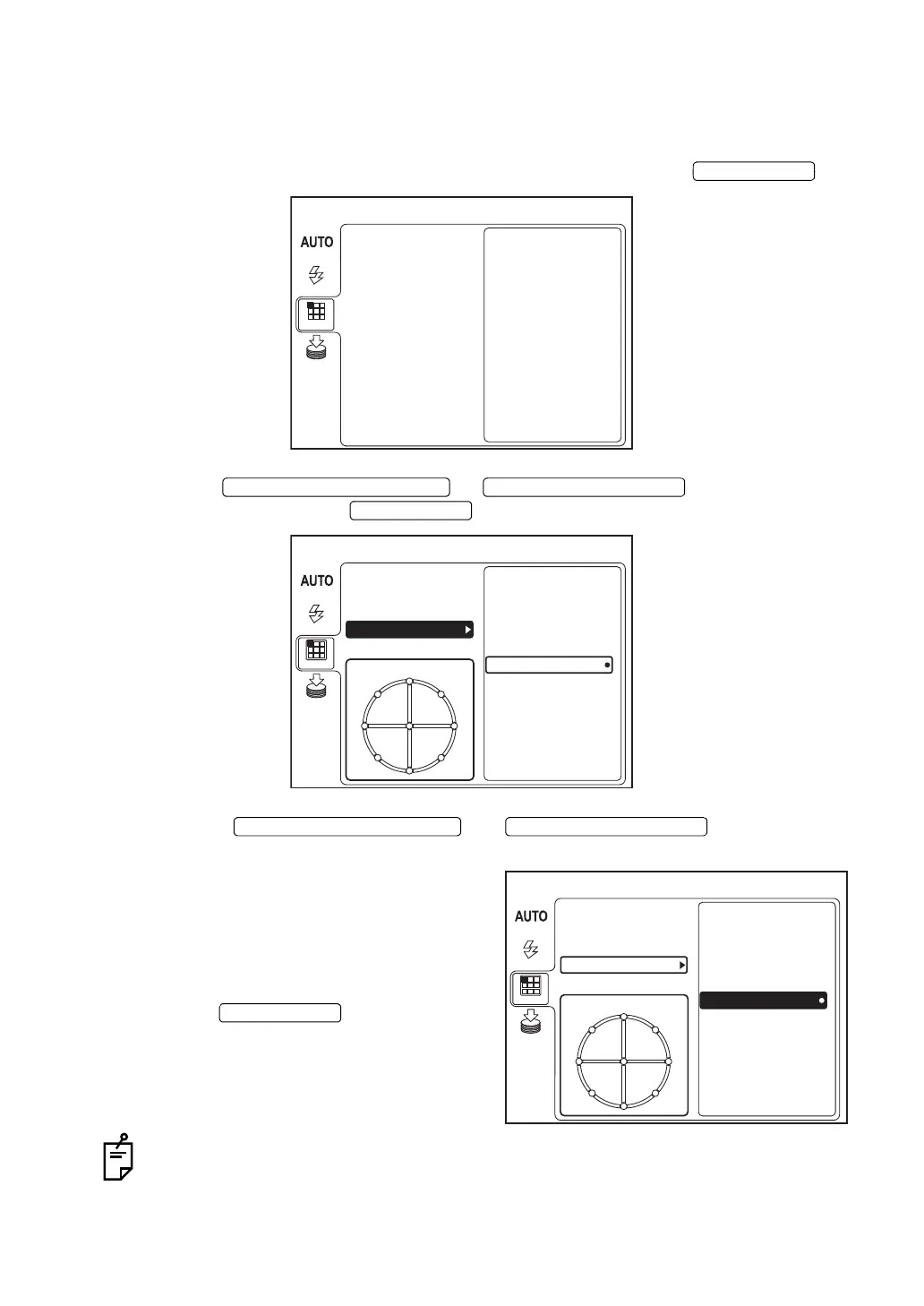
Fixation target pattern
You can select the fixation target pattern.
When shipped, "8POINT" is set.
1 Move the cursor to "FIXATION" on the "MENU" screen, and press the .
2 Press the or to select "PERIPH-
ERAL" and then press the .
3 Press the or and select the
desired pattern from the following:
"4A" (diagonal 4 positions),
"4B" (vertical-horizontal 4 positions),
"5A" (diagonal 4 positions + center),
"5B" (vertical-horizontal 4 positions + center),
"8POINT" (8 positions), or
"9POINT" (8 positions + center).
Press the .
For setting and lighting the internal fixation target, refer to "MEMO" on page 56.
MENU
FIXATION
FLASH
DCF
MODE
TYPE
INT / EXT
PERIPHERAL
MEMORY
MENU
FIXATION PATTERN
FIXATION
FLASH
DCF
MODE
TYPE
INT / EXT
PERIPHERAL
8POINT
5B
4B
5A
4A
9POINT
MEMORY
MENU
FIXATION PATTERN
FIXATION
FLASH
DCF
MODE
TYPE
INT / EXT
PERIPHERAL
8POINT
5B
4B
5A
4A
9POINT
MEMORY















 To Next Page