18
SYSTEM DIAGRAM
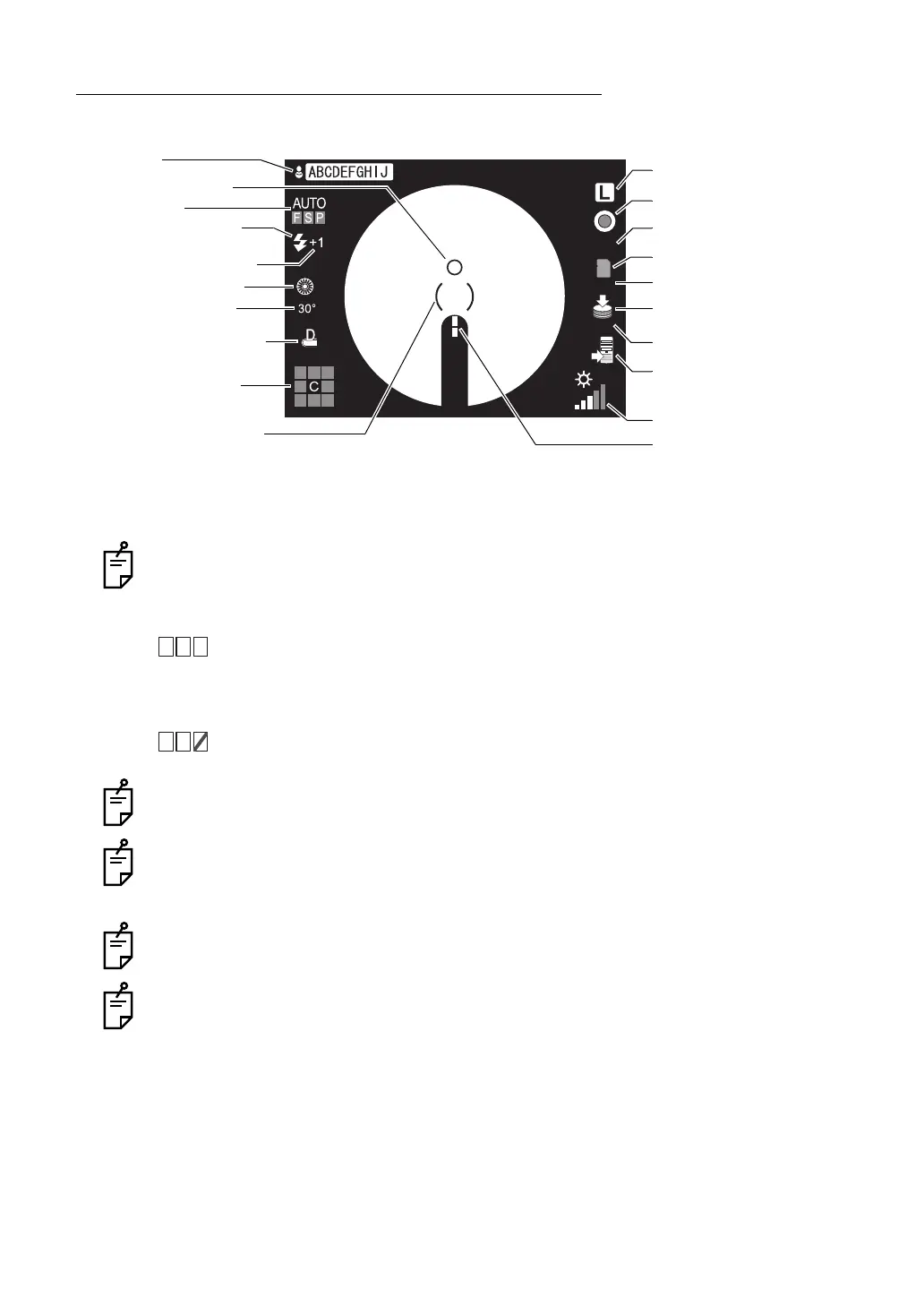
COMPONENTS OF COLOR LCD MONITOR SCREEN
Monitor screen (When color photography or red-free photography is selected)
* When the ( ) scale blinks in red, pull the base toward you (the operator) to the limit. For mov-
ing the instrument, refer to page 49.
The AUTO display shows the auto function that is ON. For setting the auto functions,
refer to "MENU SETTING" on page 30.
"F" is lit: The auto focus function is ON. (Set it to "OFF", and "F" is darkened.)
"S" is lit: The auto shoot function is ON. (Set it to "OFF", and "S" is darkened.)
"P" is lit: The auto small pupil selector function is ON. (Set it to "OFF", and "P"
is darkened.)
When the auto function, which has been set to "ON", is invalidated, a red
oblique line is displayed.
The left figure shows that the auto small pupil selector function is invalidated.
The upper limit of the displayed recordable image quantity is "999".
The illumination level display is different between TRC-NW8F and TRC-NW8F plus.
The above figure shows it in TRC-NW8F. In TRC-NW8F plus, "AUTO" or a value of "1/
11" to "11/11" is displayed.
In TRC-NW8F plus, the SD card recognition display (including the recordable image
count) does not appear whether the SD card is installed or not.
TRC-NW8F plus does not have the print switch and print function. So, the printer recog-
nition display does not appear whether a printer is connected or not.
16
Ws
VIS
100
100
AUTO display
Alignment bright spot
Patient ID
Fixation target position
Xenon charging display
Flash level compensation
display
Small pupil diaphragm
Diopter compensation lens
display
Right/left eye
* ( ) scale
RF filter
VIS display/IR display
SD card recognition display
Recording device recognition
display
Image filing system
recognition display or
printer recognition display
Illumination level
Split lines
Recordable image count
Recordable image count
Picture angle display















 To Next Page