25
PREPARATIONS
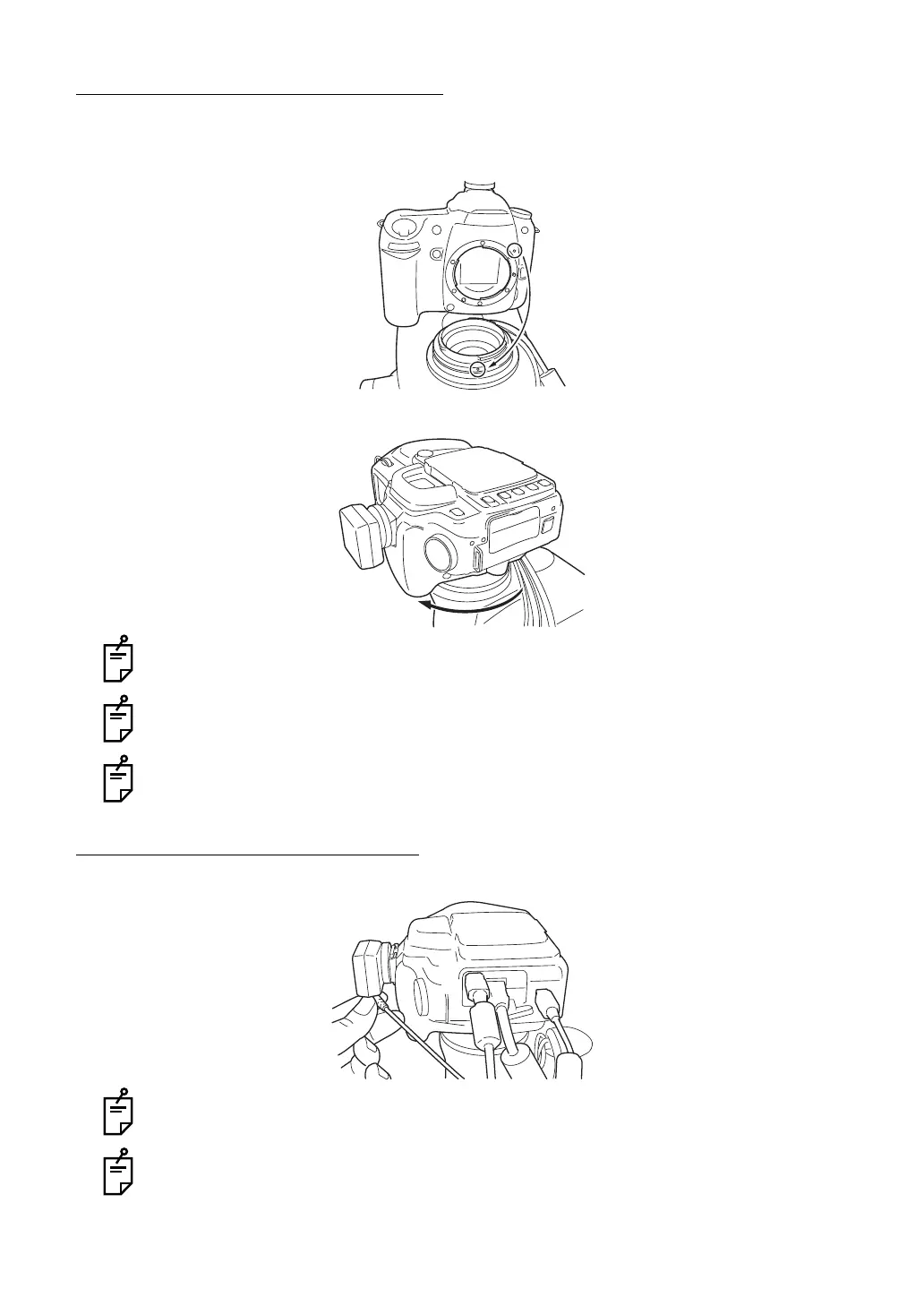
INSTALLING THE DIGITAL CAMERA
1 Remove the cap from the digital camera to be installed.
2 Align the positioning mark of the instrument with the mark on the digital camera's mount.
3 Turn the digital camera clockwise until a "click" is heard.
When removing the digital camera from the instrument, turn the digital camera counter-
clockwise while pressing its lens lock release button.
For some types of the digital cameras to be installed, a mount conversion adapter or
teleconverter is necessary.
Do not use a battery in the digital camera. Use only the power supplied by the instru-
ment.
HOW TO CONNECT THE CABLES
Connect the cables for the digital camera, which come out of the instrument.
When connecting the cables, refer to the instruction manual of the digital camera.
If you have a question about the digital camera, contact your dealer or TOPCON (listed
on the back cover).















 To Next Page