28
PREPARATIONS
CONNECTING AN EXTERNAL DEVICE
This instrument can be connected to an image filing system such as IMAGEnet (commercial
product), etc.
Connecting to IMAGEnet (commercial product), etc.
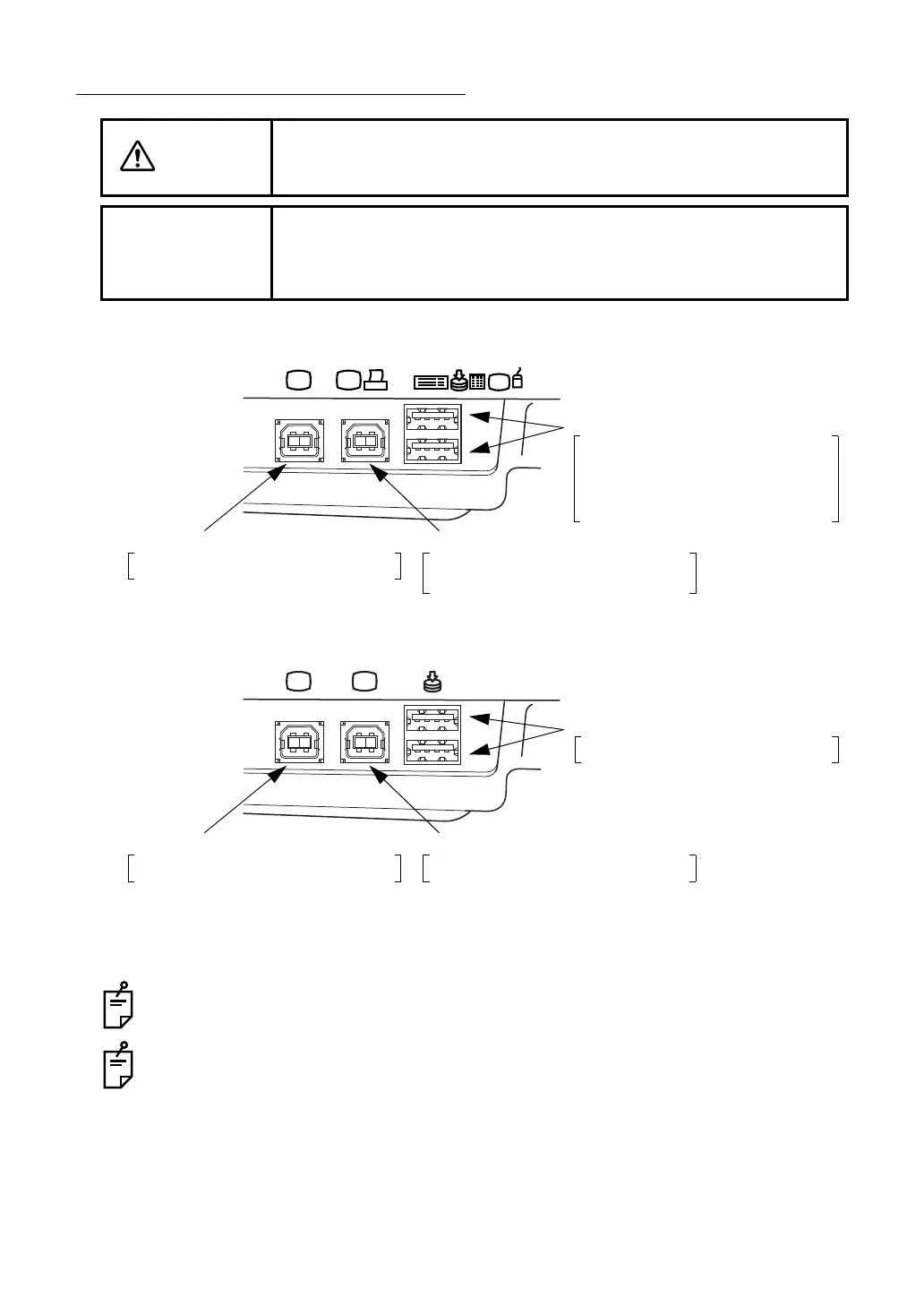
1 Connect two USB cables to the image terminal and the image/data terminal.
Be sure to connect IMAGEnet (commercial product), etc. to the image terminal and the
image/data terminal.
In this case, the photographed image is not displayed on the color LCD monitor. For
details, contact your dealer or TOPCON (see the back cover).
CAUTION
To avoid electric shock, do not touch the external connection terminal
and the patient at the same time.
NOTE
Use only external devices that comply with IEC 60950/IEC 60950-1 or
UL60950/UL60950-1.
For details about connecting external devices, contact your dealer or
TOPCON (see the back cover).
Input/output terminal
Recording device (commercial product)
Data input device (commercial product)
Ten key board (commercial product)
Keyboard (commercial product)
Mouse (commercial product)
Image/data terminal
Image filing system (commercial product)
Digital printer (commercial product)*
Image terminal
Image filing system (commercial product)
* By connecting a digital printer to Pict Bridge, direct printing may be performed.
TRC-NW8F
Input/output terminal
Recording device (commercial product)
Image/data terminal
Image filing system (commercial product)
Image terminal
Image filing system (commercial product)
TRC-NW8F plus















 To Next Page