67
OBJECTIVE OPERATIONS
FA PHOTOGRAPHY (CENTER)
Setting the photography mode
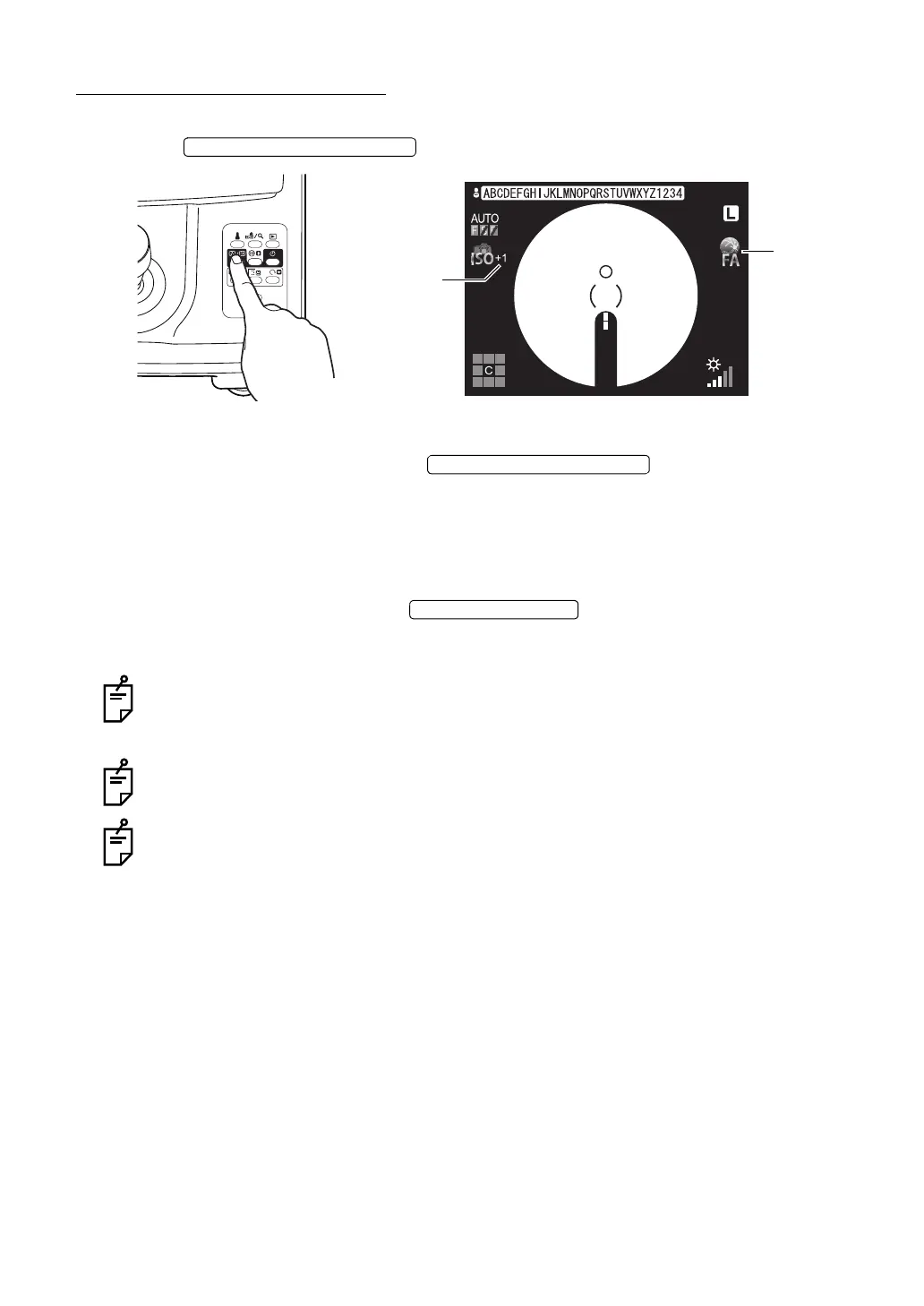
Press the to set "FA photography".
Setting the illumination level.
Set the illumination level by pressing the .
In TRC-NW8F plus, the auto illumination level adjustment function works so, it is not necessary
to adjust the illumination level manually.
See "Setting the illumination level" on page 46.
Setting the flash level
Set the ISO sensitivity by pressing the .
By watching the ISO sensitivity compensation display on the color LCD monitor, you can check
the compensation value.
The ISO sensitivity can be compensated by ±3 steps against the reference value. When
the ISO sensitivity is the reference value, the compensation value is not displayed on the
screen. The flash level is fixed at 63W·s.
For the ISO sensitivity, the ISO sensitivity level can be displayed in addition to the com-
pensation value. For details, contact your dealer or TOPCON (see the back cover).
When raising the ISO sensitivity, the image noise is sometimes noticeable. For details,
refer to the instruction manual of the digital camera.
Changing the diopter compensation lens
Push in the diopter compensation lens selector and change the diopter compensation lens to
(0).
See "Changing the diopter compensation lens" on page 48.
Preparation for the patient
1 Drop mydriatic into the patient's eye to dilate his/her eye fully.
2 Prepare for intravenous injection of fluorescein.
00:10:13
100
100
FA display
ISO sensitivity
compensation
display
ILLUMINATION LEVEL SWITCH















 To Next Page