57
OBJECTIVE OPERATIONS
Centering and photography
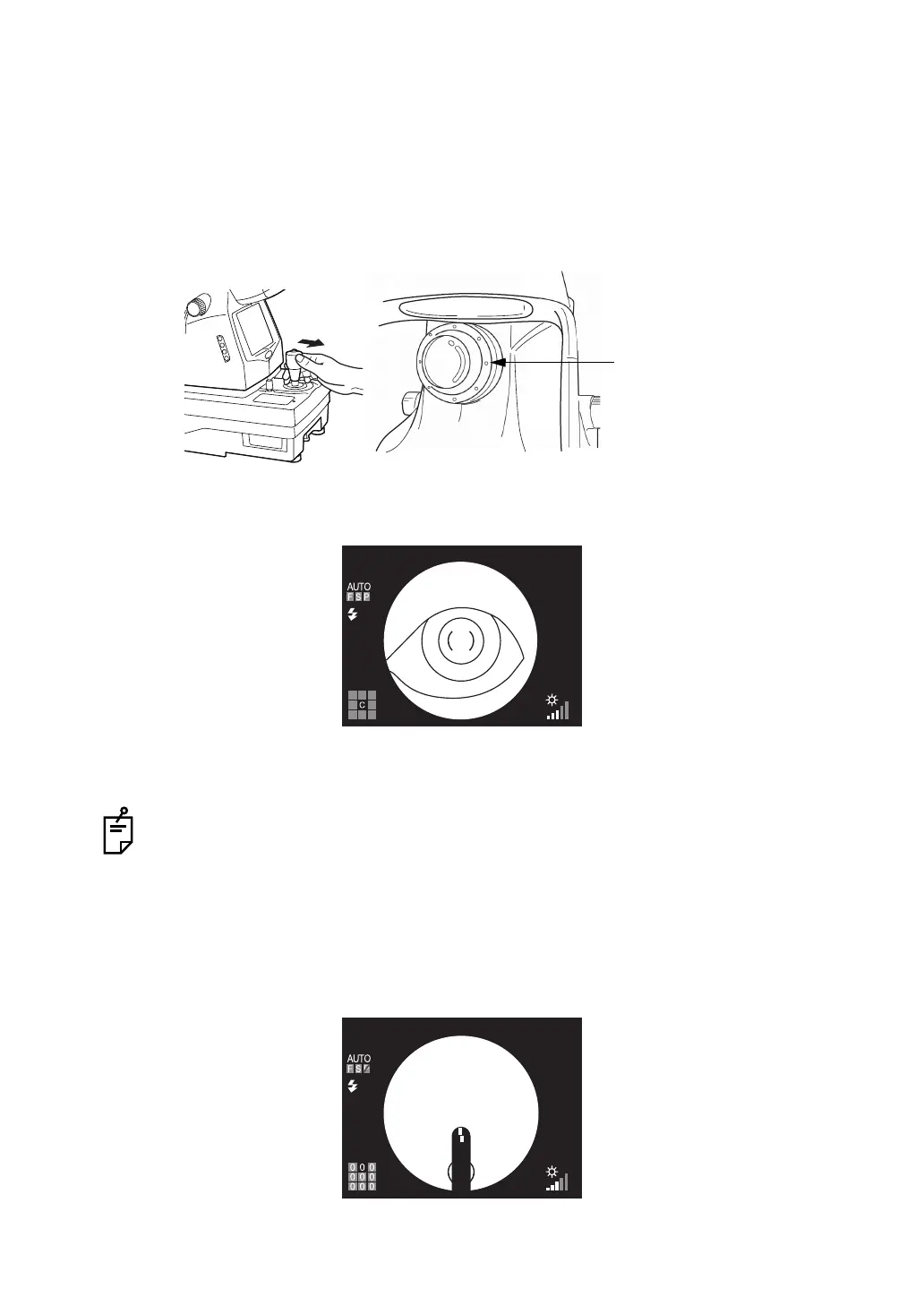
The centering operation is done with the control lever.
For details about the movement/adjustment of the instrument body with the control lever, see
the "MEMO" on page 49.
1 Hold the control lever and pull the instrument backwards toward the operator. As the ante-
rior segment fixation target flickers, instruct the patient to look at the fixation target.
Observe the anterior segment image on the color LCD monitor.
2 Using the control lever, move the instrument body in all directions to get the patient's eye
in the center of the color LCD monitor.
3 On the color LCD monitor, bring the ( ) scale to the patient's pupil, and make sure that the
pupil is larger than the ( ) scale.
For details about dilation, see the "MEMO" on page 50.
4 Slowly bring the instrument closer to the patient; the fundus image appears on the color
LCD monitor.
5 In this instance, the ( ) scale on the color LCD monitor moves to an alignment position cor-
responding to the picture position. At the same time, the anterior segment fixation target is
changed to the internal fixation target.
Anterior segment fixation target
(flickering points corresponding
to periphery setting)















 To Next Page