50
BASIC OPERATIONS
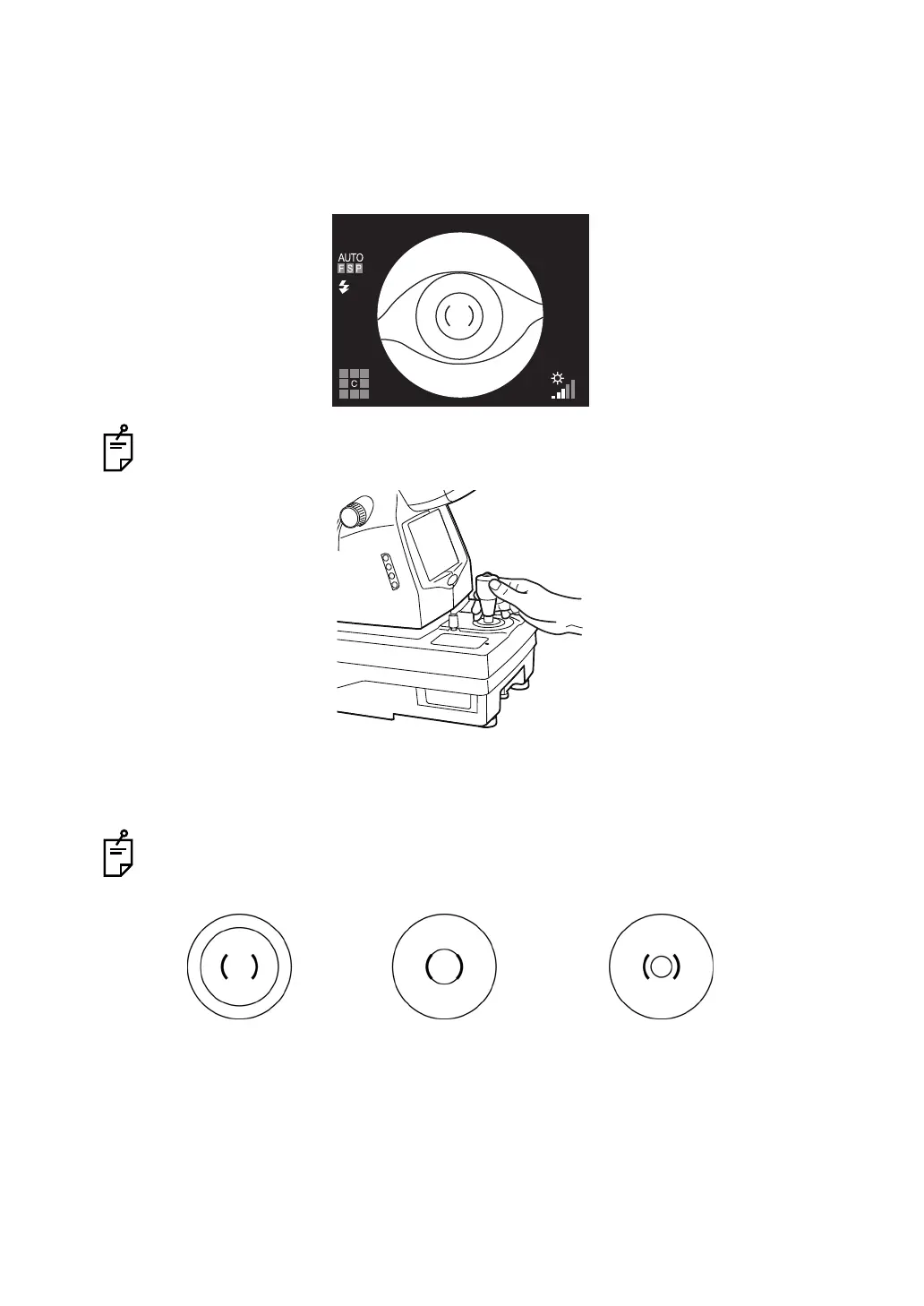
1 Hold the control lever and pull the instrument toward the operator. As the internal fixation
target flickers, instruct the patient to look at the fixation target in the center.
Observe the anterior segment image on the color LCD monitor.
2 Move the instrument body using the control lever until you get the patient's eye centered
in the color LCD monitor.
Hold the control lever perpendicularly, which facilitates centering on the fundus.
3 On the color LCD monitor, bring the ( ) scale towards the patient's pupil, and make sure
that the pupil is larger than the ( ) scale.
Comparison of the ( ) scale and the pupil tells you whether the pupil is large enough for
retinal photography.
The following pictures are provided as a reference.
Well dilated. Narrowly dilated for
photography.
Pupil diameter is too small:
darken the room and further
dilate the pupil.
If the pupil diameter is still
smaller than the ( ) scale, use
the small pupil mode (P.59).















 To Next Page