248
2-4. Using other driving systems
4RUNNER_U
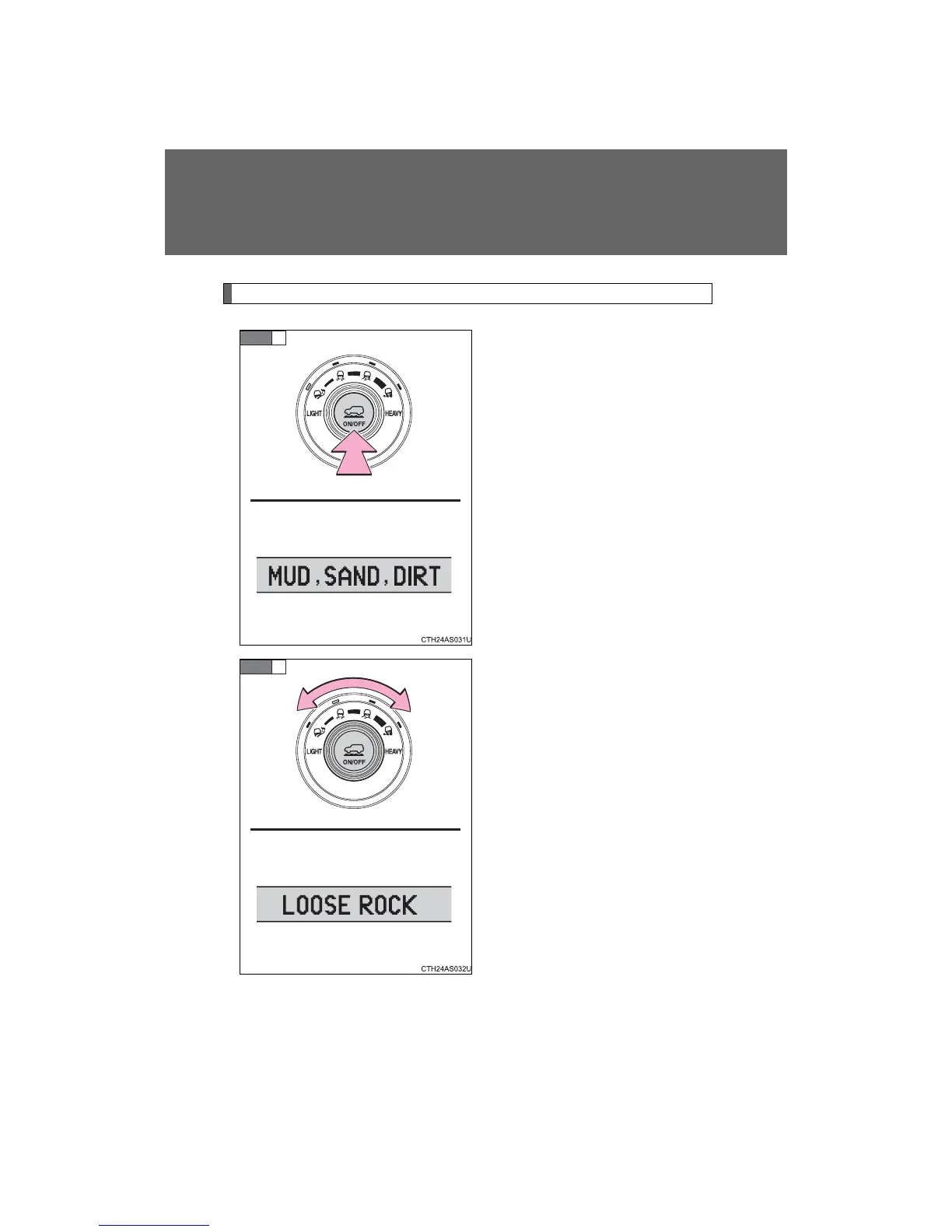
Selecting modes
Press the “ON/OFF” switch.
All the mode indicators will come
on and then go off except the indi-
cator for the present mode. The
applicable road conditions will be
displayed on the accessory
meter.
Turn the dial to select the
desired mode.
The indicator of the selected
mode will come on and the appli-
cable road conditions will be dis-
played on the accessory meter.
If the mode indicator flashes,
Multi-terrain Select cannot be
operated. Follow the instructions
displayed on the accessory meter
and check that the mode indicator
stops flashing. (→P. 249)
STEP
1
STEP
2














 To Next Page