356
3-2. Using the audio system
4RUNNER_U
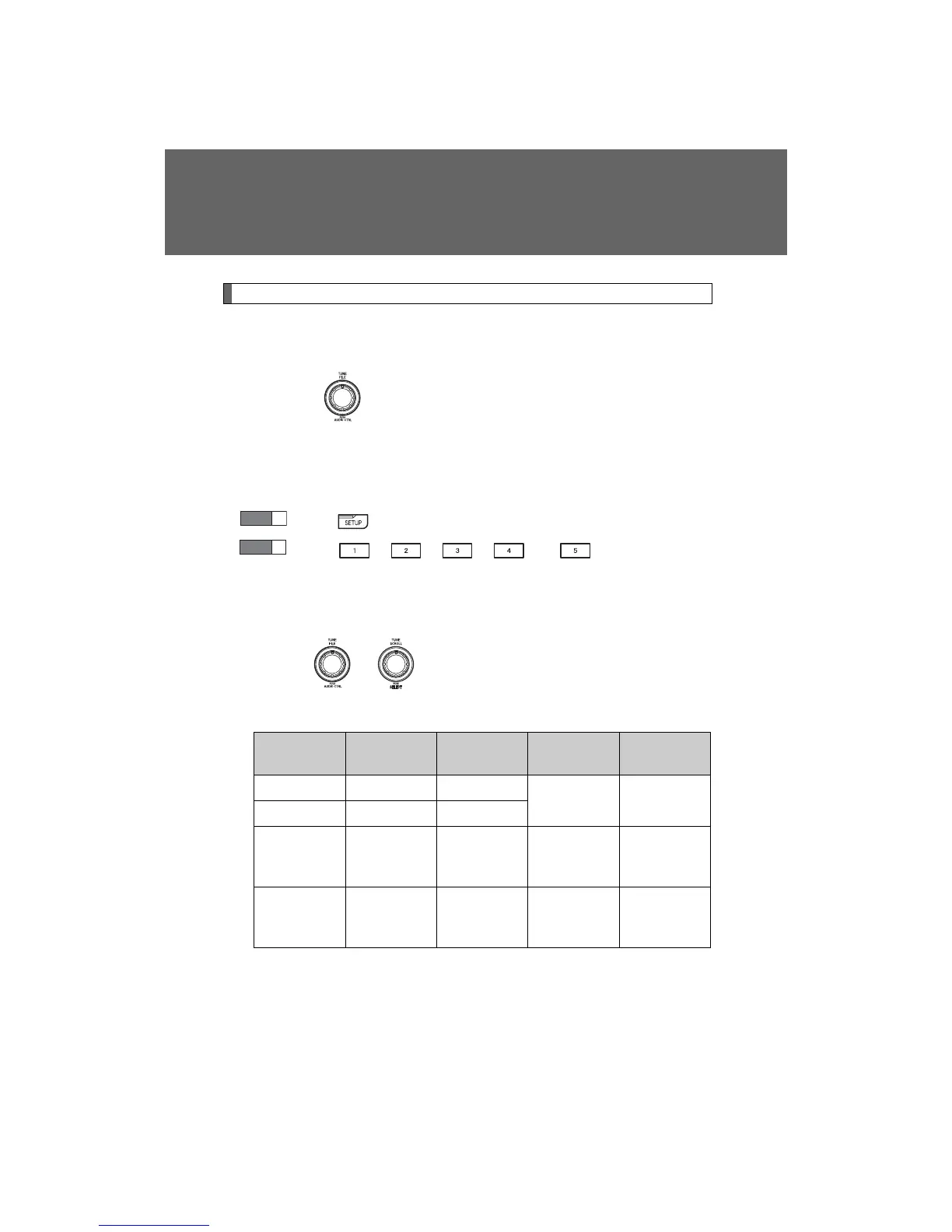
Using the audio control function
n Changing sound quality modes
Type A
Pressing selects the mode to be changed in the following
order:
“BAS”→“TRE”→“FAD”→“BAL”→“ASL”
Type B and C
Press .
Press , , , or (type C only) as
corresponds to the desired mode.
“BASS”, “MID” (type C only), “TREB”, “FADE”, or “BAL”
n Adjusting sound quality
Turning or adjusts the level.
Type A
*: The sound quality level is adjusted individually in each radio
mode or CD mode.
STEP
1
STEP
2
Mode
displayed
Sound qual-
ity mode
Level
Turn to the
left
Turn to the
right
BAS Bass* -5 to 5
Low High
TRE Treble* -5 to 5
FAD
Front/rear
volume
balance
F7 to R7 Shifts to rear
Shifts to
front
BAL
Left/right
volume
balance
L7 to R7 Shifts to left Shifts to right















 To Next Page