34
1-2. Opening, closing and locking the doors
4RUNNER_U
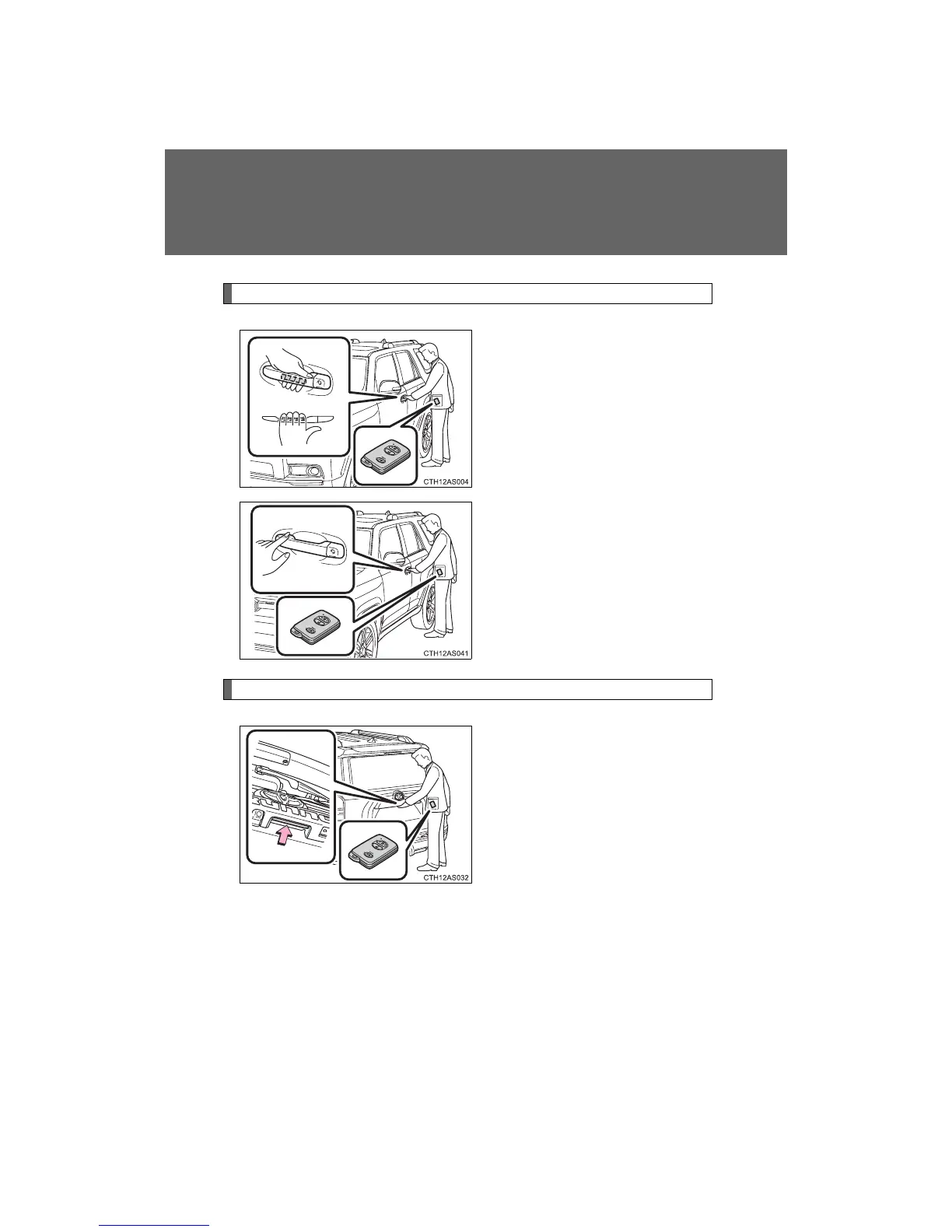
Unlocking and locking the side doors (front door handles only)
Grip the handle to unlock the
door.
Make sure to touch the sensor on
the back of the handle.
The doors cannot be unlocked for
3 seconds after the doors are
locked.
Touch the lock sensor (the
indentation on the upper part of
the door handle) to lock the
doors.
Opening the back door
Press the back door opener.
The back door can be opened
even if it is locked.











 To Next Page