452
3-7. Other interior features
4RUNNER_U
Deviation calibration
Stop the vehicle.
Change the accessory meter display to deviation calibration
mode by doing the following.
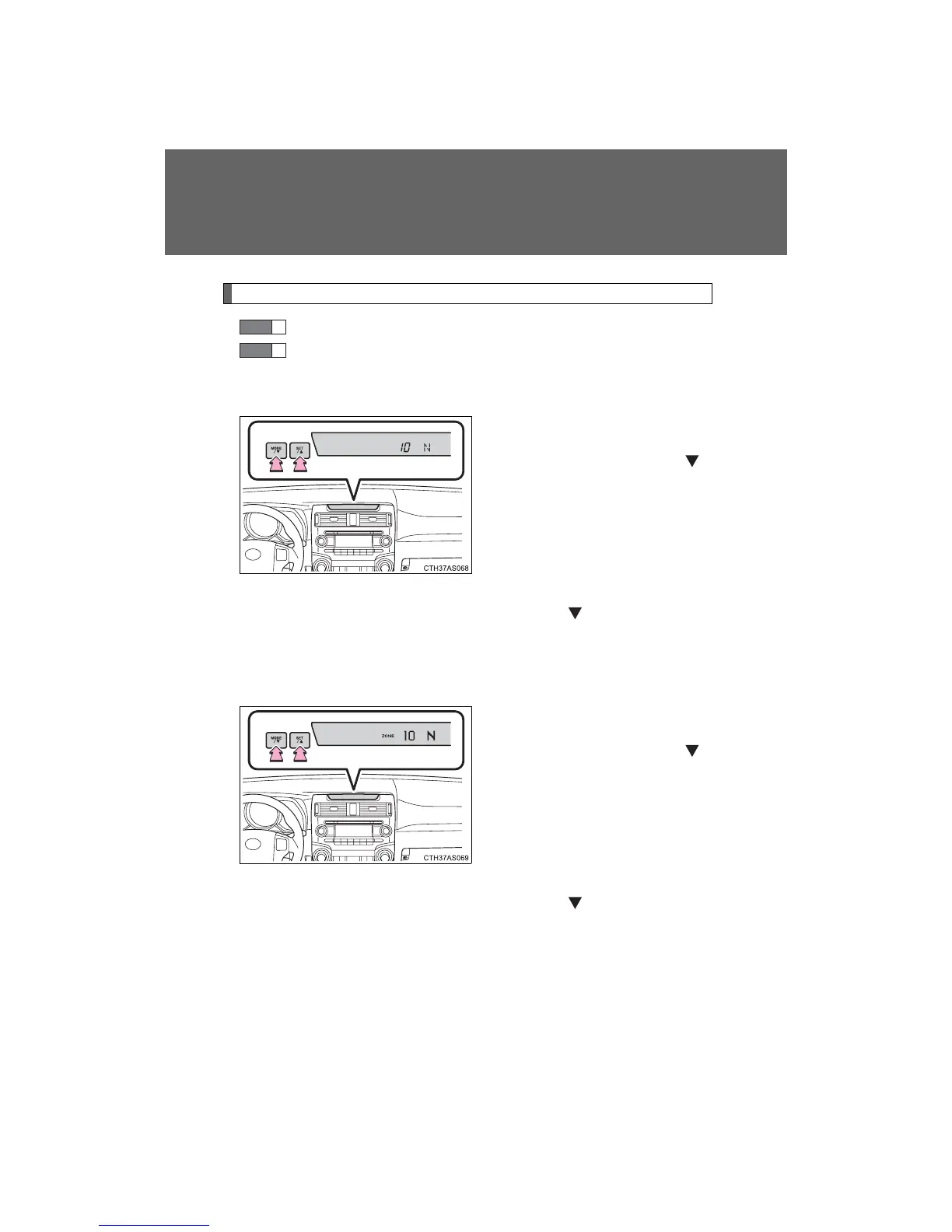
Vehicles without Multi-terrain Select
When the parking lights are
turned on:
Press and hold the “MODE/ ”
button.
A number (1 to 15) will appear
on the display.
When the parking lights are off:
In accessory meter light control
mode (→P. 196), press and hold
the “MODE/ ” button.
A number (1 to 15) will appear
on the display.
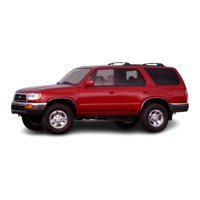
Vehicles with Multi-terrain Select
When the parking lights are
turned on:
Press and hold the “MODE/ ”
button.
A number (1 to 15) will appear
on the display.
When the parking lights are off:
In accessory meter light control
mode (→P. 196), press and hold
the “MODE/ ” button.
A number (1 to 15) will appear
on the display.
STEP
1
STEP
2













 To Next Page