Port Configuration
3-117
3
Command Attributes
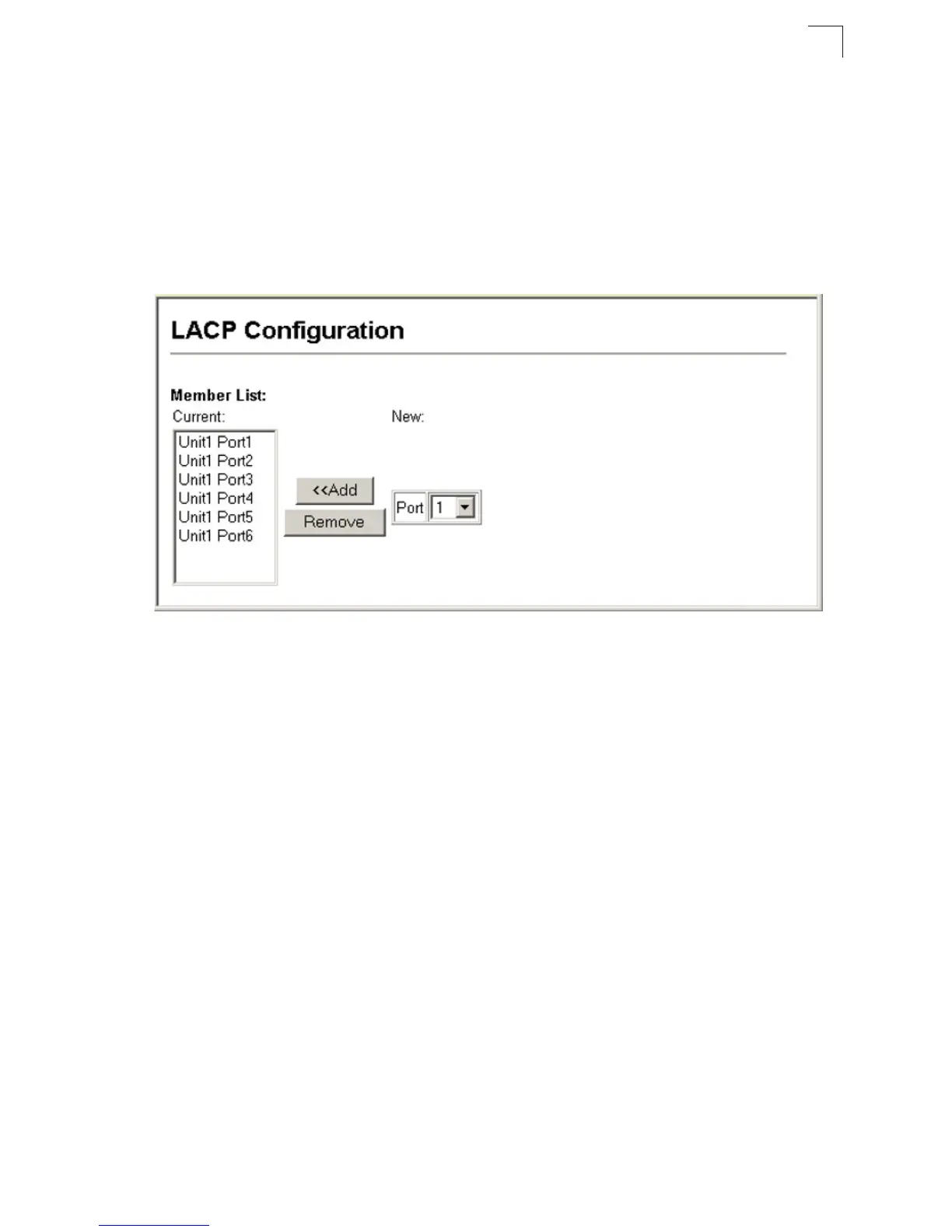
• Member List (Current) – Shows configured trunks (Port).
• New – Includes entry fields for creating new trunks.
- Port – Port identifier. (Range: 1-28/52)
Web – Click Port, LACP, Configuration. Select any of the switch ports from the
scroll-down port list and click Add. After you have completed adding ports to the
member list, click Apply.
Figure 3-75 LACP Trunk Configuration



 To Next Page