TracVision TV3 User’s Guide
13
Getting Started
Turning On the System
To turn on your TracVision system, follow these steps:
1. Make sure the antenna has a clear, unobstructed view of the
sky.
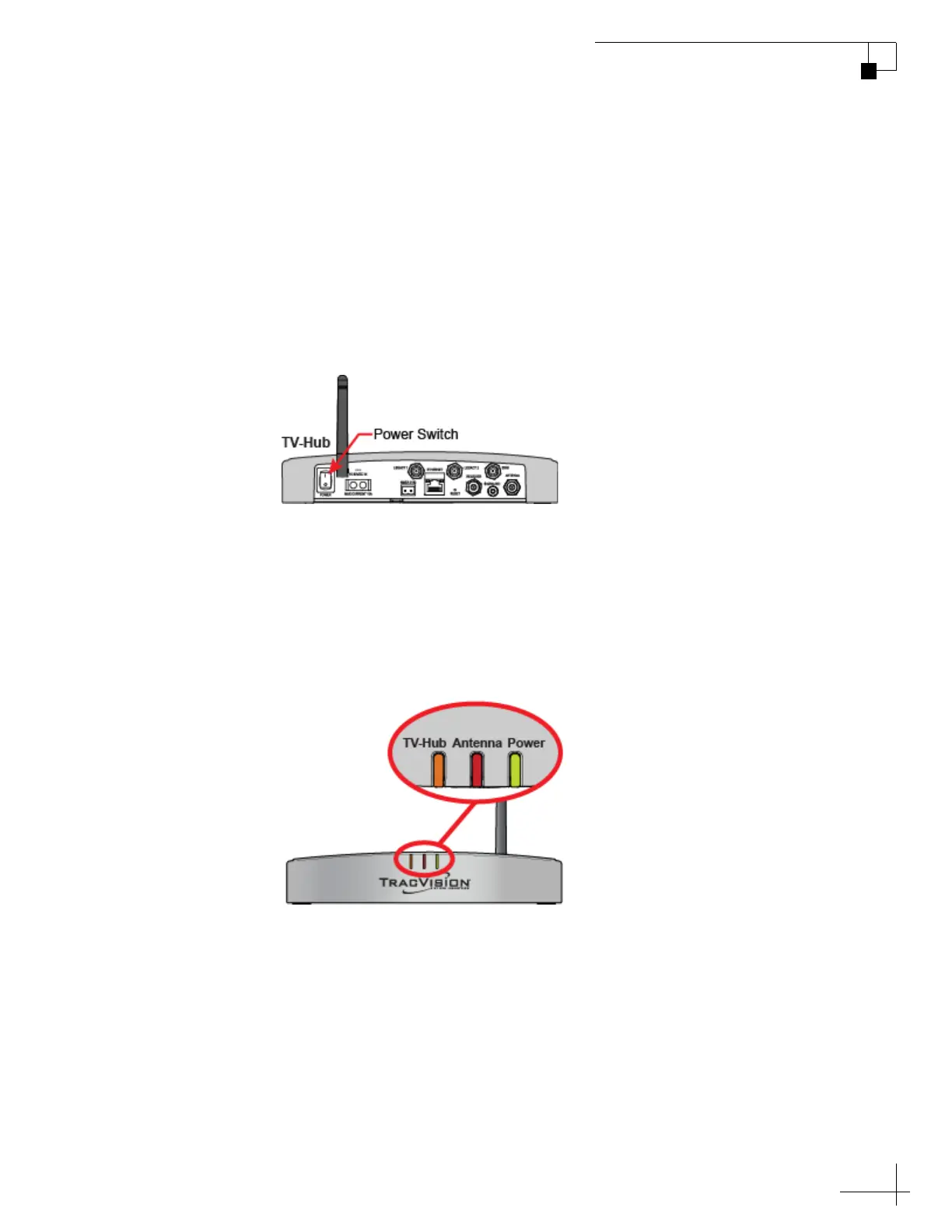
2. At the rear panel of the TV-Hub, set the power switch to the On
(|) position. The TV-Hub supplies power to the antenna.
Figure 2-3 Power Switch (TV-Hub A shown)
3. Wait a few minutes for system startup.
4. Once the antenna finds the selected satellite, all three status
lights on the TV-Hub should be lit green. If any lights are not lit
green, refer to “TV-Hub Status Indicators” on page 75.
Figure 2-4 Status Lights



 To Next Page