TracVision TV3 User’s Guide
59
Switching Satellites
Automatic Satellite Switching – Linear, DISH
Network, or Bell TV
In Automatic satellite switching mode, the TV-Hub can accept DiSEqC
satellite change commands from linear, DISH Network, or Bell TV
receivers that are either:
• Connected directly to the TV-Hub’s “Receiver” port
• Equipped with an IP AutoSwitch
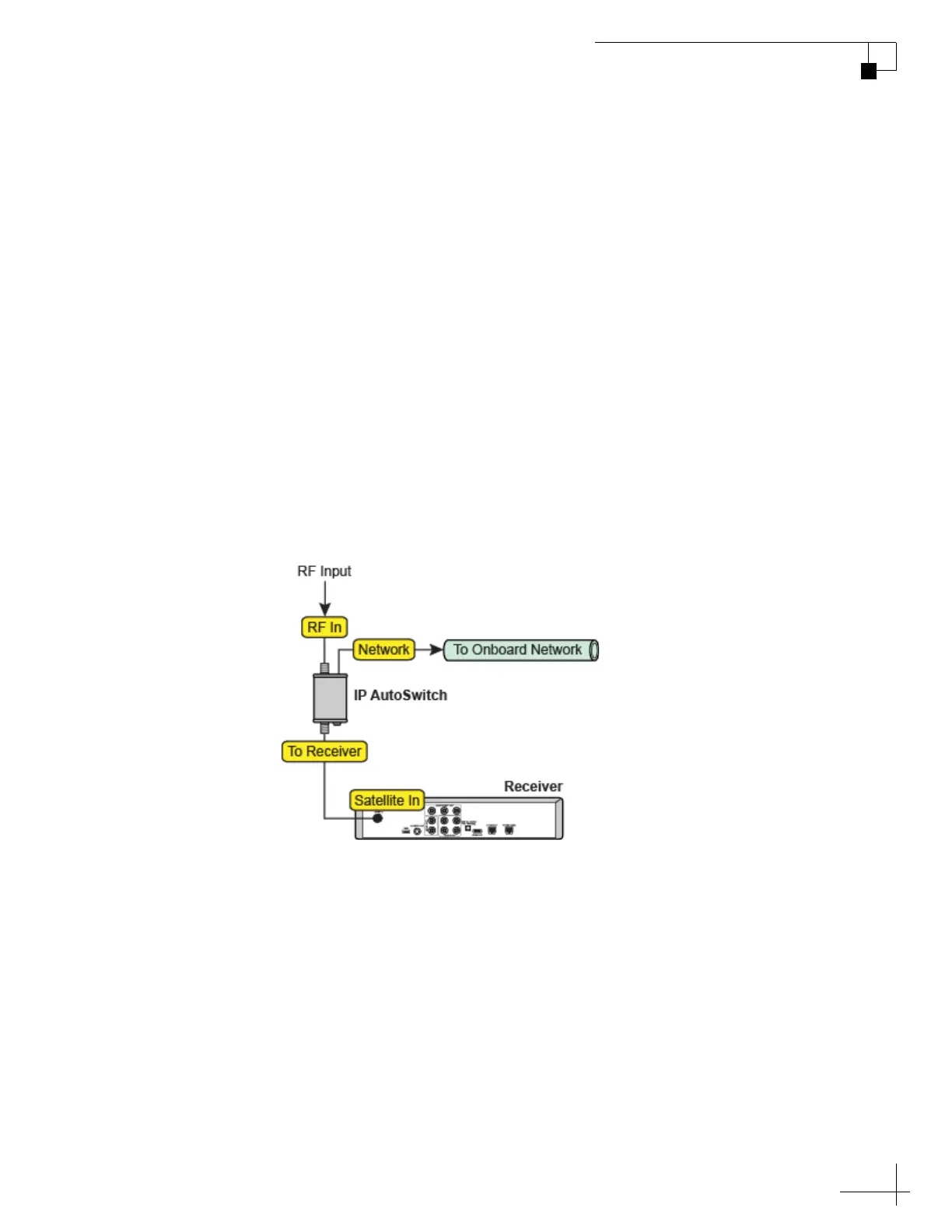
IP AutoSwitches send DiSEqC commands via your onboard local area
network (LAN). See “Network Settings” on page 15 for network setup
details.
NOTE: An IP AutoSwitch is not required for a receiver connected directly to
the TV-Hub because the TV-Hub has a built-in IP AutoSwitch.
Figure 7-1 IP AutoSwitch Connections
Each receiver and IP AutoSwitch needs to be set up for automatic
switching, as explained in the following topics:
• “Setting Up a Linear Receiver for Automatic Switching” on
page 60
• “Setting Up a DISH Network/Bell TV Receiver for
Automatic Switching” on page 61
• “Setting Up an IP AutoSwitch” on page 62



 To Next Page