TracVision TV3 User’s Guide
37
Receiver Settings
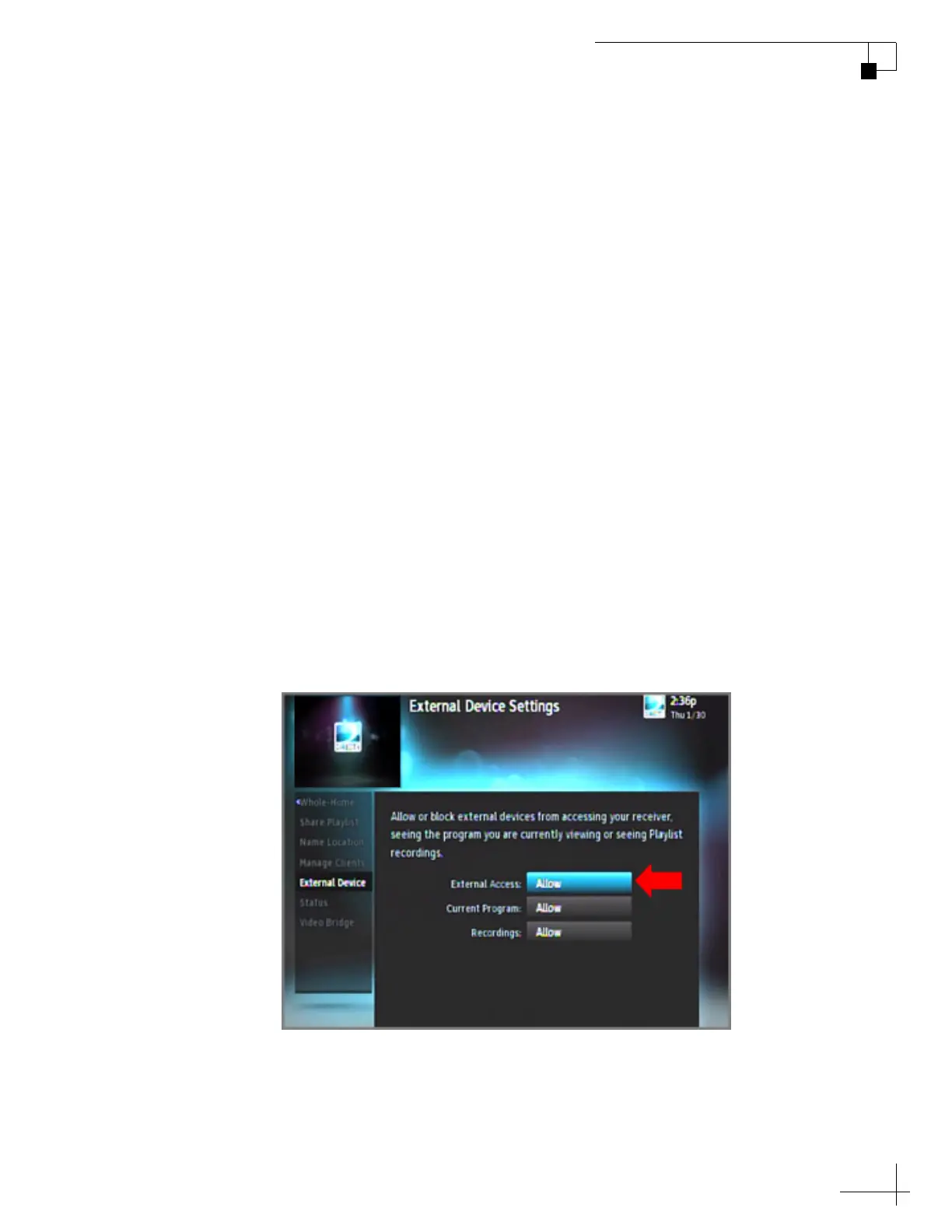
Allowing External Access on a DIRECTV Receiver
For automatic satellite switching, the TV-Hub needs to communicate
with the receiver over the onboard network. The receiver needs to be
set up to allow this external access. To allow external access on a
DIRECTV receiver, follow these steps:
NOTE: A video tutorial of this procedure is available in KVH’s TracVision
Tutorials playlist on YouTube (Internet access required).
1. Press MENU on the receiver’s remote control to access the
onscreen menu.
2. At the main menu, highlight Settings & Help. Then select
Settings.
3. Highlight and select Whole-Home
4. Highlight and select External Device.
5. Set External Access to Allow.
6. At the warning message, select OK.
Figure 5-3 External Device Settings on DIRECTV Receiver



 To Next Page