TracVision TV3 User’s Guide
78
Troubleshooting
Error Messages
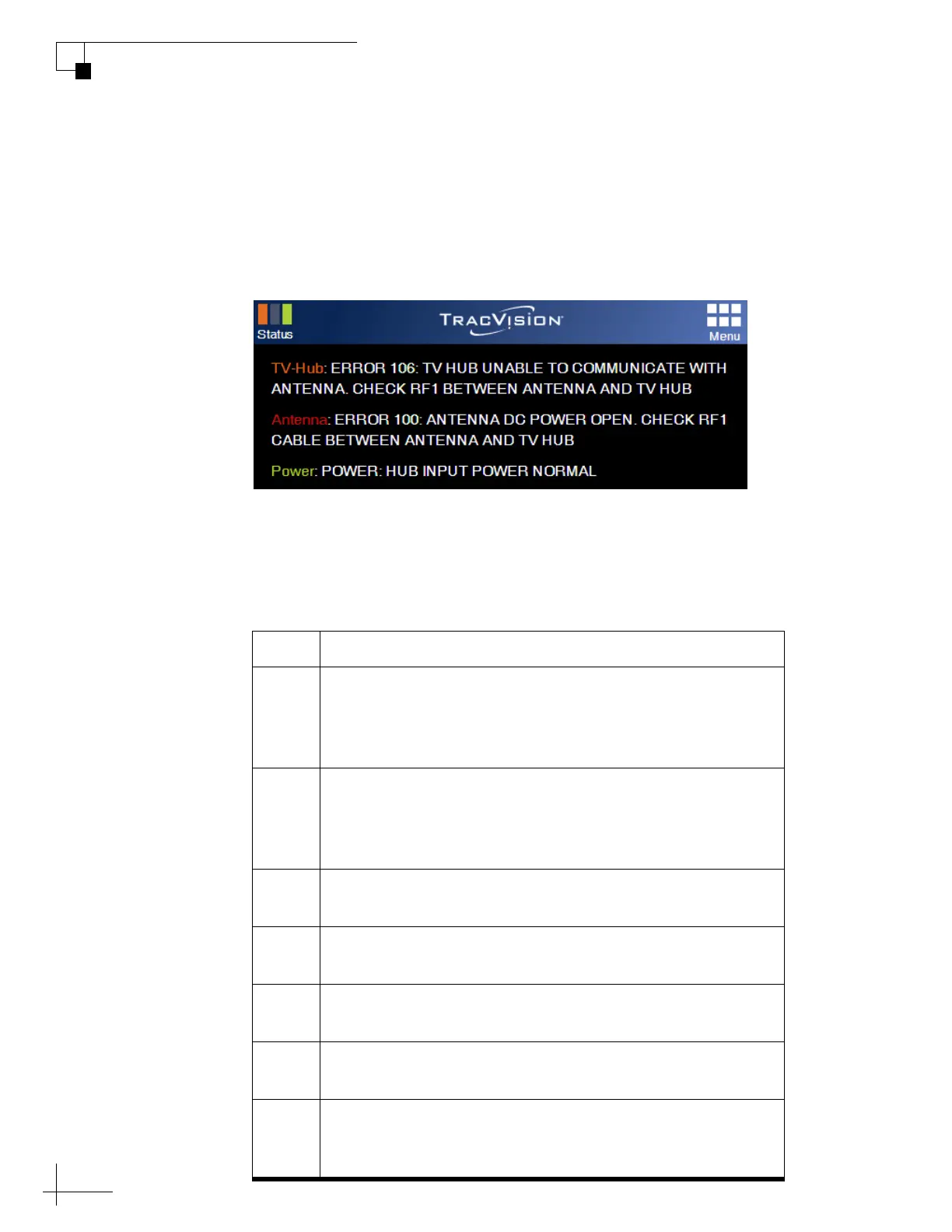
If any of the Status indicators on the Home page of the web interface
are flashing orange, flashing red, or solid red, click on it to view the
error message.
Figure 8-4 Example of Error Messages under Status Indicators
The table below lists all of the possible error messages. Many of these
faults should only be repaired by a KVH-certified technician; contact
KVH Technical Support for assistance (see “Technical Support” on
page 84).
Error Description
100 There is an open circuit in the DC power wires running
between the antenna and the TV-Hub. The TV-Hub detects
no DC current feed to the antenna. Check the RF1 cable
between the antenna and the TV-Hub.
101 There is a short circuit in the DC power wires running
between the antenna and the TV-Hub. The TV-Hub detects
an overload condition. Check the RF1 cable between the
antenna and the TV-Hub.
102 The TV-Hub is not providing the proper DC voltage to the
antenna (should be 37.8-46.2 VDC). Contact KVH.
104 The software update file you selected is corrupt. Try a new
update file.
105 The TV-Hub is unable to read from or write to its
EEPROM. Contact KVH.
106 The TV-Hub has lost communications with the antenna.
Check the RF1 cable between the antenna and the TV-Hub.
107 The TV-Hub internal temperature exceeds acceptable
limits. If the problem persists, you might need to relocate
the unit to an area that provides better ventilation.



 To Next Page