TracVision TV3 User’s Guide
84
Troubleshooting
Technical Support
The TracVision system is a sophisticated electronic device; only
specially trained KVH-certified technicians have the tools and
expertise necessary to diagnose and repair a system fault. Therefore, if
you experience an operating problem or require technical assistance,
please contact KVH Technical Support:
North/South America, Australasia:
Phone: +1 401 847-3327
E-mail: support@kvh.com
Europe, Middle East, Africa, Asia-Pacific:
Phone: +45 45 160 180
E-mail: support@emea.kvh.com
Please have your system serial numbers and software versions handy
before you call (see “System Information” on page 83).
Remote Diagnostics
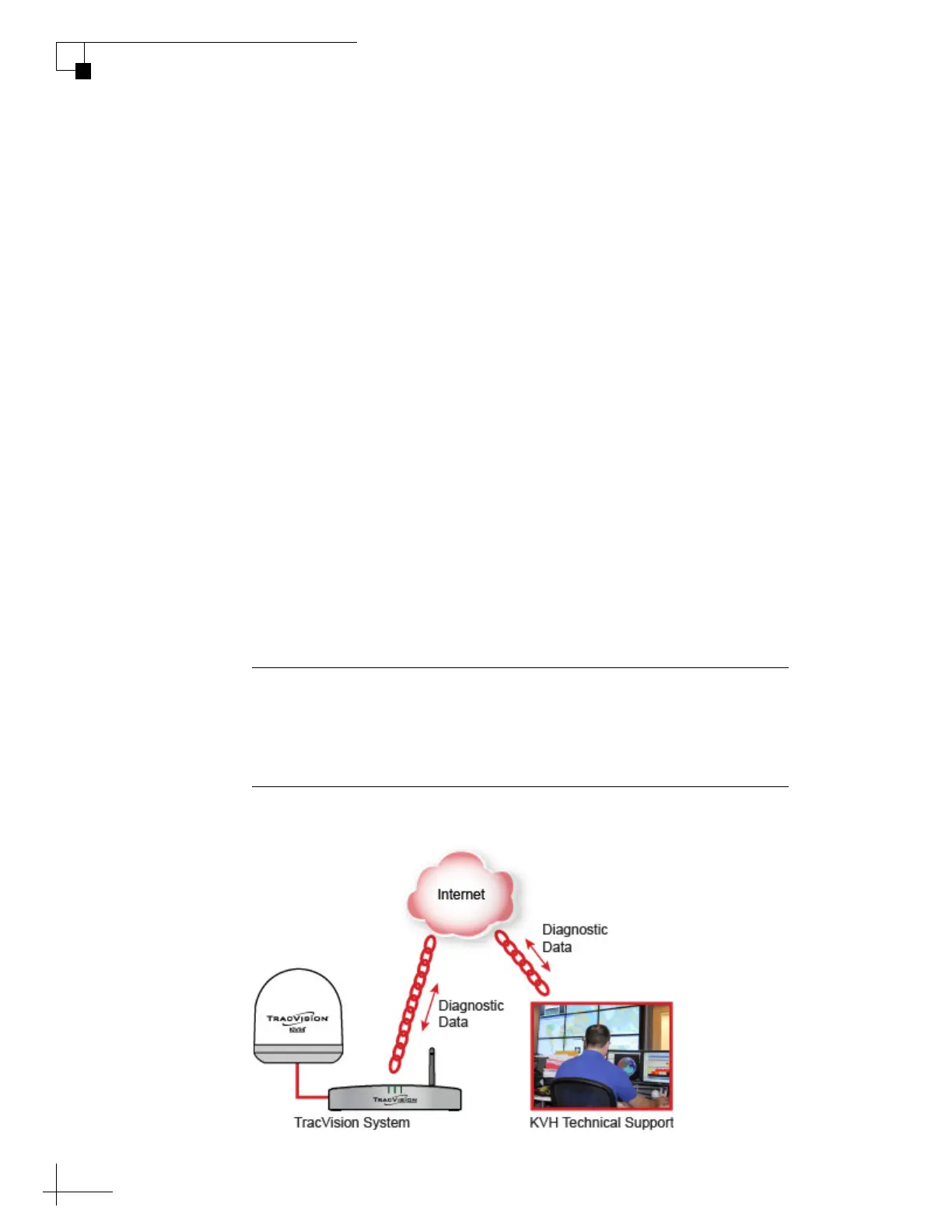
If your TV-Hub is connected to the Internet via an onboard network,
KVH Technical Support might be able to troubleshoot your system
remotely over the Internet.
Figure 8-8 Remote Access
Important!
KVH Technical Support will guide you through the process of
enabling remote diagnostics on the TV-Hub. Enable this connection
only when requested by KVH Technical Support.



 To Next Page